

Set up Fit+ on Apple Watch
Install Fit+ on your Apple Watch, allow Health access and link the watch to your Fit+ account on iPhone.
Fit+ for Apple Watch comes with the Fit+ iPhone app. Once you link it, your watch shows today's planned workout and you can train from your wrist.
Before you start
- An iPhone with Fit+ installed, and you're signed in.
- An Apple Watch paired with that iPhone, running watchOS 10 or later.
Install the watch app
Fit+ for Apple Watch is included with the iPhone app. Depending on your watch settings, it installs automatically. If it doesn't, open the Watch app on your iPhone, find Fit+ and tap Install.
Open Fit+ on your watch for the first time
Open Fit+ on your watch and tap Continue.
Tap Allow, then allow Fit+ to save workouts and read your heart rate and active energy in Apple Health.
Tap Let's go to open the Today screen.
If you don't allow Health access, workouts still run, but your heart rate shows as a dash and calories stay at zero. You can change this later in the Health app on your iPhone.
Link your watch to your account
Your watch doesn't have its own sign-in. It uses the account you're signed in to on your iPhone.
On your iPhone, tap Me, then Devices & apps.
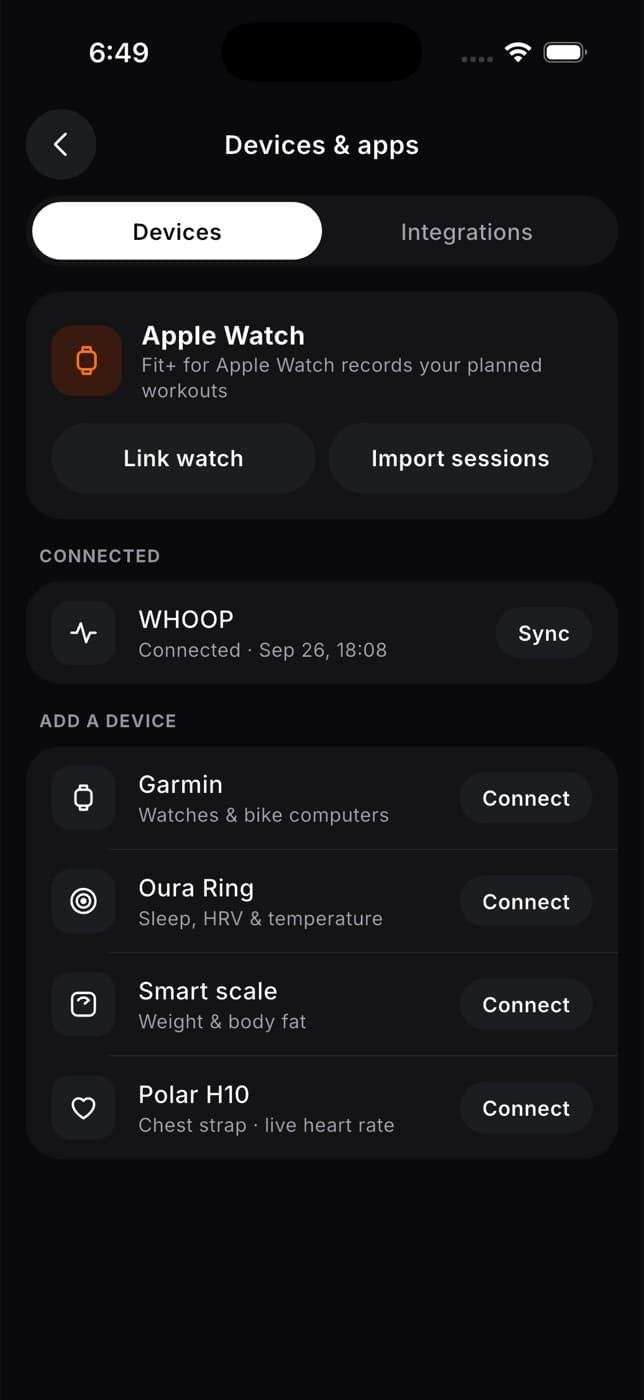
On the Apple Watch card, tap Link watch.
Open Fit+ on your watch to finish linking.
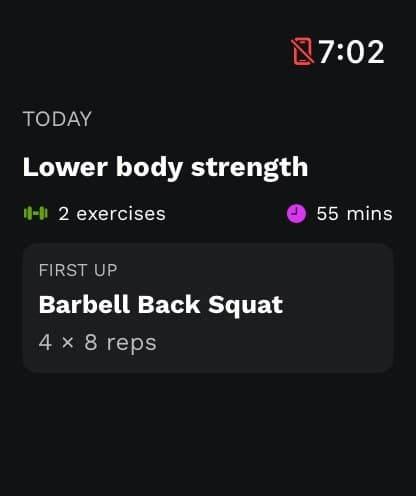
What happens next: your watch shows your next planned workout on the Today screen.
Keep your plan up to date
Your watch keeps the workout that was sent when you linked it. If your coach changes your program, or you've moved on to the next training day, tap Link watch on your iPhone again to send your latest plan.
If your watch says "Link again on your iPhone to send your current plan", there's no plan on the watch yet. Tap Link watch again.
Unlink your watch
Signing out of Fit+ on your iPhone unlinks your watch. If someone else signs in on that iPhone, they need to link the watch again.
Common questions
Make sure your watch is paired with your iPhone and Fit+ is installed on the watch, then tap Link watch again.
No. Fit+ for Apple Watch works with the Fit+ iPhone app only.
Your watch isn't linked yet. On your iPhone, tap Me, then Devices & apps, then Link watch, and open Fit+ on your watch.