

Check members in
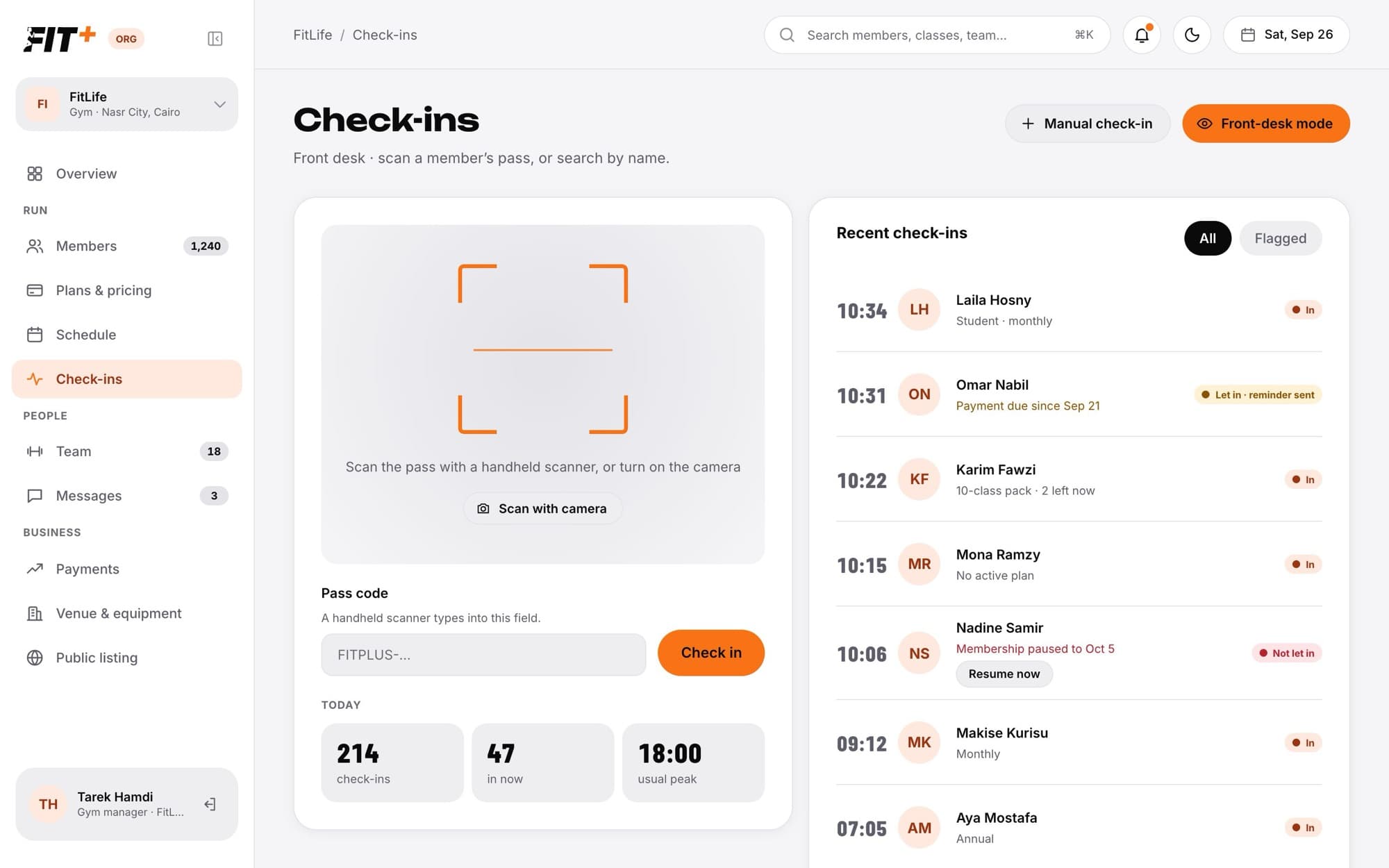
Scan a member's Fit+ pass at the front desk, or check them in by name, and see who came in today.
Members show a check-in pass on their phone when they arrive. You scan it on Check-ins, and the visit is recorded straight away. If someone forgot their phone, you can check them in by name.
Before you start
- You need to be the owner, or staff with Check members in. Other staff can see the recent list but not the scanner.
- The person must be a member of your gym. Their pass is in the Fit+ app under Me, then Membership & check-in.
Scan a member's pass
The pass code changes every few seconds and works only once, so screenshots of a pass won't work. If Fit+ says the pass has expired or was already used, ask the member to refresh their pass and scan again.
Check someone in by name
For a member who doesn't have their phone:
The visit is recorded with your name.
Use front-desk mode
On a tablet at the desk, click Front-desk mode. It opens a full-screen scanner with bigger text. Press Escape or click Exit to leave it.
Who gets in
| Situation | Let in? | What you see |
|---|---|---|
| Active plan, nothing owed | Yes | In |
| Joined your gym but has no plan | Yes | "No active plan" |
| A payment is due | Yes | "Let in · reminder sent". The member gets a payment reminder in the app |
| Membership is paused | No | "Not let in" and the date the pause ends, with Resume now |
Only members of your gym have a pass for it. A payment problem never stops someone at the door. Fit+ flags it and reminds the member for you.
Resume now ends the member's pause and checks them in at once. You need See and add members to use it.
See today's visits
- Today shows check-ins so far, how many people are in now and your usual peak hour.
- Recent check-ins lists the latest visits with the time, name and result. Click Flagged to see only payments due and people who weren't let in.
Common questions
The code you scanned isn't a Fit+ pass. Ask the member to open their pass in the Fit+ app, under Me, then Membership & check-in.
The member showed a pass for a different gym. Ask them to open the pass for your gym instead.
No. Fit+ counts someone as in the building for 90 minutes after they check in.
No. When Fit+ says the check-in did not complete, nothing was recorded. Try again.