

Book a session with a coach or nutritionist
Find a coach or nutritionist, send a booking request, and keep track of or cancel your sessions on the Schedule page.
The Schedule page is where you find a coach or nutritionist, ask for a session, and keep track of everything you've booked.
Select Schedule in the sidebar to open it. You'll also get here from Find a coach, Find a nutritionist or Open schedule elsewhere on the website.
What you'll see
- Next session: your soonest booking, with the date, time, length, whether it's online or in person, who it's with, and whether it's confirmed.
- Coming up: your other upcoming bookings, by day.
- Find your kind of support: coaches and nutritionists you can book.
- Earlier: your past and cancelled bookings.
Find a coach or nutritionist
Scroll to Find your kind of support, or select Book a session at the top. Use the search box to look for a name, a specialty or a language.
Send a booking request
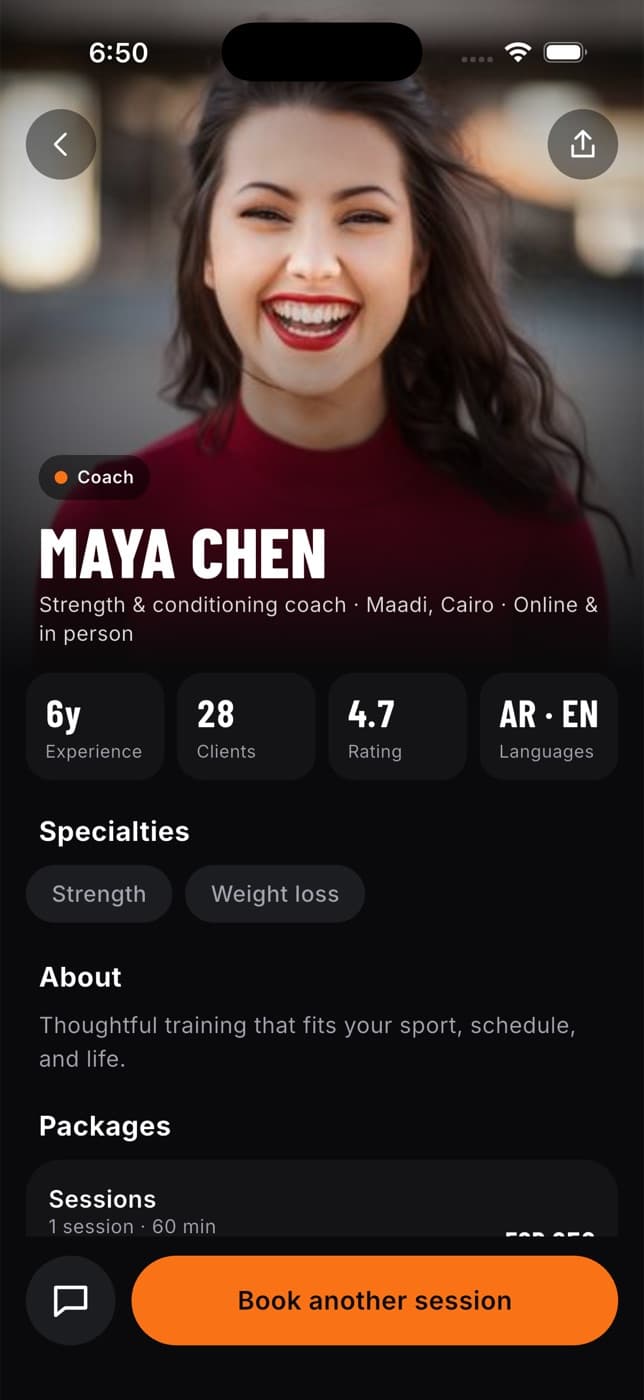
Select View profile & plans
Read about the person: their experience, specialties, languages, qualifications, where they work and how they work (online, in person or both).
Choose a plan
Pick one of their offers, for example a single session, a monthly plan or a package. Choose the currency if they offer more than one (EGP or USD). The price you see is the price they set.
Choose a time
Choose Online or In-person, then a date and time. Times are shown in your own time zone.
Add a note if you like
For example, what you'd like to work on. Only this note is sent with your request. Your health and training data stay private unless you've shared them.
Review and send
Check the details, then select Send booking request.
You'll see "Your request is on its way." The booking appears on your schedule as requested.
This is a request, not a payment. Nothing is charged now and nothing renews automatically. You arrange payment directly with your coach or nutritionist.
What happens next
- The coach or nutritionist gets a notification with your request.
- They confirm it, suggest a different time, or decline.
- Your schedule updates. Once confirmed, it shows as confirmed. If they declined, message them to find another time.
To reply to a new time they suggest, use the Fit+ app. See Fit+ on your phone.
Cancel a booking
Find the booking
Under Next session or Coming up.
Select Cancel booking or Cancel
You'll be asked "Cancel this session?"
Select Yes, cancel
The booking moves to Earlier and your coach or nutritionist is told. Select Keep it if you change your mind.
Common questions
They already have a session then. Pick another time.
The coach updated their prices while you were looking. Open their profile again and check the new price before sending.
It was a request that the coach never confirmed before the time passed.
Coaches and nutritionists appear once they've published their profile and plans. Check back soon.