

Find a coach or nutritionist
Browse trainers and nutritionists in the Fit+ app, narrow the list and read a professional's profile before you book.
The coaches directory lists every trainer and nutritionist you can book on Fit+. Use it to compare people, then open a profile to see their packages and prices.
Open the directory
You can reach the directory from several places:
- Tap Train, then the Find a coach or nutritionist card (shown when you are not following a program).
- On Home, open Your support team and tap Find an expert.
- Tap Me, then My sessions, then +.
- In the AI Coach, ask it to find you a coach and tap Browse coaches on its suggestion.
Browse and filter the list
Choose Trainers or Nutritionists at the top. Someone who does both appears in both lists.
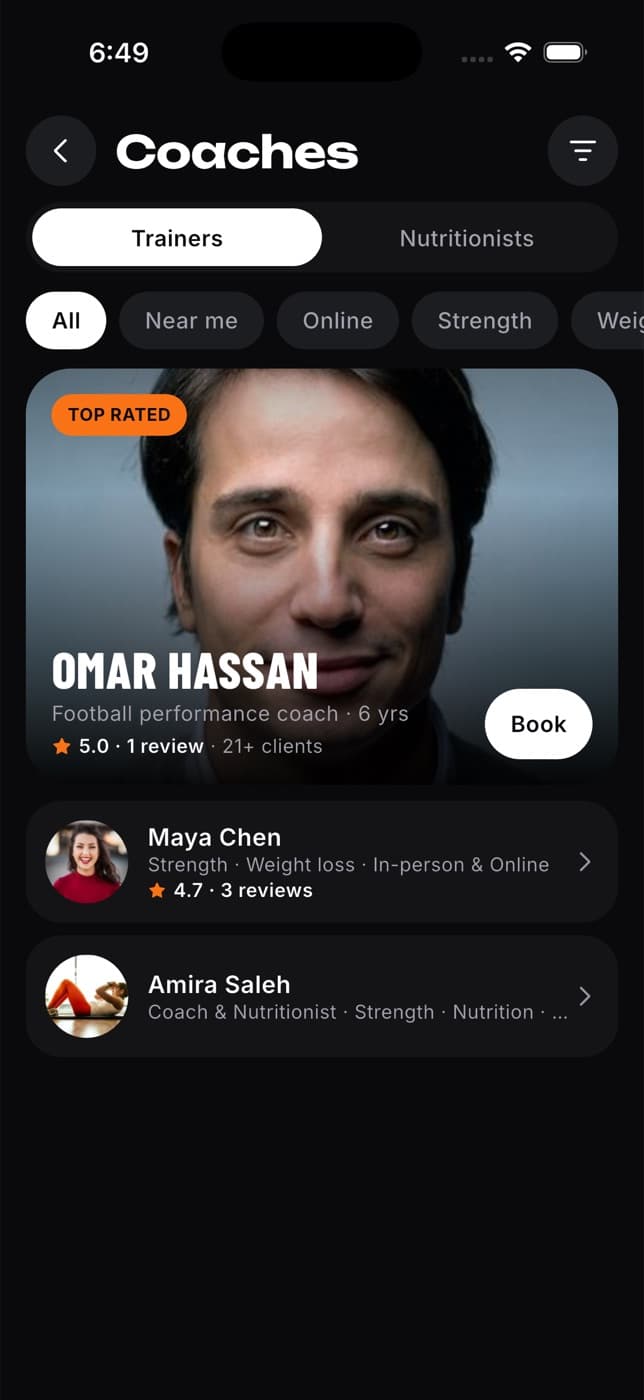
Tap a chip to narrow the list: All, Near me (people who train in person), Online, or a specialty such as Strength. Tap a specialty again to clear it.
For more options, tap the filter button in the top right. Choose how sessions happen, pick a specialty and choose Sort by: Top rated, Most experienced or Most clients. Tap Show results, or Reset to go back to the defaults.
Tap a card or row to open that person's profile. To go straight to booking, tap Book on the large card at the top.
Near me shows professionals who offer in-person sessions. It does not use your location, so check the city on their profile.
Read a profile
A profile helps you decide whether someone is a good fit.
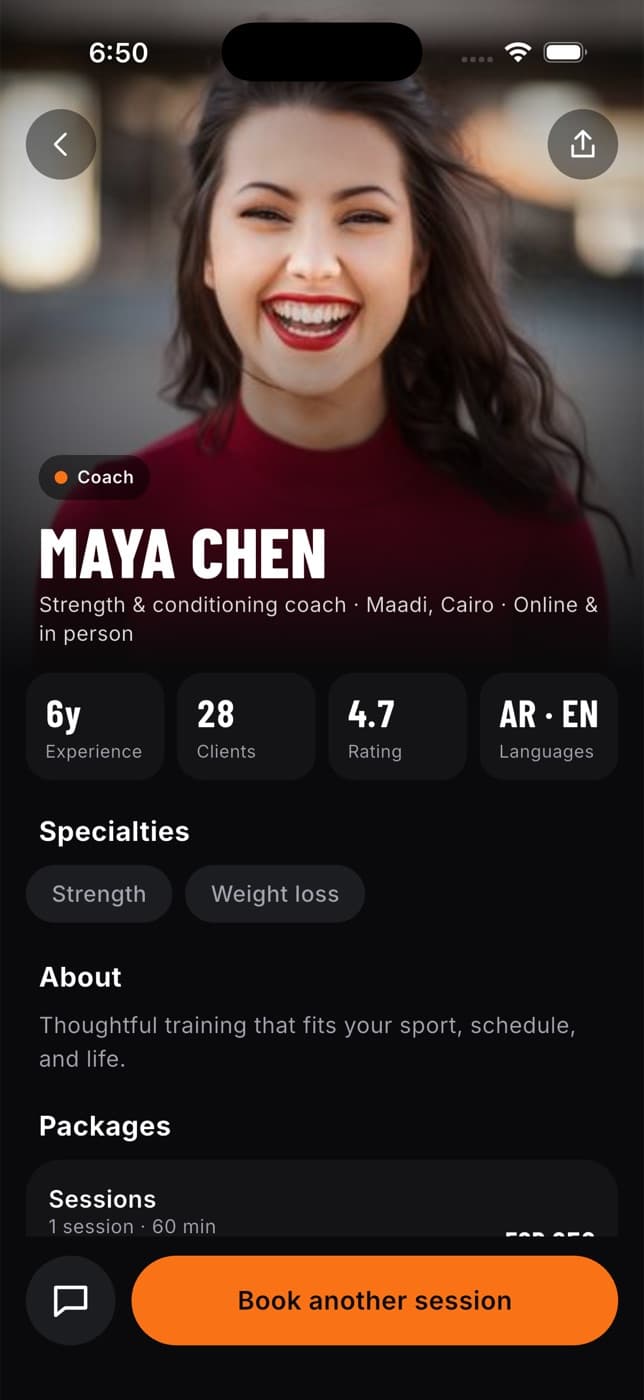
On a profile you can see:
- Their role (Coach, Nutritionist or Coach & Nutritionist), where they work and whether they train online, in person or both.
- Years of Experience, Clients, their Rating and the Languages they speak.
- Their Specialties, an About section and their qualifications.
- Their Packages, with what each one includes, the session length and the price.
- The newest review. Tap See all to read every review.
From the profile you can:
- Tap the round message button to chat with them. You don't need to book first.
- Tap Book a session, or tap a package, to start a booking. See Book a session.
- Tap the share button in the top right to send their profile to a friend.
If you already sent them a request, the button reads Request pending and opens that request. After a session is confirmed, it reads Book another session.
Common questions
Not yet. Use the Trainers and Nutritionists tabs, the chips and the filters to narrow the list.
That professional has no reviews yet, so there is no rating to show.
Tap Show all to clear the filters. New coaches join Fit+ regularly, so check back later too.
Profiles show prices in EGP. If a professional also prices in USD, you can switch currency when you book.