

Book a session with a coach
Choose a package, pick a time and send a session request to a coach or nutritionist in the Fit+ app.
Booking in Fit+ is a request. You choose a package and a time, and the coach or nutritionist confirms it. Payment is arranged directly with them in chat, never in the app.
Before you start
- Find the person you want to book. See Find a coach or nutritionist.
- Have a rough idea of when you're free. You pick the time of your first session.
Send a request
Open the professional's profile and tap Book a session. You can also tap one of their packages, tap Book in the directory, or tap the calendar button at the top of your chat with them.
On Choose a plan, pick a package. If the professional prices in more than one currency, use the EGP and USD switch at the top. Packs of sessions that work out cheaper show a Save tag.
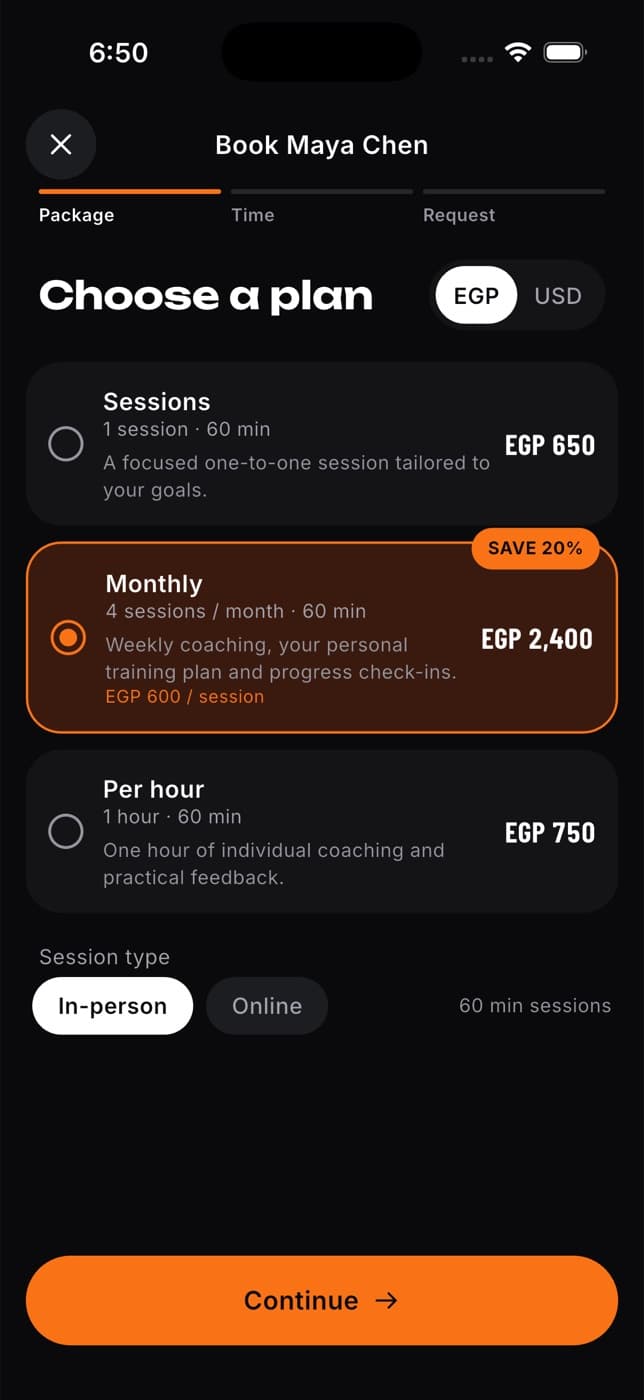
Under Session type, choose In-person or Online (if the professional offers both), then tap Continue.
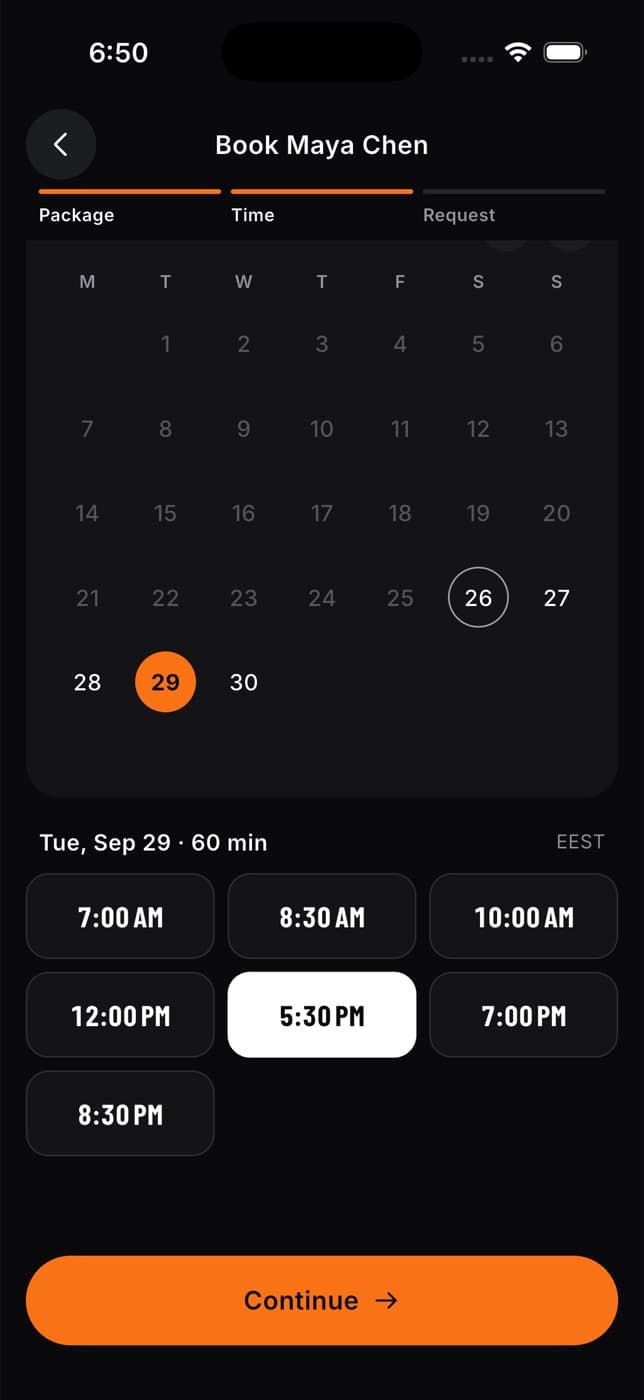
On Pick your first session, tap a day, then a start time. Times in the past, or that clash with another of your sessions with this person, are greyed out. Times are shown in your phone's time zone. Tap Continue.
On Review & send, check the plan, the date and time, the session length and the listed price. Add a message if you like, for example your goal or an injury to plan around.
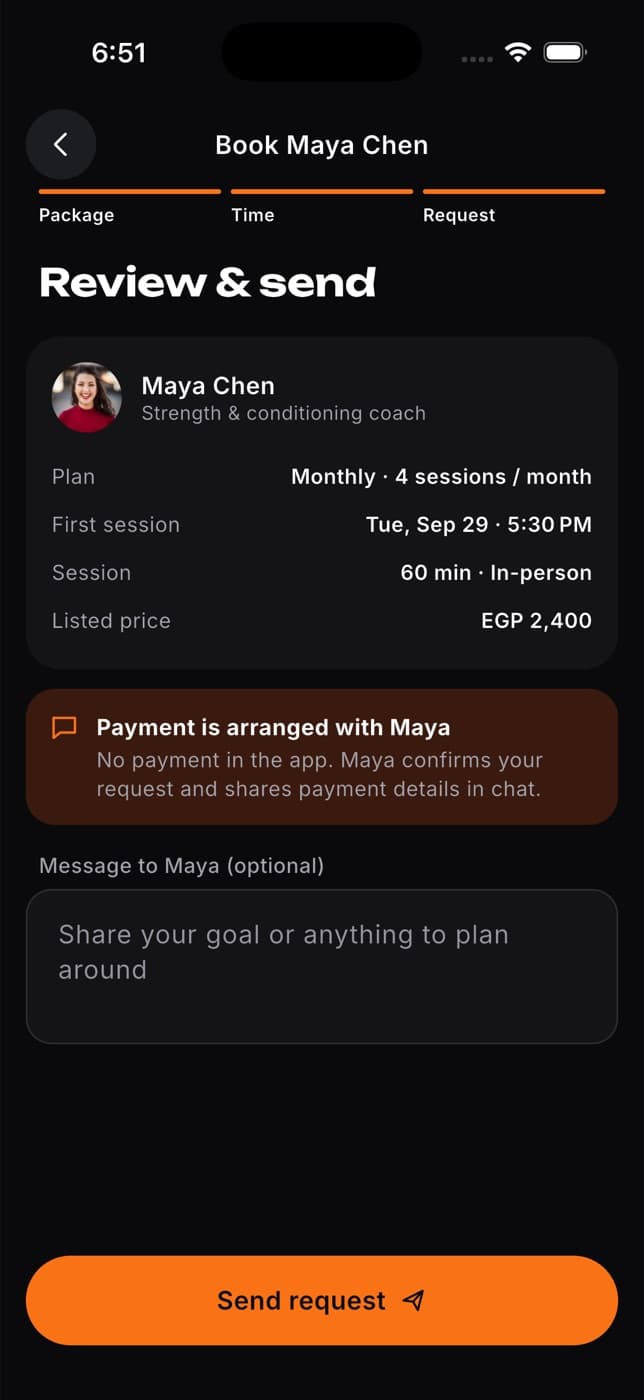
Tap Send request.
After you send it
The Request sent screen confirms your request is waiting for the professional.
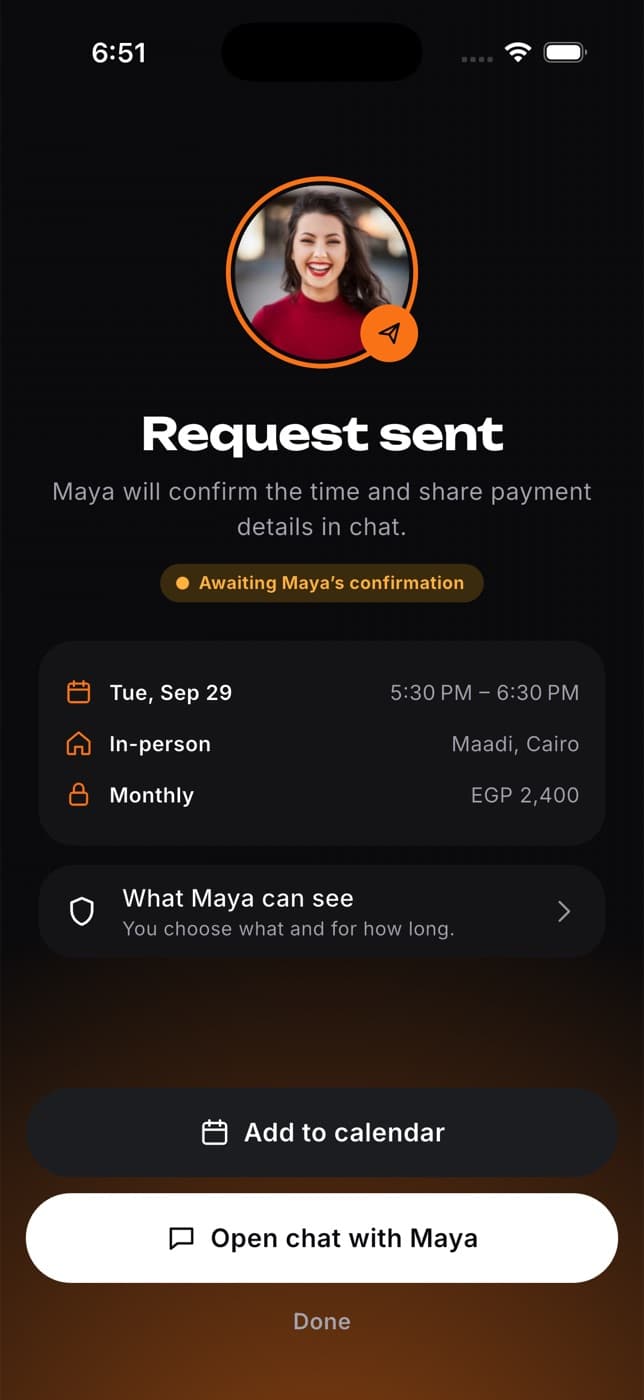
From here you can:
- Tap the sharing card to choose what the professional can see, such as your workouts or meals, and for how long (1 month, 3 months or until you stop). This is optional. See Share your data with your coach below.
- Tap Add to calendar to save a tentative event in your calendar app.
- Tap Open chat with ... to talk to the professional. Your request is pinned at the bottom of the chat so you both see what you asked for.
- Tap Done to go back to Home.
What happens next
The professional gets a notification about your request. They can then:
| They choose to | What you see |
|---|---|
| Confirm it | A Session confirmed notification. The session moves to Upcoming in My sessions. |
| Suggest another time | A New time proposed notification. Accept or decline it in My sessions. |
| Decline it | A Session request declined notification, with their reason if they gave one. |
They share payment details with you in chat. To follow up, answer a new time or change your plans, see Manage your sessions.
The price on your request is the professional's listed price when you sent it. Payment happens outside the app, so agree on it with them in chat before your session.
Share your data with your coach
Booking a session does not give the professional any of your data. If you want them to follow your progress, you choose what to share:
Tap the sharing card on the Request sent screen. You can also do this later: tap Me, then Data sharing.
Choose what they can see: Workouts & training, Schedule, Sleep, Recovery & heart data, Nutrition or Body measurements. Fit+ suggests the ones that fit their role.
Choose how long to share: 1 month, 3 months or Until I stop.
Tap the Share button at the bottom (it shows how many categories you picked). You can change or stop sharing at any time from Me, then Data sharing.
A coach needs you to share Workouts & training before they can assign you a program. A nutritionist needs Nutrition before they can assign you a meal plan.
Common questions
Someone else booked that time with this professional while you were choosing. Go back and pick another time.
The professional updated their package while you were booking. Go back to their profile, check the new price and book again.
No. You can change the time, but not the package, price or session type. To change those, cancel the request and send a new one.
Yes. A confirmed session never blocks another booking. Tap Book another session on their profile, or Book again on a past session.
No. Group classes and workshops at your gym are booked from the Learn tab in Community. See Learn articles and workshops.