

Swap a meal or ask your nutritionist
See how to make a planned meal, get ideas for swapping an ingredient, and replace a meal, with your nutritionist's approval when they wrote your plan.
Each meal in your plan comes with its ingredients and how to make it. If a meal doesn't work for you today, you can swap an ingredient or replace the whole meal. If a nutritionist wrote your plan, they're asked too.
See a meal's recipe
On Fuel, tap a planned meal in your Meal journal, or tap one in your plan overview.
You'll see the meal's calories, protein, carbs and fat, its ingredients with amounts, and Notes & preparation.
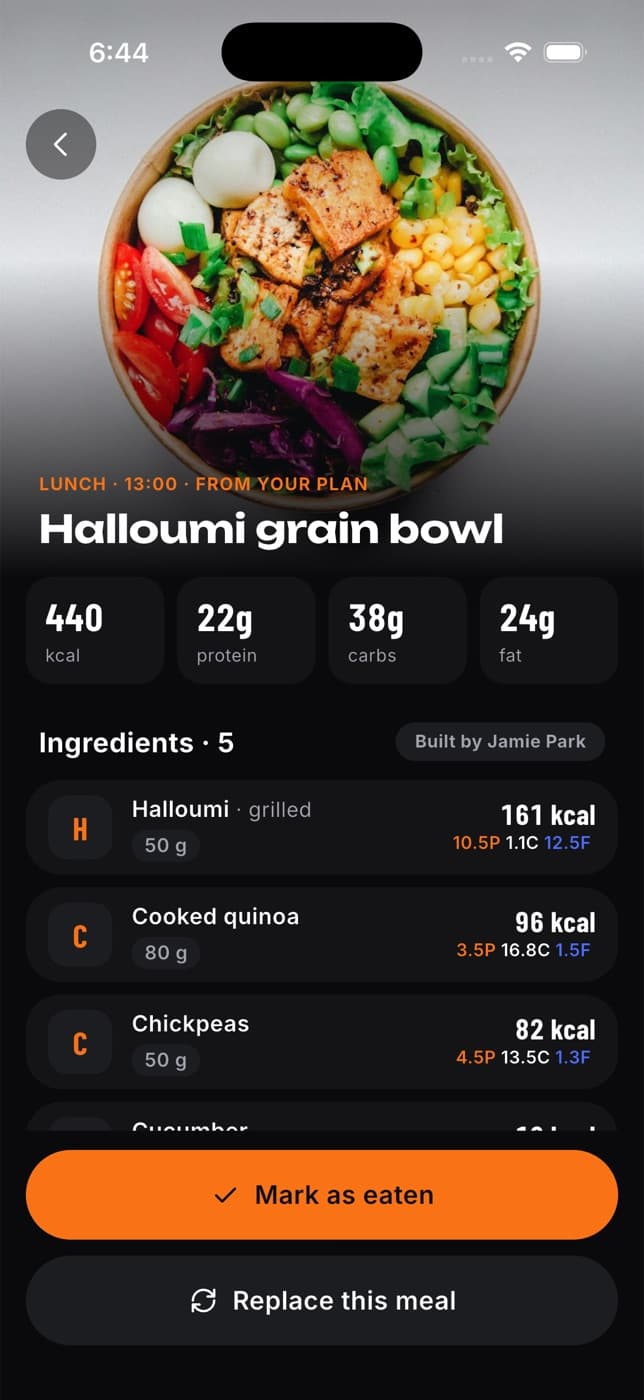
Tap Mark as eaten when you've had it, or Replace this meal to eat something else.
Get ideas for swapping an ingredient
Out of rice? Don't like tofu? Tap any ingredient in the meal to see Swap ideas: foods from the same group in an amount that gives about the same nutrition, for example "About 180 g" of pasta instead of rice.
For more, tap Ask Fit+ AI for more ideas. The first time, Fit+ asks Allow AI swap ideas? Only the ingredient and the other foods in its meal are sent. Fit+ AI's suggestions appear under AI ideas, and on the free plan each request uses one of your monthly Fit+ AI requests (Fit+ Pro has no limit). Tap Done to close.
Swap ideas are just suggestions. Your plan stays the same. To change your plan, ask your nutritionist or replace the meal.
Replace a meal
Open the meal and tap Replace this meal.
Under Why replace it?, pick a reason, such as Eating out today, Don't have the ingredients, Don't like it, Allergy or intolerance or Want something quicker.
Add a note if you like. For example, "No salmon at home, I have chicken and rice". Fit+ uses it to suggest a meal made from what you have.
Tap Ask AI for options. You'll see up to three meals with similar calories and protein, each with a match score. Fit+ leaves out meals that don't fit your diet or allergies.
Tap the meal you want.
If a nutritionist wrote your plan, choose whether it's Just for today (or just for the day you picked). Turn the switch off to ask your nutritionist to update your plan.
Tap Log this meal on your own plan, or Send & log meal on your nutritionist's plan.
The new meal is logged in place of the planned one, so your totals stay right.
What happens next
If the plan is your own, you're done. If a nutritionist wrote it, they get your request and reply:
| Their answer | What you see |
|---|---|
| Still waiting | "Waiting for" your nutritionist on the swapped meal |
| Approved | A notification and "approved" on the meal |
| Declined | A notification, and a note that they kept the original meal in your plan |
| Suggested another meal | A notification. Tap the swapped meal, then Log their suggestion instead to switch |
Your nutritionist's answer also appears in your chat with them.
To see all your requests, open Train, then My plan, and tap See all next to Change requests. You can withdraw a request that's still pending. The meal you logged stays in your diary.
Your nutritionist needs to see your nutrition to answer a request. If you stopped sharing it with them, you'll see Share with your nutritionist to send this instead of the send button.
Common questions
Yes. Pick the day in the week strip on Fuel first, then open the meal.
You're previewing a plan you haven't started. These buttons appear on meals in your own plan.
Yes. Recipes you cook yourself are separate from your plan. Import one from a link or add it by hand, then log a serving to any meal. See Save and log your own recipes.
See your weight trend and nutrients
Follow your smoothed weight trend over time, and see a day's nutrients, including fibre, sodium, sugar and saturated fat, against your targets.
Health and devices
Bring in your health data from Apple Health, Health Connect or WHOOP, check your readiness and sleep, and add readings of your own.