

Sport plans
Find a plan built around the sport you play, read its week, rules and what it builds, and start it with gym days that fit around your matches.
A sport plan is a gym plan built around a sport you play, such as padel, football, tennis or running. It puts your practice and matches in the week next to short gym days, so the gym helps your sport instead of tiring you out for it.
There are four kinds:
- Play better: get stronger and faster for a sport you already play. Some are for In season, Off season or Pre season.
- Learn a sport: for new players, with lessons and games next to short days that protect your joints.
- Get ready: count down to a race, a tournament or a trip. The plan ends in the week of your event.
- Any sport: a base plan for a sport that has no plan of its own yet.
Sport plans follow the sports in My sports: your main sport, your level and your usual days. Set those first and the right plan comes to the top.
Find a sport plan
Tap Train, then Explore.
Under the search, the sport filter shows My sports and each of your sports. Leave My sports on to see plans for all your sports, or tap one sport to see only its plans. Tap Clear to see every plan again.
For your sports shows the plan that fits you best first, marked Fits your week, and more plans for your sports below it. Each plan shows its kind, how many weeks it lasts and how many gym days a week it adds.
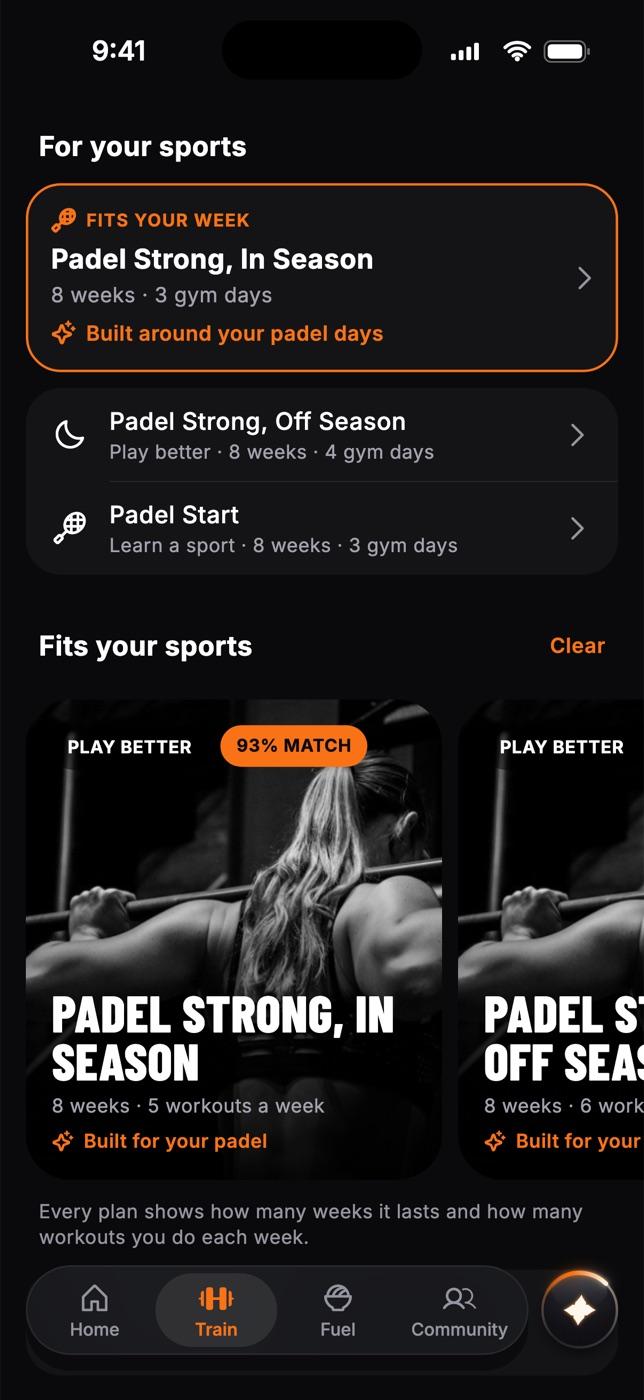
Fit+ picks the plan that fits your week from your main sport and your level in My sports: New players get a plan to learn the sport, Competing players get the plan for their season, and everyone else gets the in season plan. If your sport has no plan yet, you see Any sport plans instead.
Read the plan page
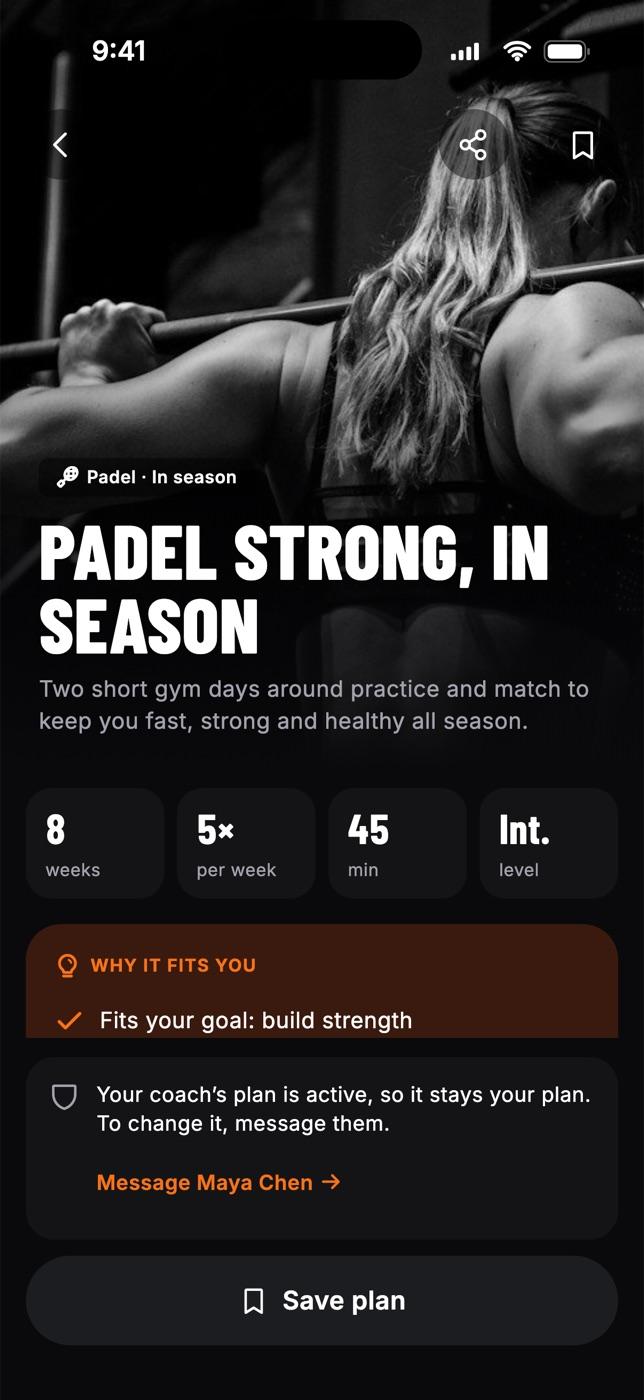
Tap a plan to open it. Under the photo you see the sport, the season and how many weeks, days and minutes it takes. Scroll down for:
- The plan's week: every day as Fit+ wrote it. Sport days are in orange with the sport's icon, with how long they last and how hard they are (Easy, Good, Hard or Max). Tap a gym day to see its exercises.
- What it builds: what the plan works on, such as lateral power or shoulder care.
- Rules: a few simple rules for the weeks, for example how many days to keep between hard leg work and a match.
- Next: on a season plan, the plan that comes When the season ends. Tap it to open that plan.
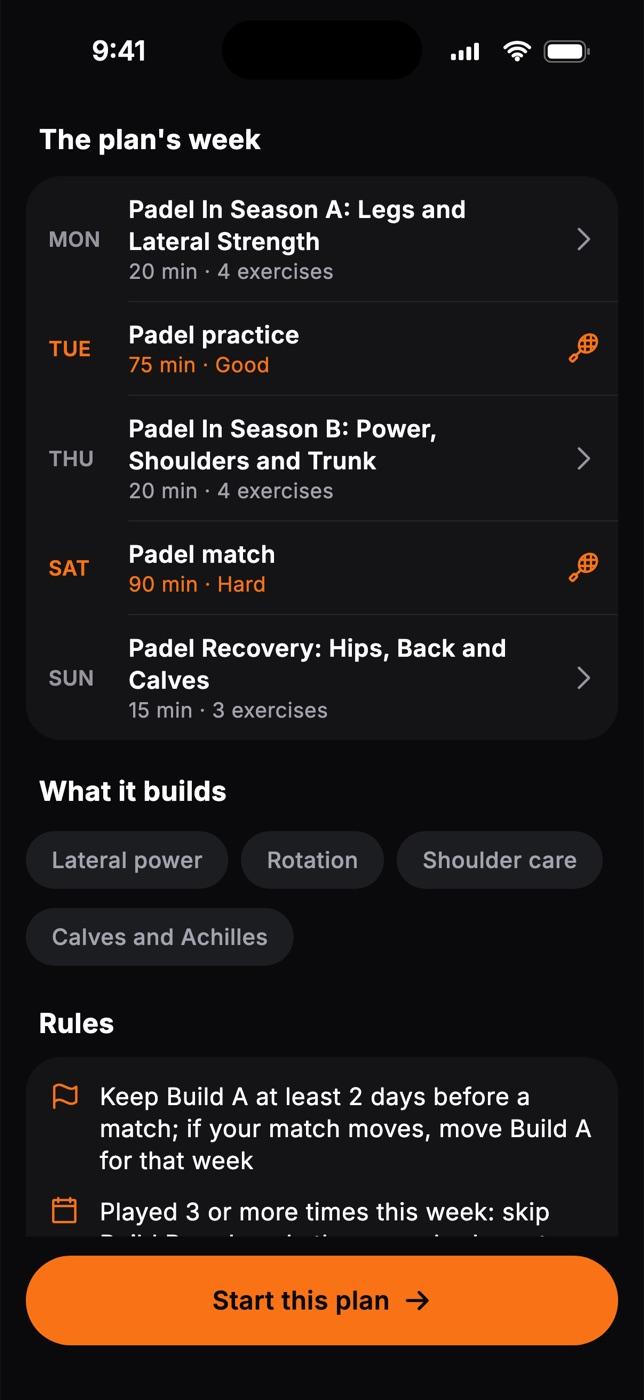
The plan is shown exactly as it was written. Fit+ never adds a warm up, sets or weights to it.
Start a sport plan
On the plan page, tap Start this plan.
Under Gym days, pick the days you want to go to the gym. Your own sport days from My sports show faint with the sport's icon, and a match day is flagged with Match day. Fit+ suggests gym days that keep hard leg work away from the day before a match. Tap a day to add or remove it.
If the plan's easy session lands on one of your sport days, choose what happens to it: Skip, Move to another day, or Keep.
Read any amber note. Fit+ warns you when the week has more than 6 sessions, three Hard days in a row, or leg work the day before a match. These are only suggestions: "Fit+ only suggests. You can start anyway."
Under Starts, choose today or next Monday, then tap Start plan today or Start plan on and the day.
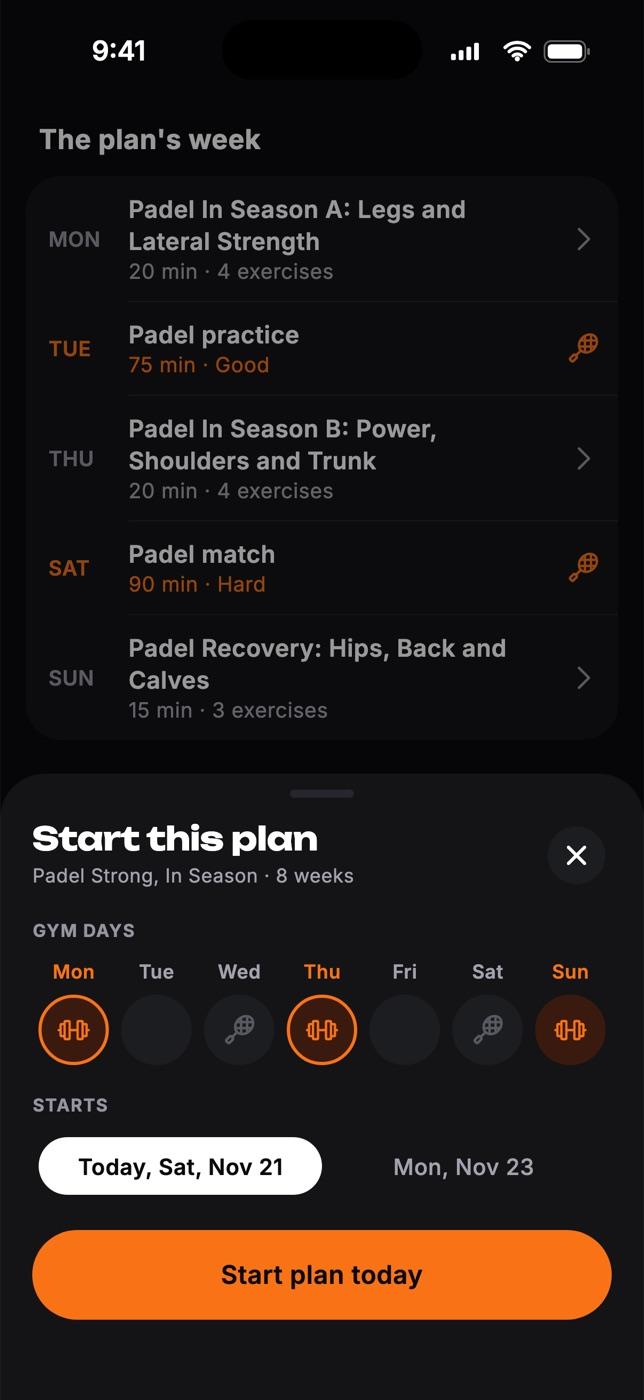
When the plan starts, its sport days move to your usual days for that sport in My sports, so the plan fits the week you already play. If you were following another plan of your own, Fit+ tells you first that the new plan replaces it. Your workout history stays.
A Get ready plan counts down to your event. First add the race or tournament in My sports, then start the plan: it is timed so its last week is the week of your event.
See your progress
Once a sport plan is running, you can see how it's going:
- On Train, tap My plan, tap your plan card, then Progress.
- Or, once today's sport session is counted, tap Progress on the sport card.
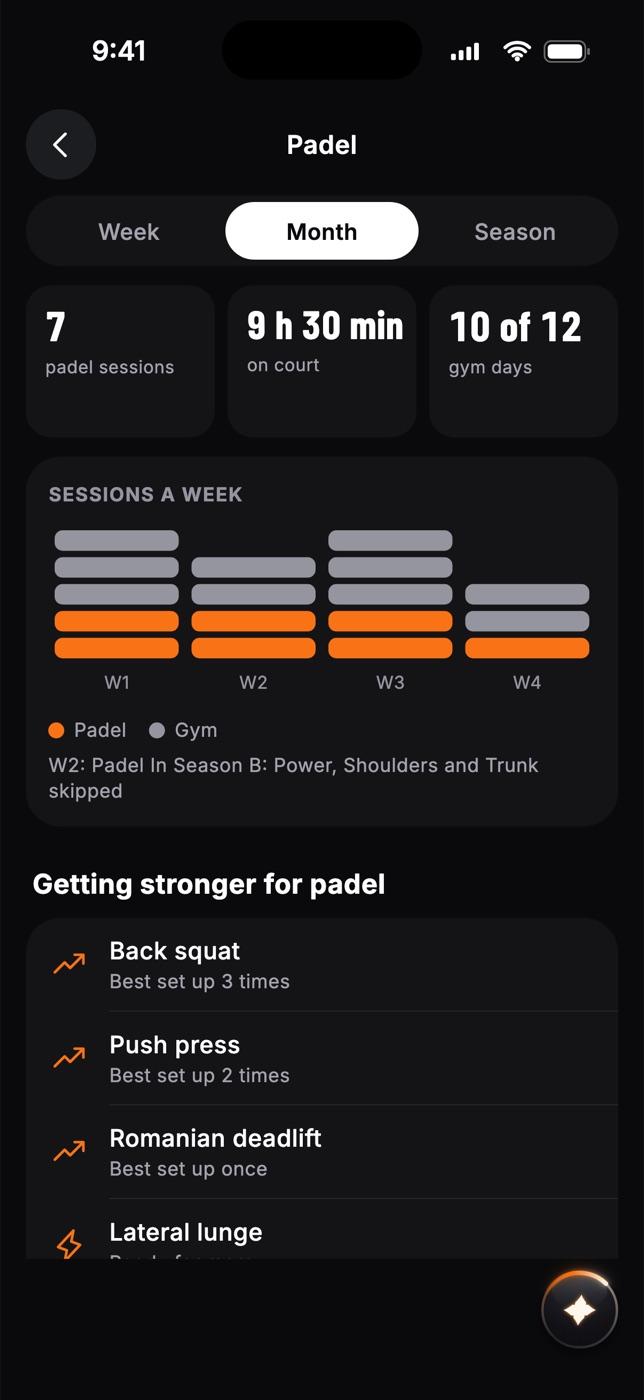
At the top, choose Week, Month or Season. You see:
- How many sport sessions you played, how long you played (for example "on court" for padel or tennis), and how many gym days you did out of the ones planned, for example "10 of 12".
- Sessions a week (or Sessions this week for Week): a bar for each week, with your sport sessions in orange and your gym days in grey. Under the chart, Fit+ names the last gym day you skipped.
- Getting stronger for and your sport: the lifts that improved, for example "Best set up 3 times", Ready for more when you can go heavier, or Top of the range when you reach the most reps the plan asks for. A lift shows here once you log the same move on two gym days.
Nothing logged yet? Play your sport or finish a gym day, or tap Log it to add a session you already played. Your progress comes from your own records and stays private to you.
When your coach's plan leads
A plan from your coach always comes first, and you can't start a sport plan over it. On a sport plan's page, a note says your coach's plan stays your plan, and you get two choices instead:
- Save plan keeps it in your saved plans for later. Tap Remove from saved to take it off.
- Message and your coach's name opens a chat, so you can ask your coach to add the sport plan's ideas to your plan.
Your sports in My sports are still yours to change while you follow your coach's plan.
Next steps
- Change today or this week when a match moves, you skip a game or you'd rather go to the gym.
- My sports: change your main sport, your level and your usual days.
Common questions
No. You play and log your sport as you always do. When you log an activity of that sport on a sport day, the plan counts it.
Plans for your main sport come first. Pick another sport in the sport filter on Explore to see its plans.
Fit+ asks if your season is still on. You can keep the plan for another round, move on to the next plan, or be asked again in 2 weeks. See Change today or this week.