

Payments and payouts
See what members paid, what Fit+ keeps, when your next payout arrives, and remind members who owe you.
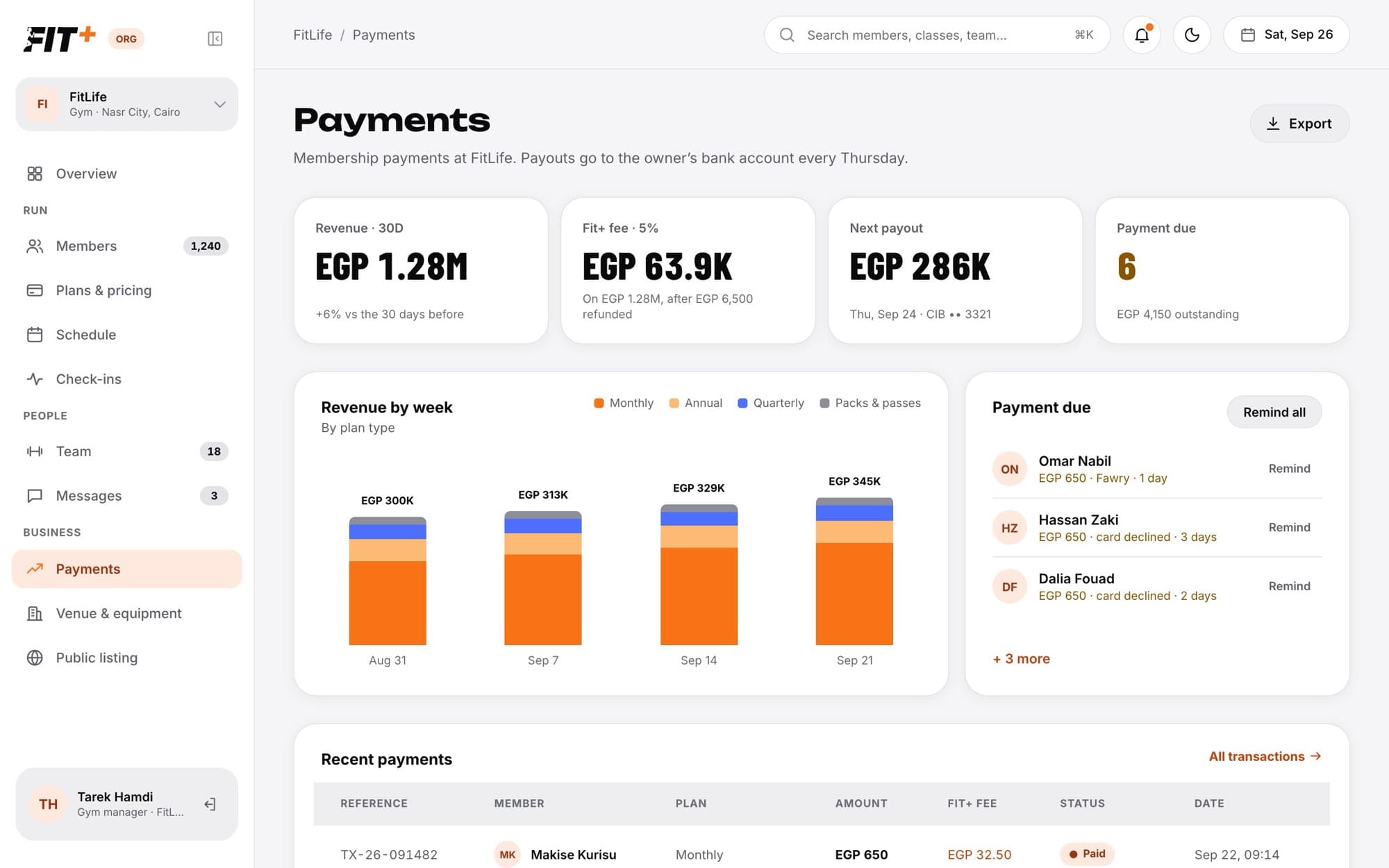
Members pay for your plans in the Fit+ app. Payments shows you the money coming in, the Fit+ fee, your next payout and anyone with a payment due.
Before you start
- You need to be the owner, or staff with See payments.
- Only the owner can add or change the bank account for payouts.
How the money works
What you see
- Revenue · 30D: what members paid over the last 30 days, after refunds, compared with the 30 days before.
- Fit+ fee: what Fit+ kept over the same period.
- Next payout: the amount, date and bank account (last four digits) of your next payout.
- Payment due: how many members owe a payment, and the total outstanding.
- Revenue by week: a weekly chart split by plan type, such as monthly, annual, quarterly, and packs and passes.
- Recent payments: each payment with its reference, member, plan, amount, the Fit+ fee, status and date. Click All transactions to see more.
- Payout account: the bank that receives your payouts.
Remind members who owe you
The member gets a reminder in the Fit+ app. Each member is reminded at most once a day, so you can't send too many by mistake. When nobody owes anything, you see "Everyone is paid up."
Members with a payment due are still let in at the front desk. Fit+ reminds them for you when they check in.
Export your payments
Click Export to download your payments as a spreadsheet file (CSV). It includes the reference, date, member, description, amount, currency, Fit+ fee and status of up to 5,000 payments, ready for your accountant.
Add or change your bank account
Common questions
No. Coaches and nutritionists agree their own prices with their clients directly. Neither Fit+ nor your gym takes a cut, and those payments don't appear on your Payments page.
Open Members and click the member. Their payments are listed on their profile.
They need See payments. The owner can add it in Team. See Staff roles and permissions.
Contact Fit+ Support from the Fit+ website.