

Create and edit membership plans
Set up the memberships, class packs and passes members buy in the Fit+ app, and change prices fairly.
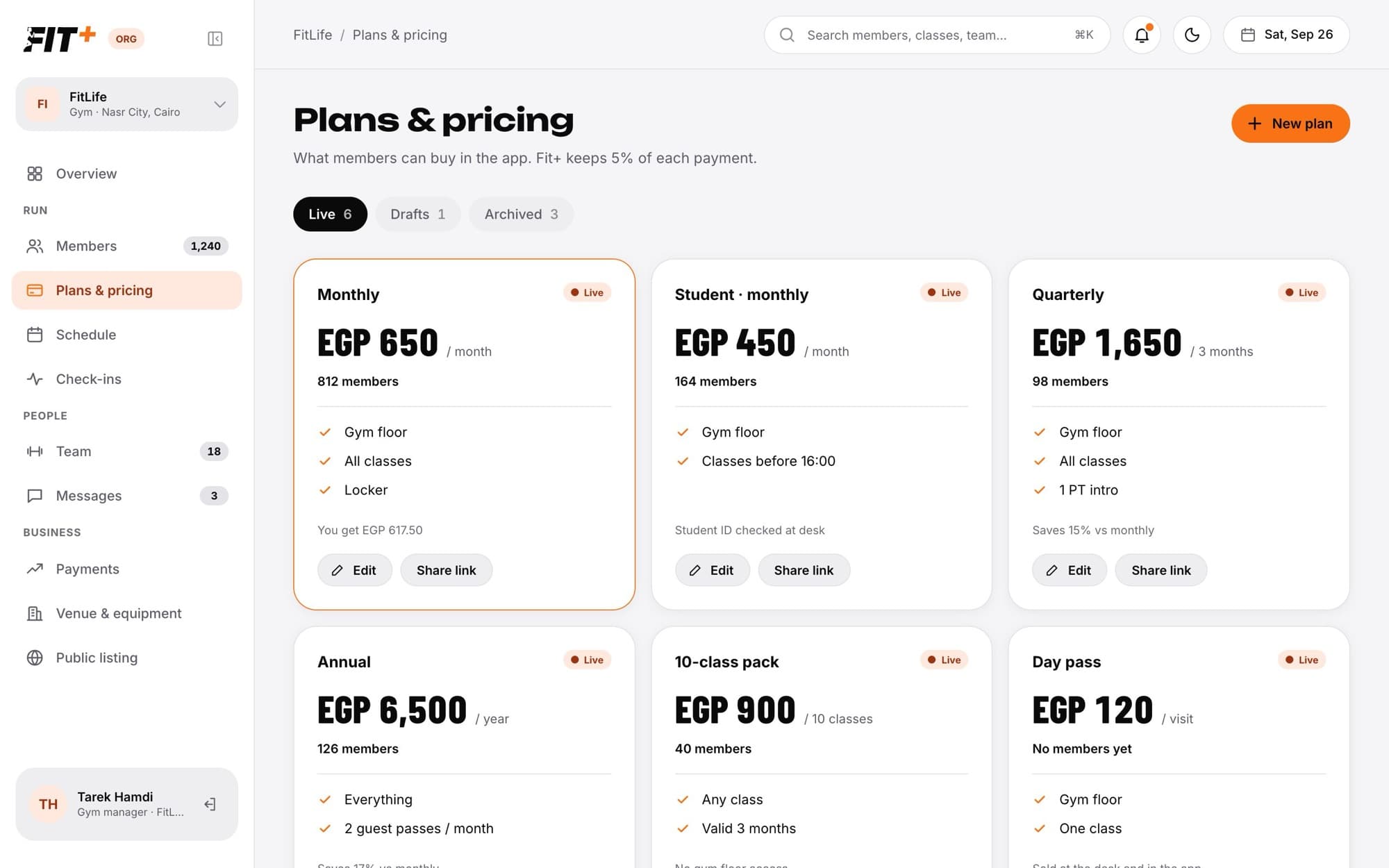
Your plans are what members can buy in the Fit+ app: monthly memberships, yearly plans, class packs, day passes and more. You set the price, what's included and the rules. Live plans also show on your public listing.
Before you start
- Everyone on your team can see your plans.
- To create or edit them, you need to be the owner, or staff with Edit classes and plans.
Create a plan
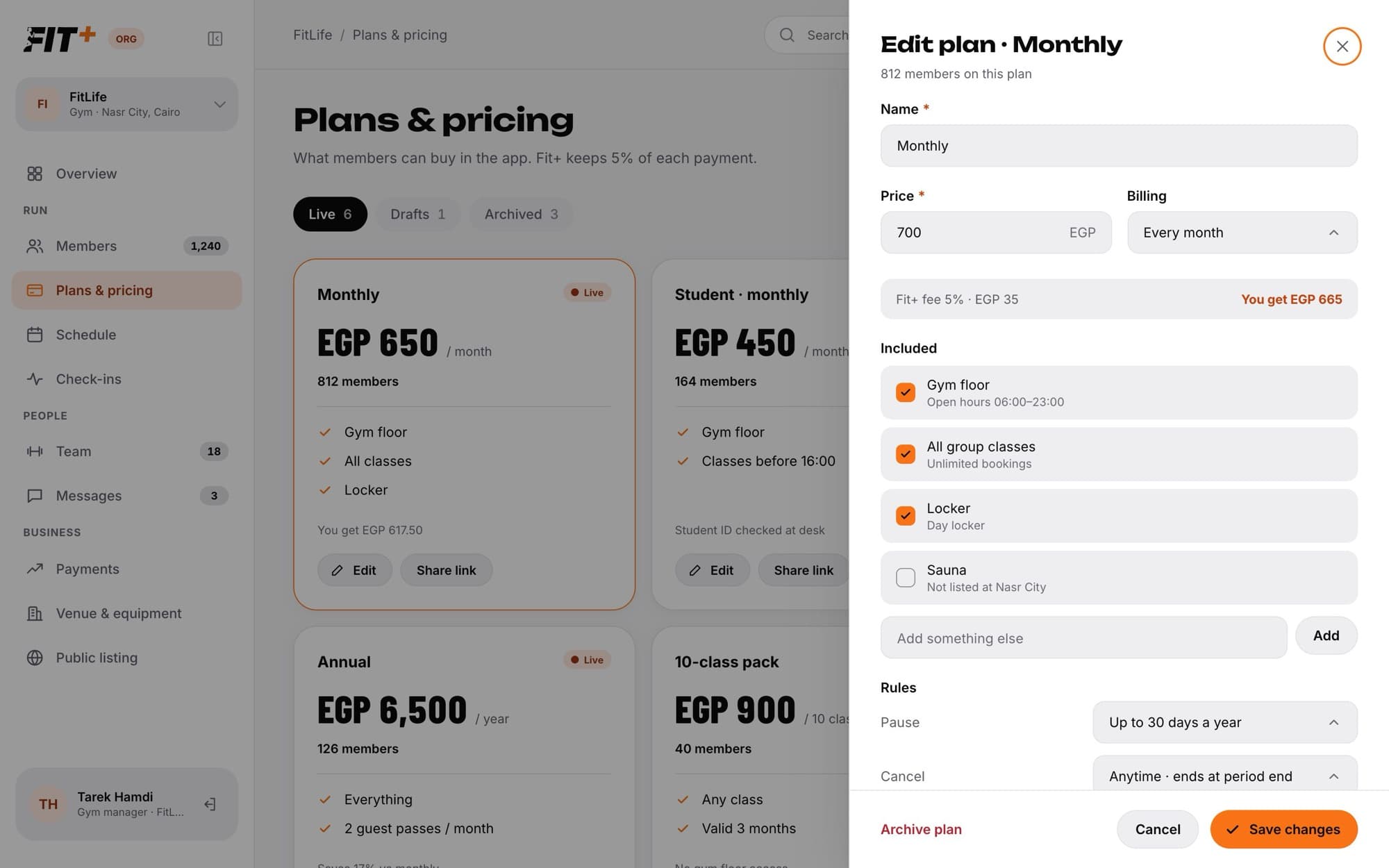
Choose Billing:
- Every month, every 3 months or every year.
- A class pack, with the number of classes and how many days it's valid for.
- A single visit.
- A set number of days.
Edit a plan
Change a price
Members who already hold a live plan get 30 days' notice before a new price applies to them. When you save a new price:
- Fit+ tells every member on that plan, for example "From Oct 26 your next renewal is EGP 700 instead of EGP 650. Nothing changes before then."
- The card shows the upcoming price, for example "EGP 700 from Oct 26".
- The new price starts after the 30 days. Until then, new buyers pay the current price too.
If nobody holds the plan yet, the new price applies straight away.
Share a plan
Click Share link on a card to copy a short line such as "FitLife · Monthly · EGP 650 / month. Join in the Fit+ app." Paste it into a chat or a social media post.
Stop selling a plan
Members who hold the plan keep it until it ends. Nobody new can buy it. Archived plans move to the Archived tab.
Common questions
The page tells you, for example "Fit+ keeps 5% of each payment." Each card shows what you get after the fee.
No, because members and payments are linked to it. Archive it instead, so nobody new can buy it.
Members pay for plans in the app, so give your plan a price. If you want to let someone in without a plan, approve their join request. They can still check in, and the desk sees "No active plan".
Fit+ adds this note by itself when a longer plan works out cheaper per month than your monthly plan.