

Edit your public listing
Choose the photos, description, amenities and coaches people see about your gym in the Fit+ app.
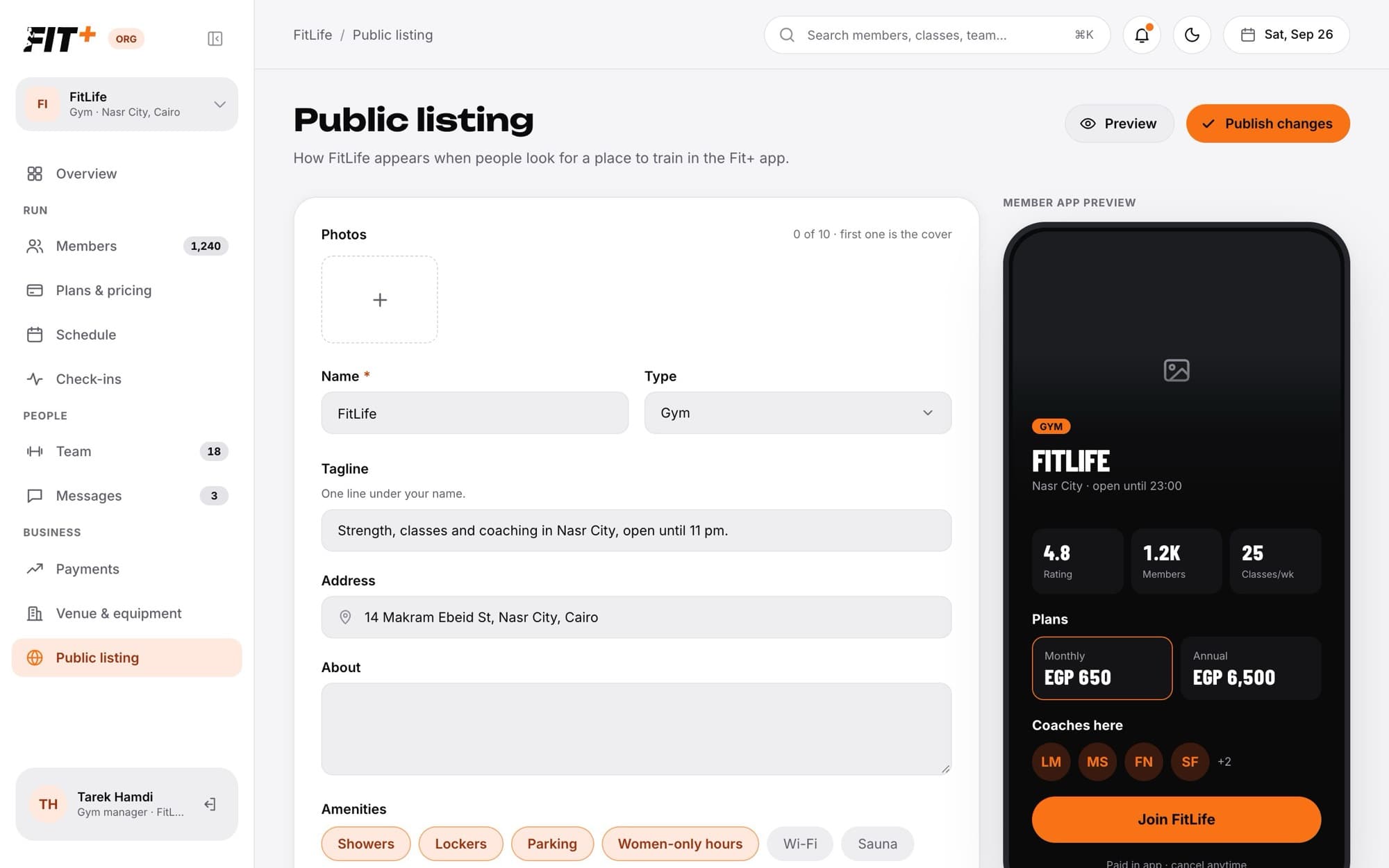
Your public listing is your gym's page in the Fit+ app, where people decide whether to join. As you edit, a preview shows you exactly what members will see.
Before you start
- Only the owner can edit the listing. Staff can view it.
- A listing with at least one photo and a tagline or description counts towards your setup checklist.
Update your listing
Open Public listing in the sidebar.
Under Photos, click Add a photo to upload a JPEG, PNG or WebP photo under 5 MB. You can add up to 10. The first one is your cover. To change the cover, point at another photo and click Make cover.
Check your Name and Type (gym, club, academy, team or studio).
Write a Tagline, one line under your name, and add your Address.
Tell people about your gym under About.
Under Amenities, pick what you offer, such as showers, lockers, parking or women-only hours, or add your own.
Click Publish changes.
Changes go live in the app right away. Fit+ may review new photos.
Choose the coaches on your listing
Under Coaches, click Choose who.
Tick the coaches you want to feature. Only coaches Fit+ has verified are shown. Leave everyone ticked to show your whole team.
Click Save.
What's filled in for you
Some parts of your listing come from other pages, so you only keep them up to date in one place:
| On your listing | Comes from |
|---|---|
| Plans and prices | Your live plans on Plans & pricing |
| Opening hours and "open now" | Venue & equipment |
| Classes | Your schedule |
| Members and classes a week | Updated by Fit+ |
Common questions
Only live plans appear. Publish a plan on Plans & pricing and it shows up here.
Only coaches Fit+ has verified can be featured. New coaches appear once their verification is done.
Point at the photo and click the x in its corner. Fit+ asks you to confirm first.