

Save your own exercises
Keep your favourite exercises with your usual sets, reps, loads and cues, and reuse them in any workout.
My exercises is your personal exercise list for coaches. Save an exercise once with the way you usually prescribe it, and every time you add it to a workout, your defaults come with it.
Open My exercises
Select Programs in the sidebar, then My exercises.
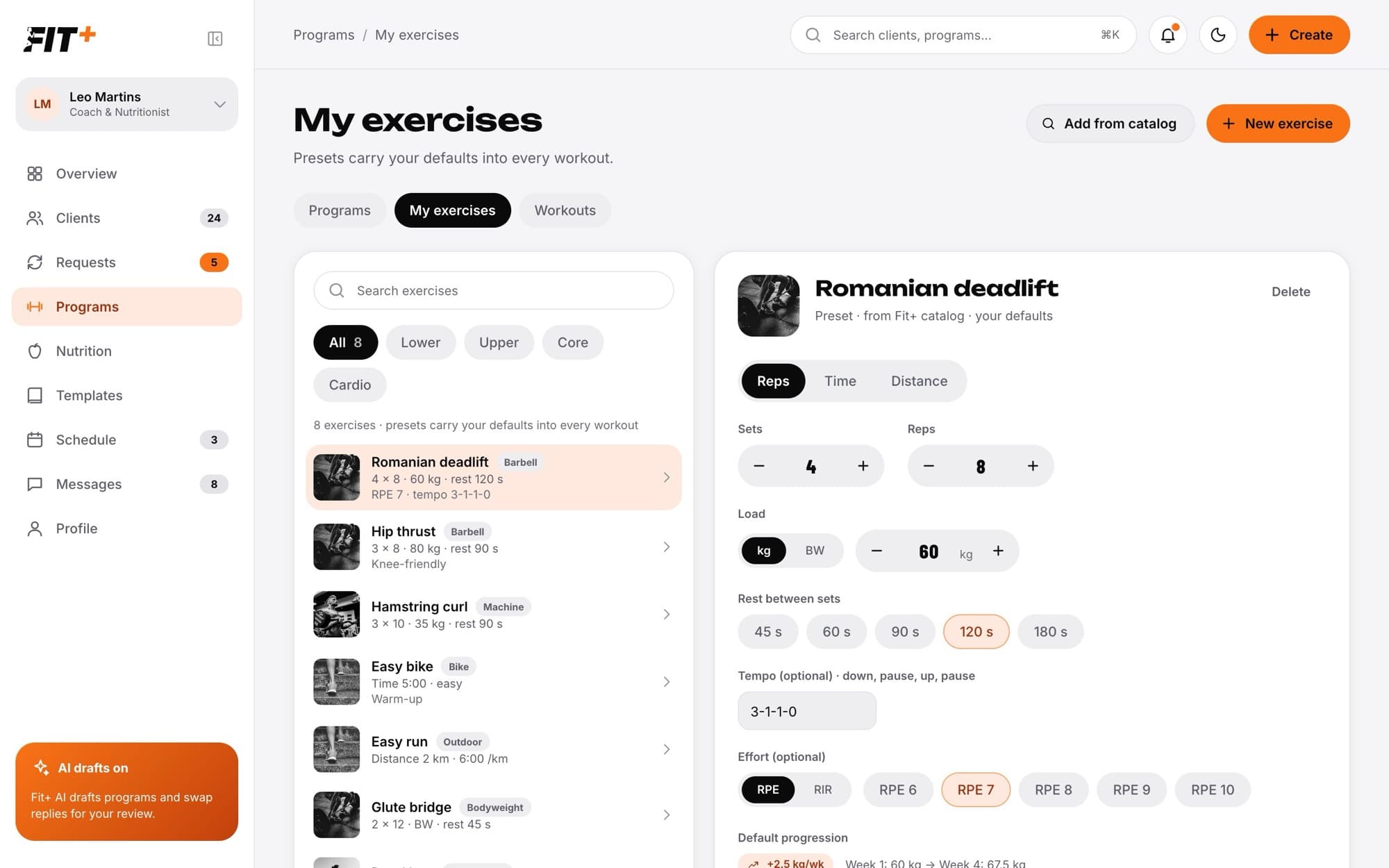
Search by name or filter by Lower, Upper, Core and Cardio.
Save an exercise
Select Add from catalog to start from a Fit+ exercise, or New exercise to create your own.
Choose whether it is measured in Reps, Time or Distance.
Set your usual Sets, Reps and Load (in kg, or BW for bodyweight), and the Rest between sets. Your client sees loads in their own units.
Add a Tempo and Effort if you use them, and a Default progression, for example +2.5 kg a week.
Choose the category and equipment, and write the cues you want your client to see, one per line. Notes are only for you.
Select Save preset.
An exercise you add from the catalog keeps the catalog's instructions and videos, so your client still sees how to do it. To watch its technique video yourself, open it in the exercise library.
Use it in a workout
In the workout builder, select Add exercise, then From My exercises, and pick one or more. Your defaults are copied into the workout, and you can still change them for that client.
Change or delete an exercise
Select it in the list, change what you need and select Save preset. To remove it, select Delete and confirm. Workouts that already use it keep their exercises.
No. Your list is private to you. Clients only see an exercise when it is part of a workout you give them.
No. Your defaults are copied when you add the exercise to a workout. Later changes only affect workouts you build from then on.