

Edit your public profile
Update your photo, bio, specialties and offers, and see what members see before they book you.
Your public profile is what members see when they look for a coach or nutritionist in the Fit+ app, and on your public Fit+ Pro page. Keep it up to date so the right clients find you.
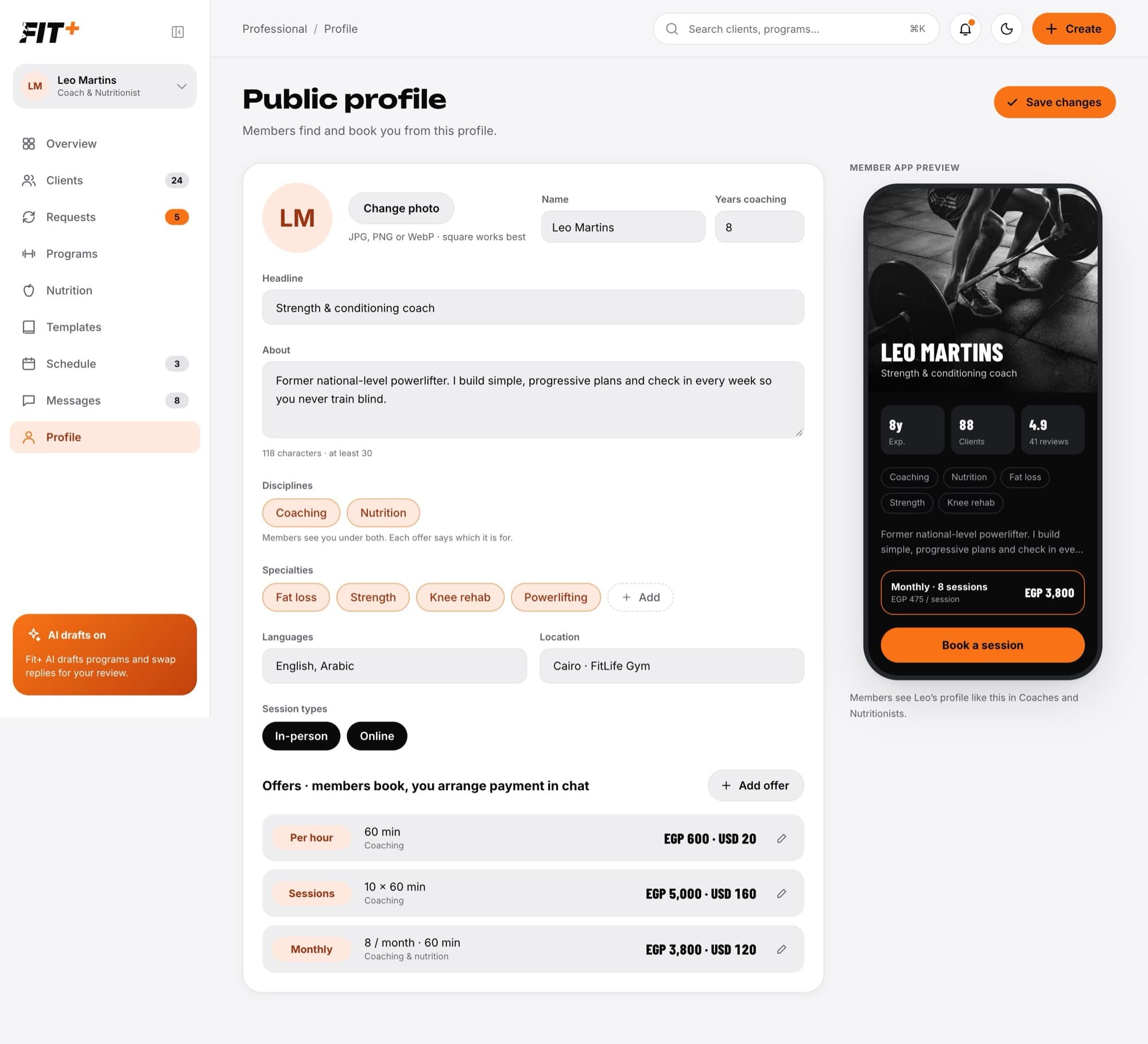
Update your profile
Select Profile in the sidebar.
Change what you need: your photo (Change photo), name, years coaching, headline, About text, disciplines, specialties, languages, location and session types (In-person, Online). The Member app preview on the right updates as you type.
Under Offers, select Add offer to add one, or the pencil next to an offer to change it. If you do both training and nutrition, each offer says whether it is for coaching, nutrition or both.
Select Save changes. You see a confirmation that your profile is ready for members.
If something is missing, Fit+ tells you what to fix before it saves, for example "Add a location for in-person sessions." The rules are the same as during setup.
What members see
Members see your name, photo, headline, bio, specialties, languages, session types, location, years of experience and your offers with their prices. The preview also shows how many clients you work with and your rating from members' reviews.
Your programs, plans, clients and their data are never part of your public profile.
Your public Fit+ Pro page
You also have a public web page that anyone can open, even without a Fit+ account. It shows your profile and your Plans and prices. Visitors select Open in the app or download the Fit+ app to book and message you. Booking and payment always happen in the app.
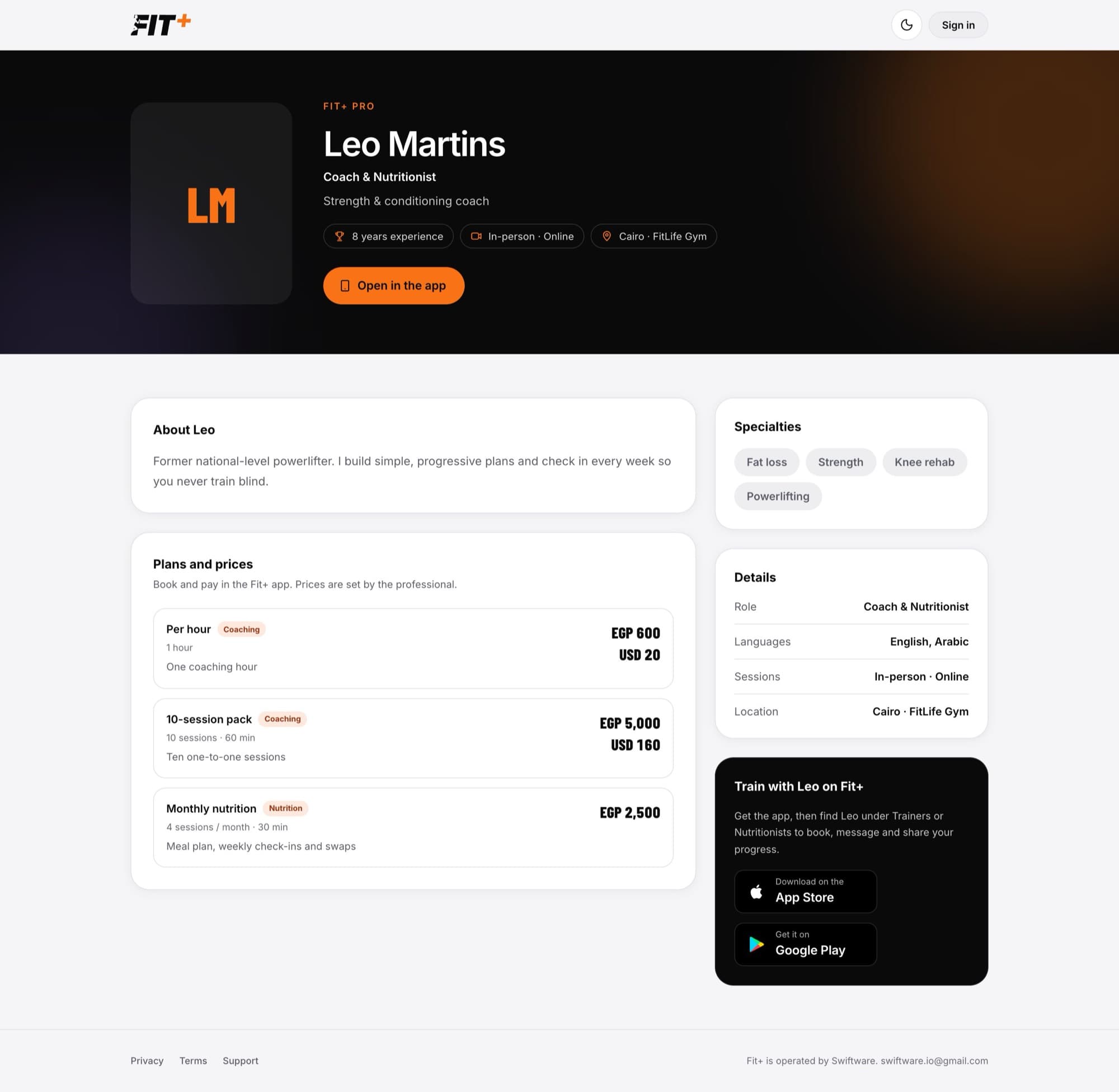
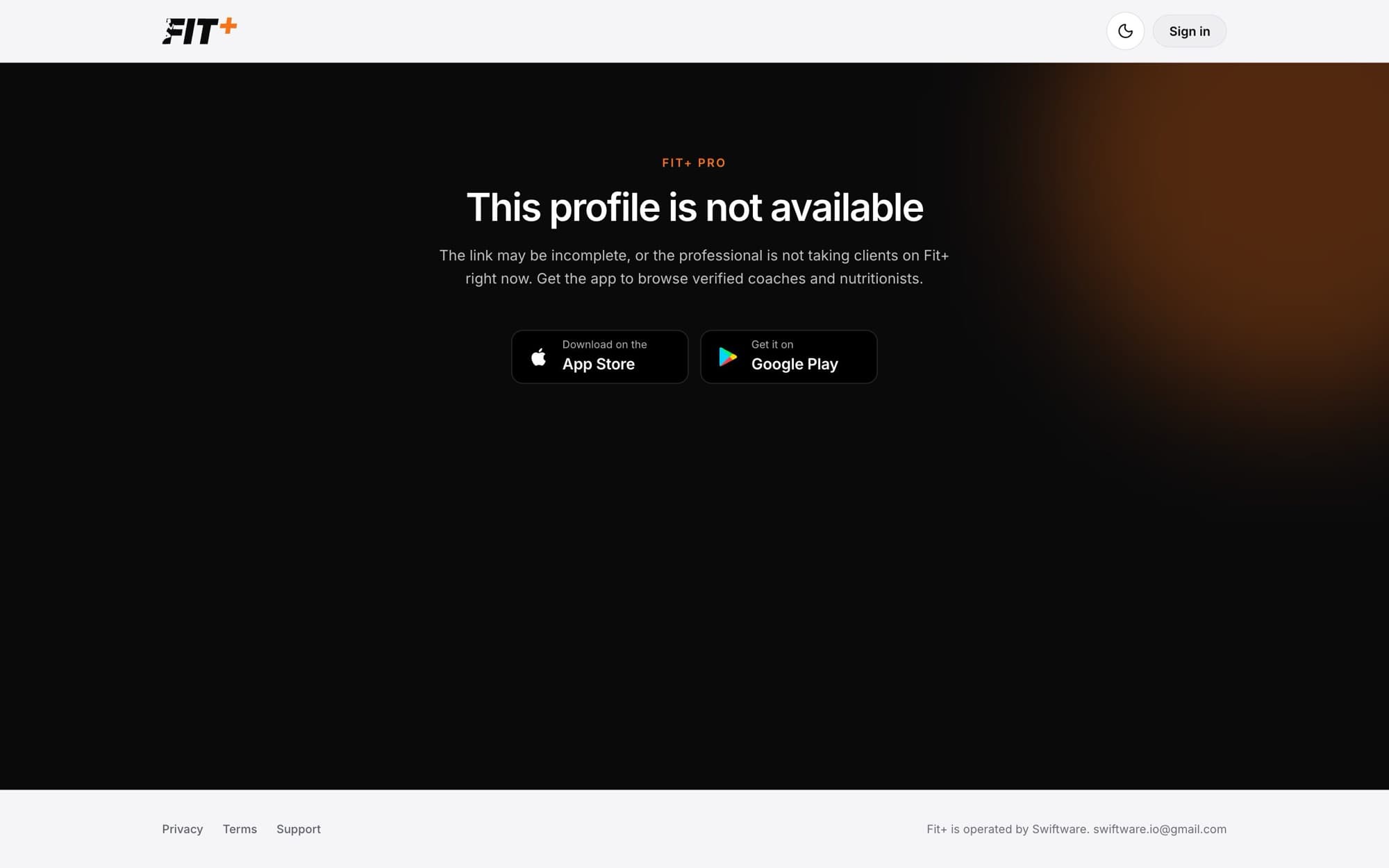
Share your page from your profile in the Fit+ app. Your page only shows while your profile is live. If your access is paused, visitors see a page saying the profile is not available.
Up to five, one of each type: Per hour, Sessions, Monthly, Quarterly and Annual.
If Fit+ verified you for both, choose which disciplines to show under Disciplines. You can't add a discipline you weren't verified for.
Members you work with can leave a review in the Fit+ app. Your average rating and number of reviews show on your profile.