

Set up your workspace
Choose what you coach, introduce yourself and add your first offer so members can find and book you.
The first time you sign in to Fit+ Pro after you are approved, a short setup opens. It has three steps and ends with your profile going live. You can't use the rest of the workspace until you finish it.
Before you start
- Your approval from Fit+. See Become a Fit+ professional.
- A photo of yourself (JPG, PNG or WebP, square works best).
- An idea of your first offer: what you sell, how long a session is and your price.
Finish your setup
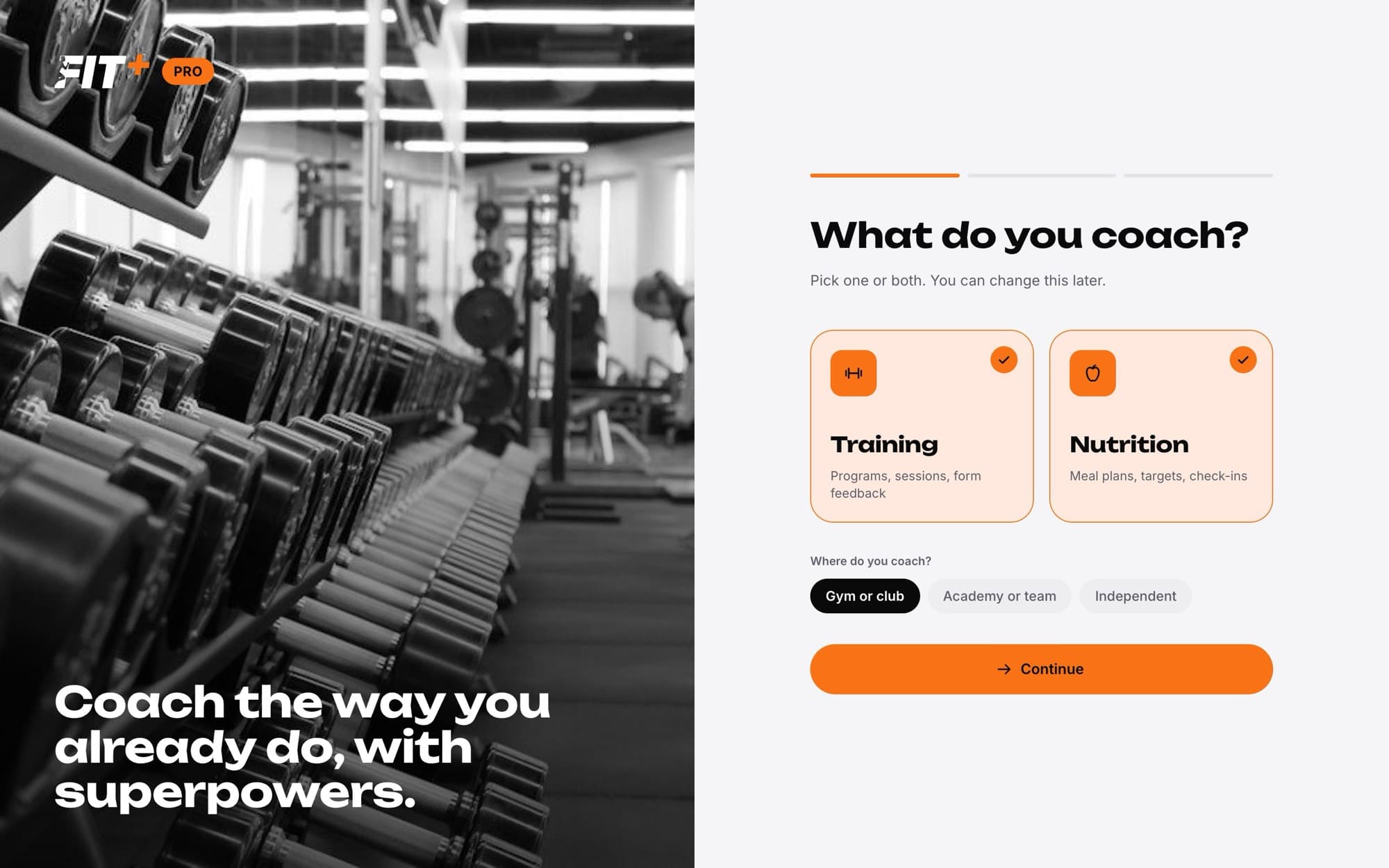
What do you coach? Choose Training, Nutrition or both. You can only switch on what Fit+ verified you for. Then choose Where do you coach?: Gym or club, Academy or team, or Independent. Select Continue.
Introduce yourself. Add your name, photo, a headline, a short bio, your specialties, the languages you speak, your years of experience and your qualifications. Choose whether you offer Online sessions, In-person sessions or both. This is what members read before they request a session.
Add your first offer. Pick the Offer type: Per hour, Sessions, Monthly, Quarterly or Annual. If you do both training and nutrition, choose whether the offer is for Coaching, Nutrition or Both. Then fill in the number of sessions, the session length, your price in EGP and, if you like, in USD, and what's included.
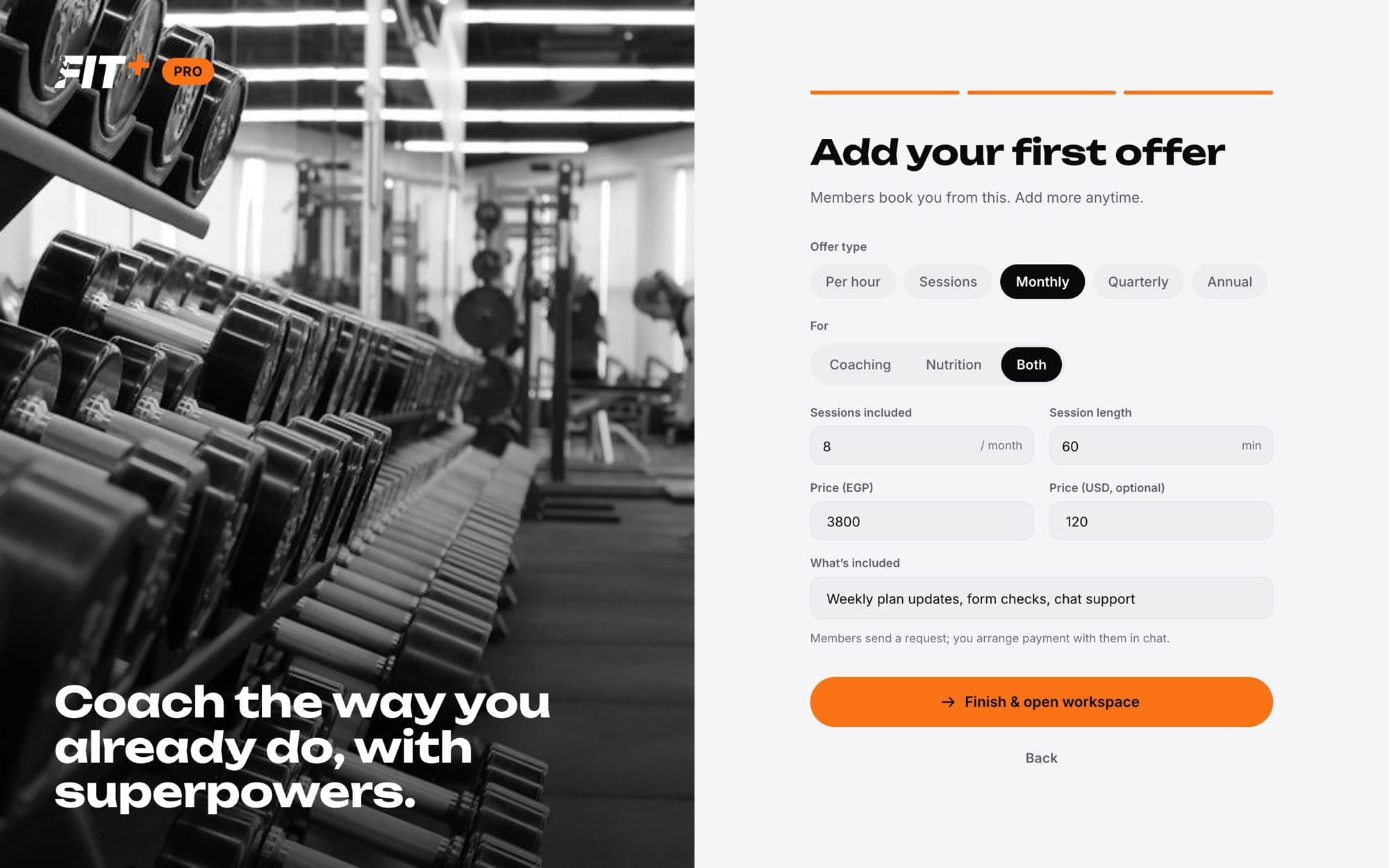
Select Finish & open workspace. Your profile goes live and your home page opens.
Your progress is saved as you move between steps, so you can come back later and pick up where you left off. Use Back to change an earlier step.
What your profile needs
Fit+ checks these before your profile goes live. If something is missing, you see a message telling you what to fix.
- A name, a headline and a bio of at least 30 characters.
- At least one specialty and one language.
- A location if you offer in-person sessions.
- One to five offers, each with a price in EGP or USD. You can have one offer of each type.
- Sessions between 15 minutes and 4 hours, in steps of 15 minutes. A Per hour offer is always one 60-minute session.
Members send you a request from your offer. You agree the details and payment with them in chat. Fit+ doesn't take a cut of your work.
While your application is in review
You don't have to wait for approval to prepare. Sign in to the Fit+ Pro website with the same email you applied with, and you see a Verification in review page.
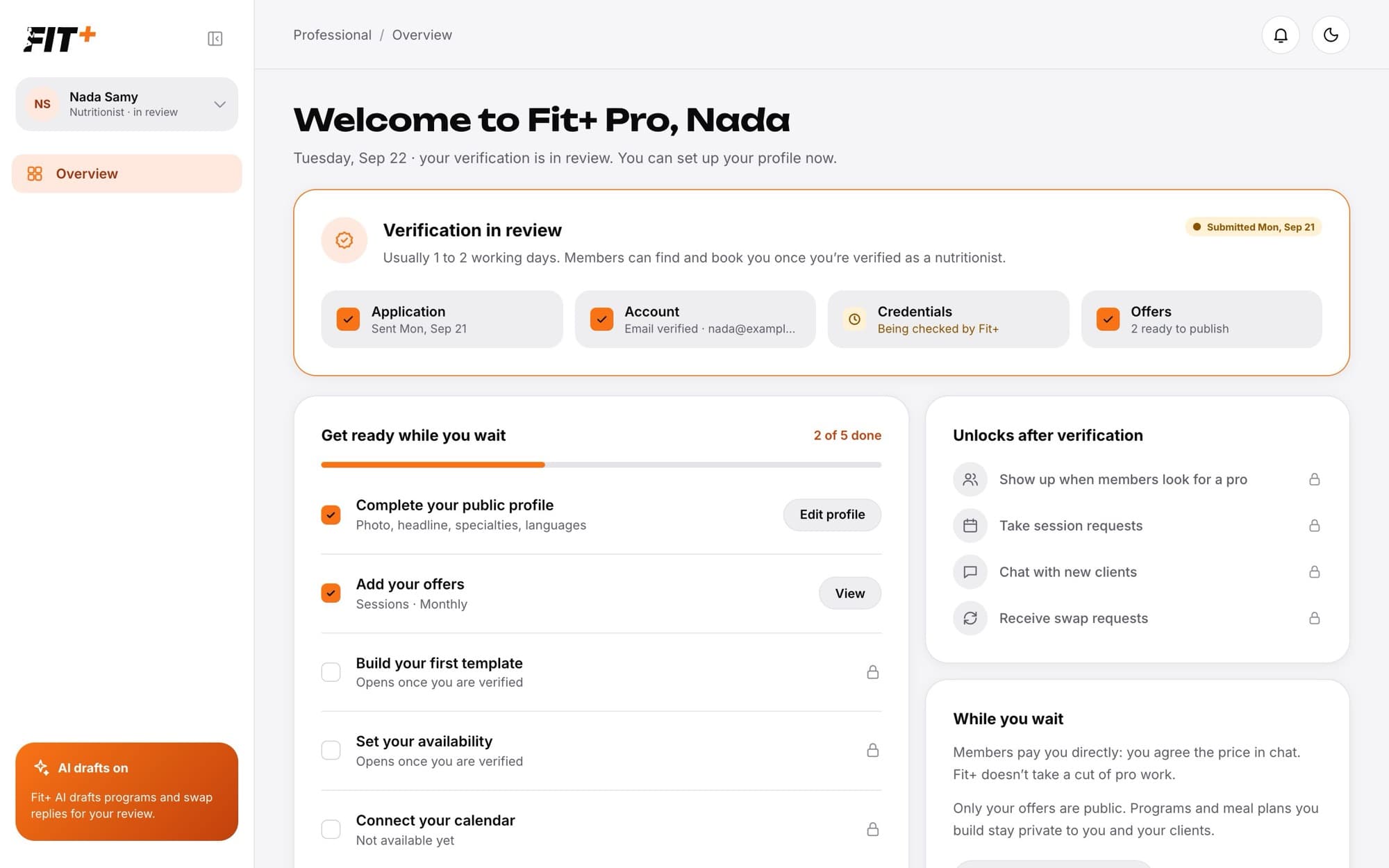
It shows where your application is (Application, Account, Credentials and Offers) and a Get ready while you wait checklist:
- Complete your public profile: select Edit profile to fill in your introduction.
- Add your offers: set up what members can book.
- Build your first template and Set your availability open once you are verified.
Select Save for review to keep your work. Your profile goes live automatically after you are verified.
What happens next
As soon as you finish, members can find you under Trainers or Nutritionists in the Fit+ app and request a session from your offers. You can change anything later from Profile in the sidebar. See Edit your public profile.
It says Not verified for this yet because Fit+ only verified you for the other one. If you also work in that area, contact Fit+ support.
Yes. You can have up to five offers. Add them from Profile in the sidebar.
Yes. Each offer can have an EGP price, a USD price or both.