

Answer client requests
Approve, change or decline exercise swaps, meal swaps and session requests from your clients.
Your clients can ask you for changes from the Fit+ app. Every request waiting for you lands in Requests, so you can answer them all in one place.
Kinds of request
- Exercise swap: a client asks to replace an exercise in the program you wrote, for example because of knee pain or busy equipment. The app often suggests a similar exercise.
- Meal swap: a client asks to replace a meal in their nutrition plan, for example because they are eating out. If you allow swaps in the plan, the app suggests meals with about the same calories.
- Session request: a member requests a session from one of your offers.
Clients can use a suggested swap for today while you review it. Your answer decides whether it continues.
Open your requests
Select Requests in the sidebar, the bell at the top, or Review all requests on your home page.
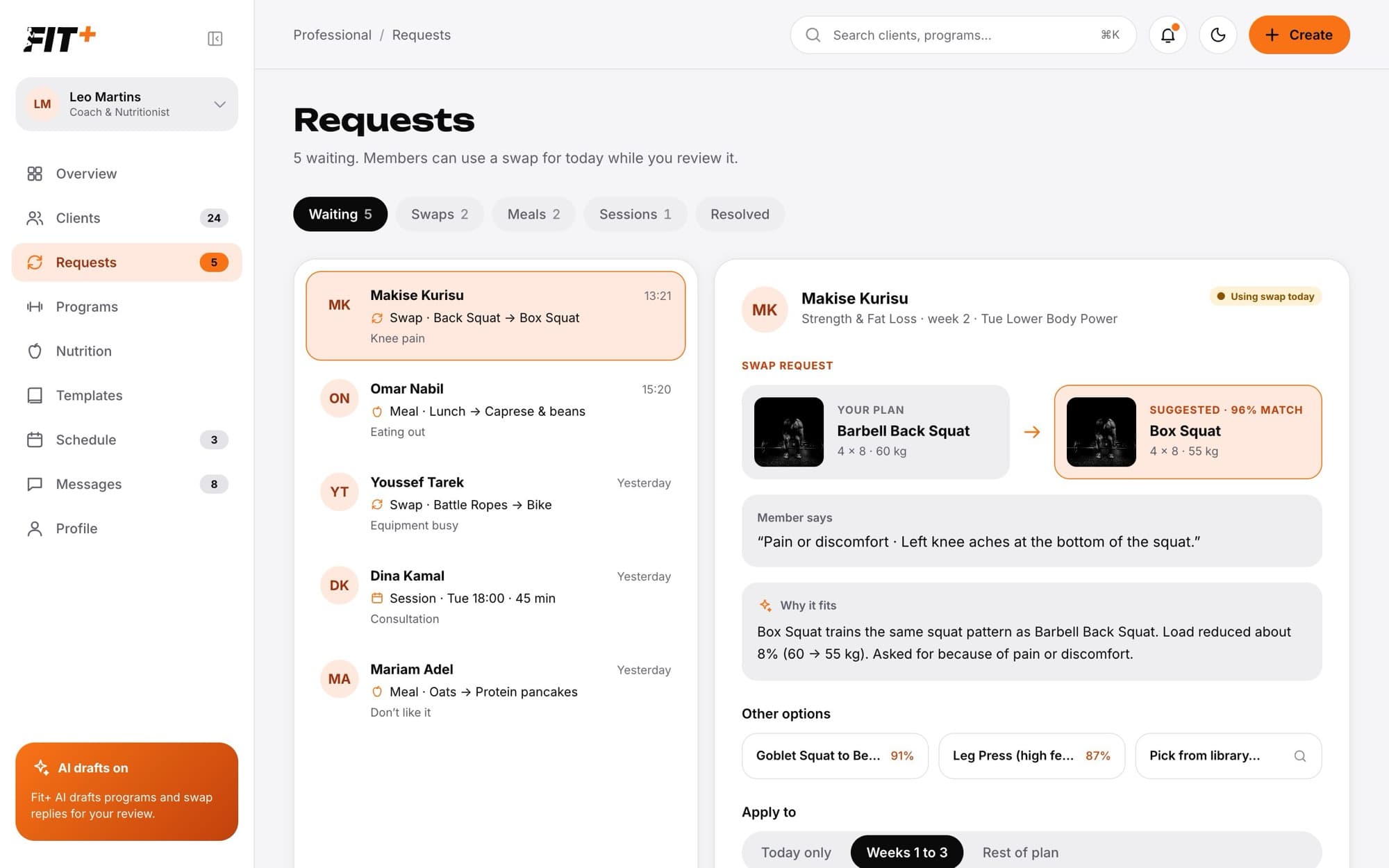
Use the tabs to filter: Waiting, Swaps, Meals, Sessions and Resolved (requests you already answered).
Answer an exercise swap
Select the request. You see the exercise in your plan next to the suggested one, what the client said and Why it fits.
If you prefer something else, pick one of the Other options, or Pick from library to choose any exercise. The client is told you suggested another option.
Under Apply to, choose how long the change lasts: Today only, Weeks 1 to 3 or Rest of plan. Rest of plan also updates the program itself.
Add a short reply if you like (up to 300 characters).
Select Approve or Decline.
Answer a meal swap
Select the meal request, or open it from Nutrition plans or Messages.
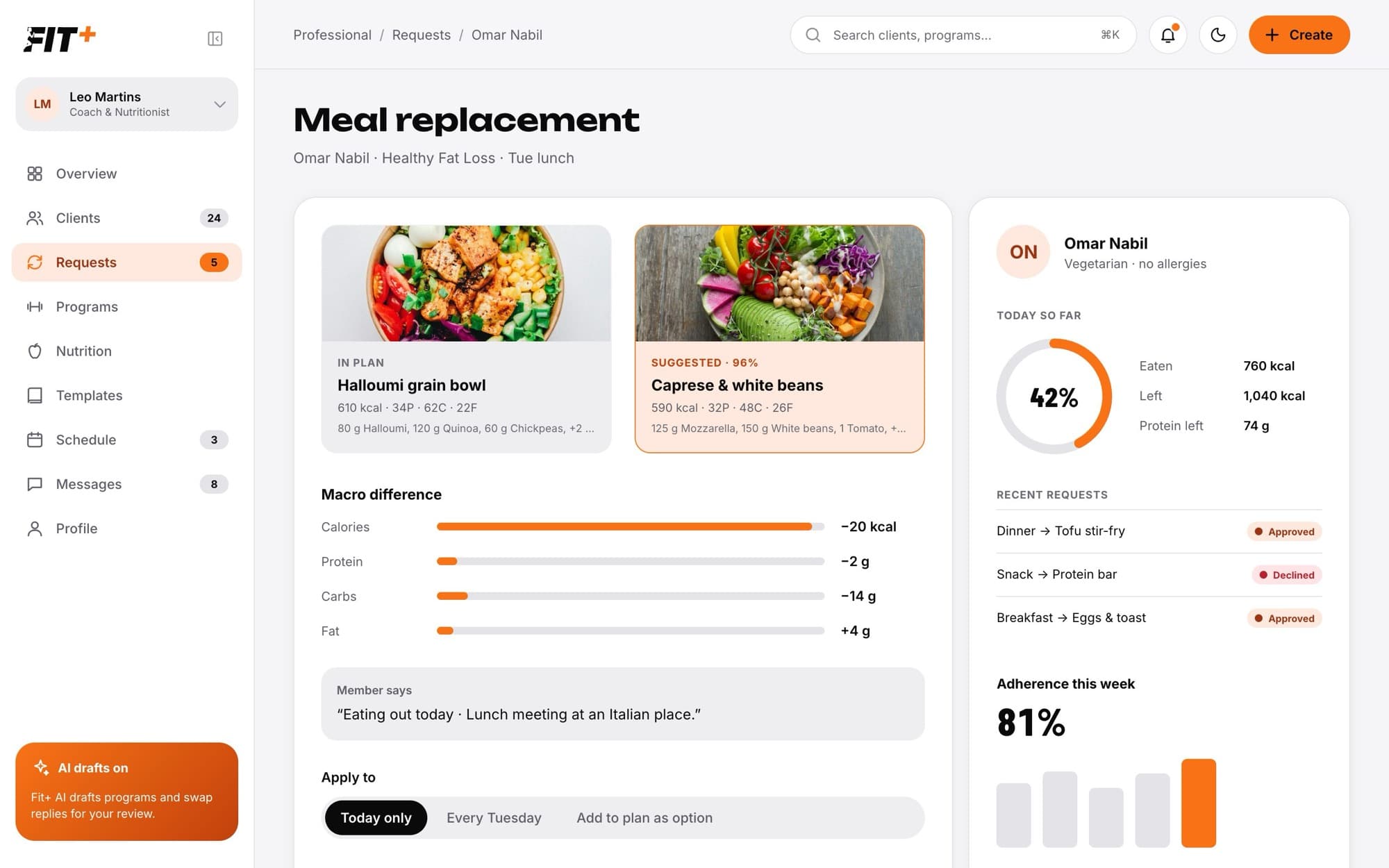
Compare the planned meal with the suggested one. Macro difference shows the change in calories, protein, carbs and fat, and the side panel shows what the client has eaten today and their recent requests.
Under Apply to, choose Today only, Every [day] (for example every Tuesday) or Add to plan as option.
Select Approve or Decline.
Answer a session request
Select the session request. You see who it's from, the date and time, the length, whether it is online or in person, the offer and the client's note. Then choose:
- Confirm session to accept it.
- Suggest another time to open a chat with a message ready to edit, so you can agree on a better time.
- Decline to turn it down. Fit+ asks you to confirm first.
You can do the same from your schedule.
What happens next
- The client gets a notification with your decision, for example "Swap approved".
- A card describing your decision appears in your chat with the client, together with your reply.
- The request moves to Resolved.
Yes. Swap requests appear as cards in your chat with the client, with Approve, Change and Decline. Change opens the full request here.
The client probably stopped sharing workouts or nutrition with you. You only see a swap while the client shares that area with you.
No. Once you answer a request, it is closed. If you need a different change, edit the program or plan directly and tell the client in chat.