

Suspend or restore an organization
Pause a live gym, club, academy or team, decide who is told, and bring it back when it's safe.
Sometimes a live organization needs to be paused, for example after repeated payment disputes or when its documents have expired. Suspending hides it from new members and pauses renewals, while its members keep their plans and history. This page shows you how to suspend an organization and how to restore it.
Before you start
- Only Platform admins can suspend or restore an organization.
- You can only suspend an organization that is Live.
Suspend an organization
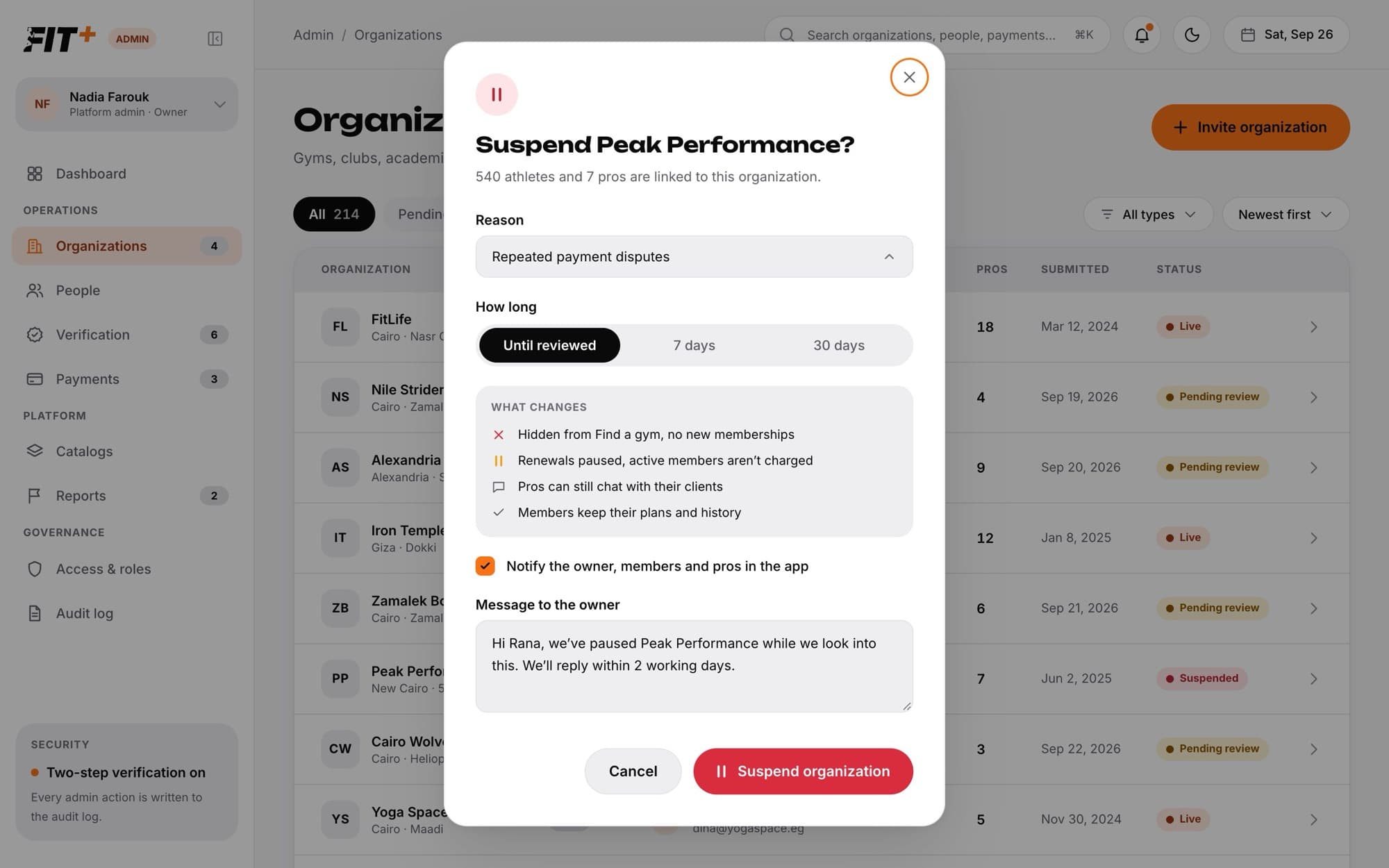
Open the organization
Choose Organizations in the sidebar, then choose the live organization.
Choose Suspend
The dialog tells you how many athletes and pros are linked to the organization.
Pick a reason
Choose Repeated payment disputes, Unsafe facility or equipment, Misleading listing or pricing, Expired documents, Owner asked to pause or Something else. For Something else, describe the reason.
Choose how long
Choose Until reviewed, 7 days or 30 days.
Decide who is told
Notify the owner, members and pros in the app is on by default. Edit the Message to the owner if you like. Turn the notice off if you don't want anyone told.
Confirm
Choose Suspend organization.
What changes while it's suspended
- It's hidden from Find a gym, so nobody can buy a new membership.
- Renewals are paused. Active members aren't charged, and their passes show as paused.
- Payouts to the organization are put on hold.
- Coaches and nutritionists can still chat with their clients.
- Members keep their plans and history.
The organization's page shows a banner with the date it was suspended and how long it lasts.
Restore an organization
Open the suspended organization
Choose Organizations, then the Suspended tab, then the organization.
Choose Restore
Add a note for the audit log explaining why it's safe to restore, if you like.
Confirm
Choose Restore.
The organization goes live again. It reappears in Find a gym, renewals start again and payouts go out on the next payout day. The owner, members and pros are told in the app.
Common questions
The organization is restored on its own, and the owner is told it's live again. You don't need to do anything.
No. Support can see everything and ask for changes, but only a Platform admin can suspend or restore. A Platform admin can give someone temporary suspend access. See Give temporary access.
Open the audit log. Each suspension shows who did it, the reason, what changed and who was told.