

Follow your coach's plan
Start a training program or meal plan your coach or nutritionist assigned, see their updates and ask for swaps in the Fit+ app.
Your coach can write a training program for you, and your nutritionist can write a meal plan. This page shows how to start a plan, keep up with changes and ask for a swap when something doesn't work for you.
Before you start
- Your coach needs you to share Workouts & training with them before they can assign a program.
- Your nutritionist needs you to share Nutrition with them before they can assign a meal plan.
To share, tap Me, then Data sharing, or use the sharing card after you book. See Book a session.
Start a program from your coach
When your coach assigns a program, you get a notification and a New from your coach card on Home.
Tap the card on Home, or tap Train, then My plan, and tap Review next to the new program.
Look through the program: the weeks, each day's workout and your coach's note.
Tap Start ...'s plan. If you're already following another plan, Fit+ tells you it will be replaced. Your history is kept.
Choose when to begin: tap Start ...'s plan Monday, Start today instead, or tap Ask ... a question first to open the chat.
Once it starts, the program fills your Train tab with this week's workouts.
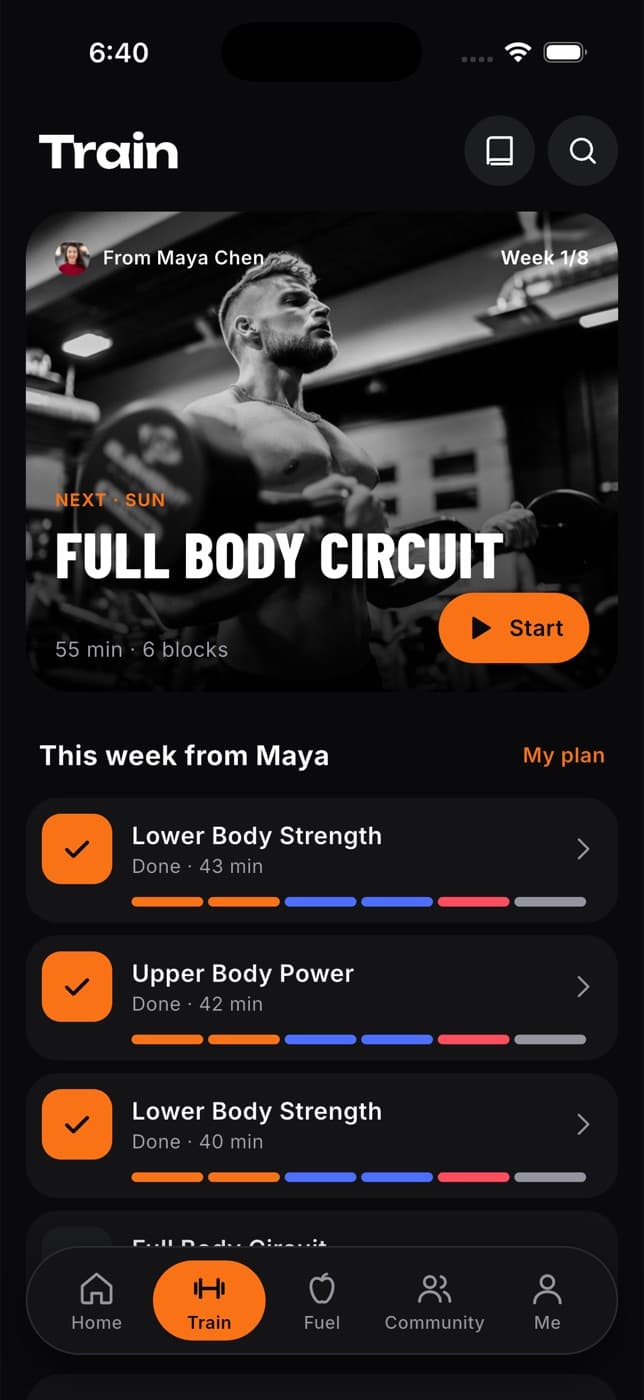
Not ready yet? Tap Later on the Home card. The program waits for you in My plan.
Keep up with changes
| When | What you see | What to do |
|---|---|---|
| Your coach edits your program | A card on Home saying your plan was updated | Tap it to see what changed, then Got it, or Reply to ... to message your coach. |
| Your coach comments on a workout | A Feedback from ... card and a notification | Tap it to read the note on that workout. |
| You finish the last week | A Program complete card | Continue with your coach's next plan if one is waiting, find a new plan or share your results. |
If you start a plan of your own, your coach's program is paused. Open My plan and tap Switch back to return to it.
Ask for an exercise swap
You can't edit your coach's program yourself, but you can ask for a change.
Open a workout day and tap Swap next to the exercise.
Say what the issue is, for example Pain or discomfort, Equipment is busy or Too hard right now. Add a note if you like.
Pick one of the suggested alternatives and send the request.
What happens next: you can use the swap today while your coach reviews it. They can approve it (for today, for a few weeks or for the rest of the plan), suggest another option or decline it. You'll get a notification and see their answer in your chat.
To see all your requests, open My plan and look under Change requests. You can withdraw a request that's still pending.
Follow a meal plan from your nutritionist
A meal plan from your nutritionist starts right away. It appears in the Fuel tab with your daily targets and meals, and in My plan.
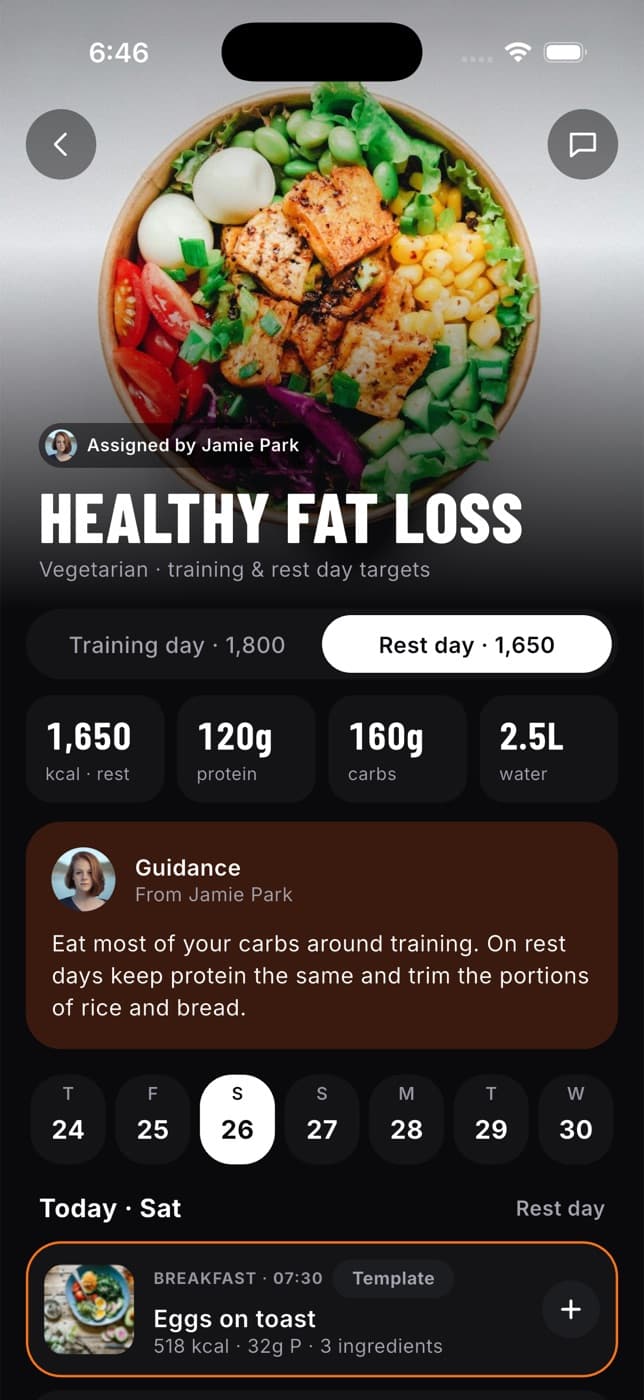
On any planned meal you can:
- Tap Mark as eaten to log it in your diary.
- Tap Replace this meal to ask your nutritionist for a swap. You pick a reason and choose from meals with similar calories and protein that fit your diet.
- Swap single ingredients in the meal.
For more on meals and logging, see Nutrition.
Common questions
No, the program belongs to your coach. You can start or stop it, and ask for swaps. Your coach decides on changes.
You may have stopped sharing your training with your coach, so they can't read the request. Tap Share with ... to send this, or turn sharing back on from Me, then Data sharing.
It moves to your past plans. Your workout history is kept.
Starting another meal plan ends the one from your nutritionist. Talk to them first if you're unsure.