

Nutrition
Follow a meal plan or your own goal, log what you eat, and track water, weight and nutrients on the Fuel tab.
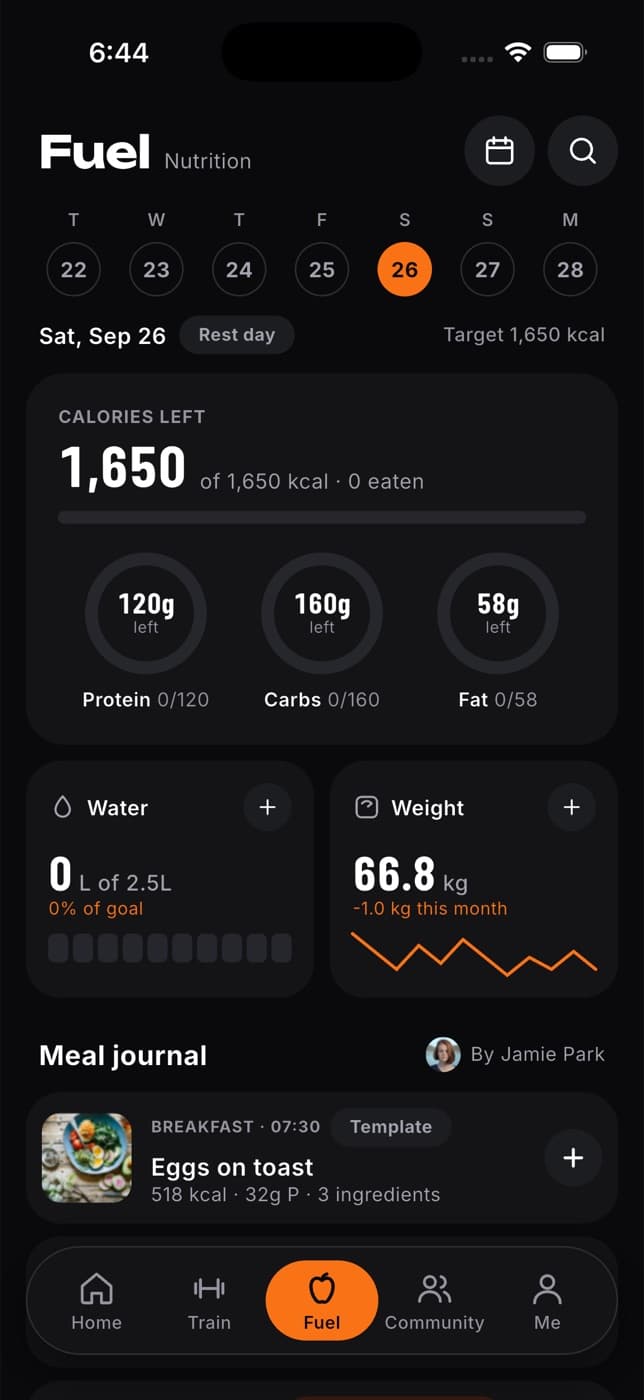
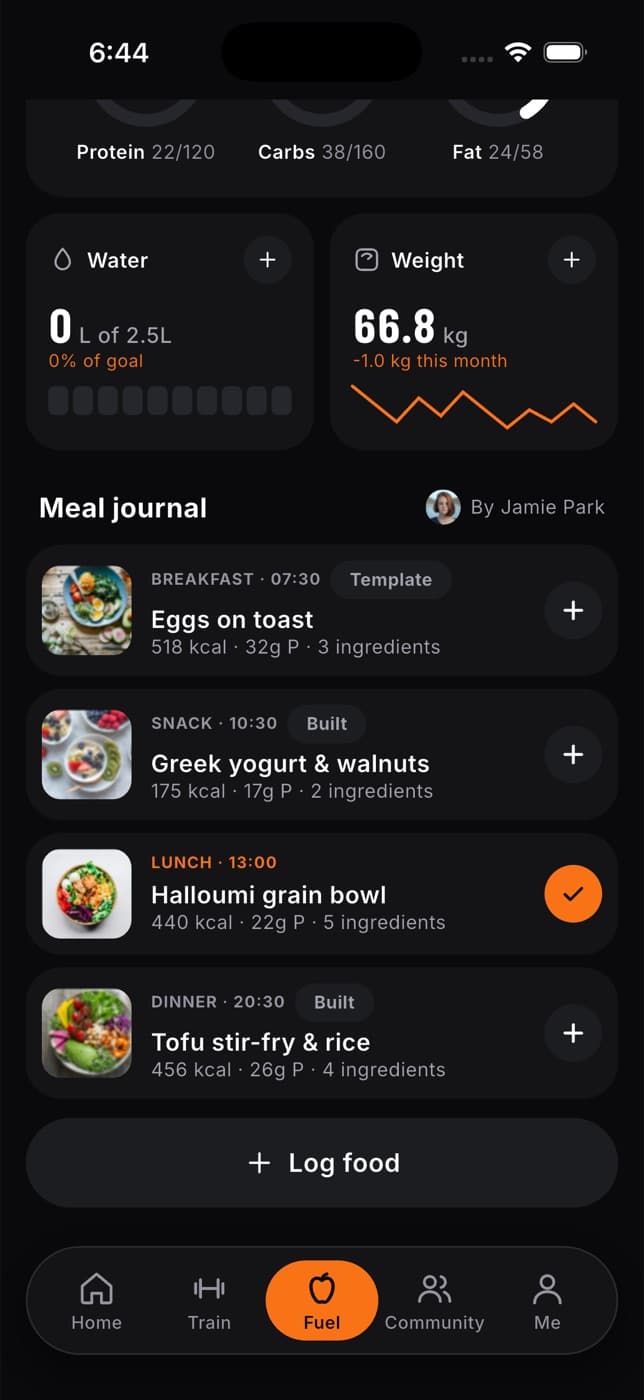
The Fuel tab helps you eat well for your training. Follow a meal plan from Fit+, Fit+ AI or your nutritionist, or set your own goal. Log what you eat in a few taps and see how your day adds up against your targets.
What you can do
- Start a Fit+ meal plan, have Fit+ AI draft one, or follow the plan your nutritionist assigned to you.
- Set your own goal (lose fat, maintain or build muscle) and get daily targets that adjust every Sunday.
- See your calories, protein, carbs and fat for the day against your targets.
- Tick off planned meals as you eat them.
- Log anything else by searching, describing it in words, snapping a photo, scanning a barcode or label, or typing it in.
- Log your usual foods, saved meals and own recipes again in one tap, and copy meals to other days.
- Track your water and weight, and follow your weight trend.
- Swap a meal that doesn't work for you, and ask your nutritionist to change your plan.
To open it, tap Fuel in the tab bar, or the Fuel card on Home.
You don't need a meal plan to use Fuel. Without one, you still see your totals, water and weight. Set a goal or pick a plan to get daily targets. A plan from your nutritionist always sets your targets while you follow it.
Energy shows in kcal or kJ, weight in kg or lb, and water in litres or fluid ounces, depending on your units in Me, then Settings, then Units.
Start here
Choose or follow a meal plan
Pick a Fit+ plan, have Fit+ AI draft one, or follow the one your nutritionist wrote.
Set your nutrition goal
Lose fat, maintain or build muscle at your own pace, with targets worked out for you.
Your weekly check-in
Each Sunday, see how your week went and choose your targets for the next one.
Log food and track your day
Tick off planned meals, search, describe a meal, quick add, and change or copy entries.
Log a meal from a photo, barcode or label
Snap your plate for an estimate, scan a barcode, or read a nutrition label.
Log your usual foods and meals
Recents, favourites, saved meals and your own foods.
Save and log your own recipes
Import a recipe from a link or add it by hand, and log a serving.
See your weight trend and nutrients
Your smoothed weight trend, and a day's fibre, sodium, sugar and more.
Swap a meal or ask your nutritionist
See a meal's recipe, get ingredient ideas and replace a meal.
Browse the exercise library
Look up any exercise, watch its technique video, see which muscles it works and how you've done with it so far, and add it to a routine.
Choose or follow a meal plan
Start a Fit+ meal plan, have Fit+ AI draft one from your answers, or follow the plan your nutritionist assigned, and understand your daily targets.