

Message your coach
Open your inbox, start a conversation and send messages, photos and voice notes to your coach or other members in the Fit+ app.
Messages are private, one-to-one conversations. Most of the time you'll chat with your coach or nutritionist, but you can also message other members whose profile you can see.
Open your inbox
On Home, tap the round chat button in the top corner. An orange dot means you have something unread.
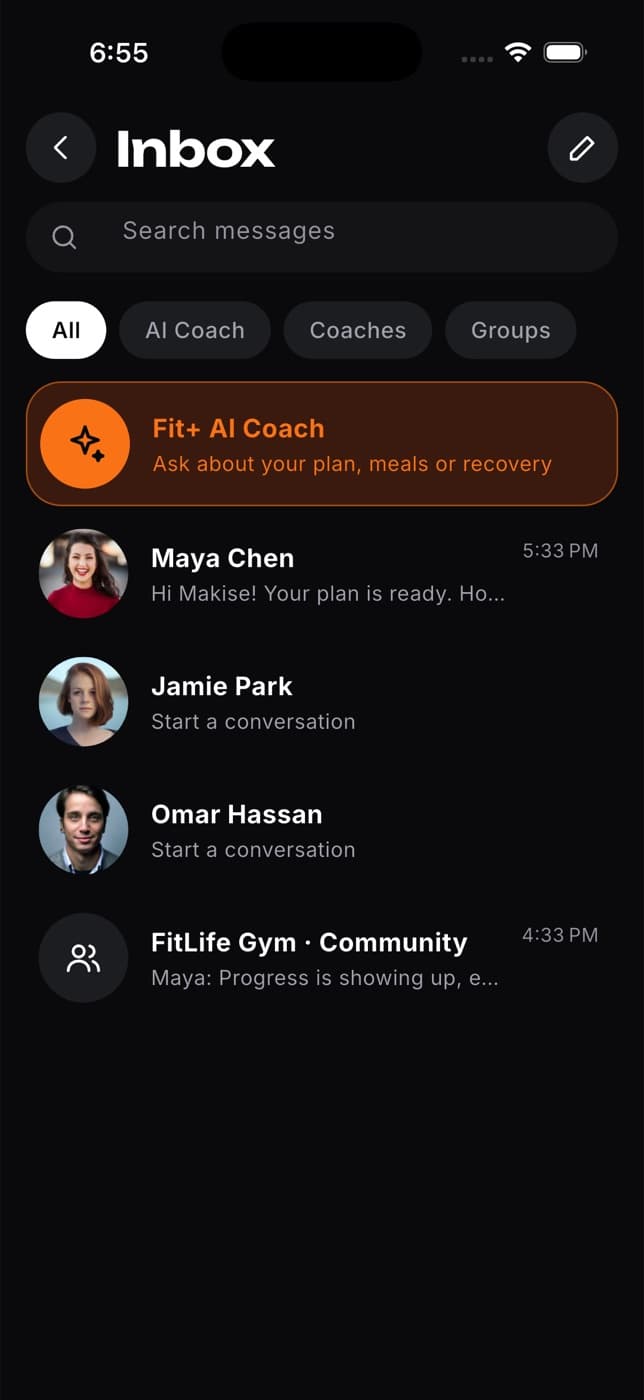
In the inbox you'll find:
- Search messages, to find a conversation by name.
- Filters: All, AI Coach, Coaches and Groups.
- The Fit+ AI Coach at the top. See Ask the AI Coach.
- Your conversations, with unread ones first. Your coaches and nutritionists appear here even before you've written to them.
- A row for each gym, club or team you belong to. Tapping it opens that group's feed in Community. These rows are not group chats.
Start a conversation
Tap the pencil button in the top right of the inbox.
Pick a coach or nutritionist from the list. If the list is empty, tap Find an expert to browse the directory first.
Write your message and tap send.
You can also start a chat from other places:
- Tap Message on someone's profile in Community.
- Tap the message button on a coach's profile, on a booked session or on your plan.
- Tap a person in Your support team on Home.
Send messages, photos and voice notes
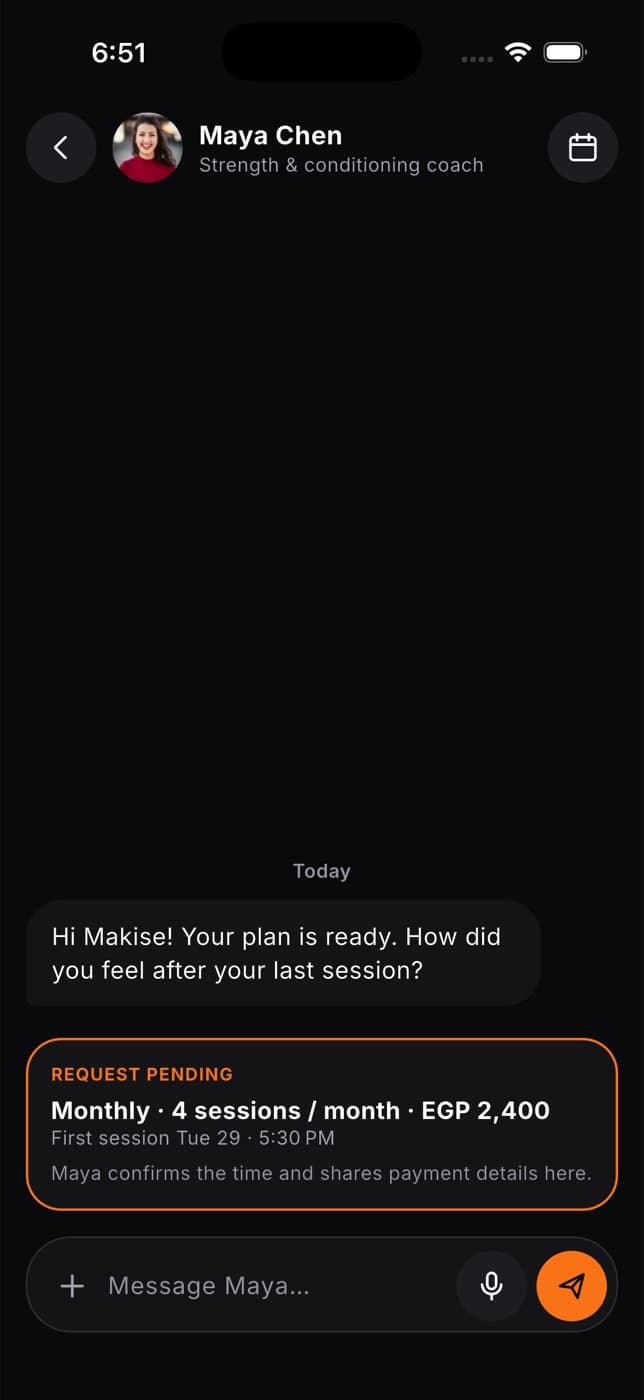
Type in the message field and tap the send button.
To add a photo, tap +, then choose Photo library or Take a photo.
To record a voice note, tap the microphone. Tap Stop when you're done. You can play it back or remove it before you send. Voice notes can be up to 5 minutes long.
To reply to a specific message, press and hold it, then tap Reply. You can also tap Copy text here.
Under your latest message you'll see Seen with a time once the other person has read it.
When you chat with a coach or nutritionist, a calendar button at the top lets you book a session with them. If you have a booking request open with them, it's pinned above the message field so you both see it.
Your coach can also share exercises, workouts, meals and plans in the chat. Tap one to open the full details.
What happens next
The other person gets a notification about your message. Messages from your coach or nutritionist, and updates about your sessions and swap requests, always reach you, except during your quiet hours.
Common questions
Check your connection. If a message can't be sent, it's removed from the chat and your text, photo or voice note goes back into the message field so you can try again.
Not yet. Once a message is sent, it can't be changed.
No, messages are between two people. To talk with your gym or club, post in its Community feed.
Only you and the person you're talking to. Gym owners and Fit+ staff can't read your conversations.
Contact Fit+ support from Settings and tell us what's happening. You don't have to reply to messages you don't want.
On Android, new messages show in the notifications list inside the app (tap the bell on Home) rather than as phone notifications.