

Ask the AI Coach
Ask the Fit+ AI Coach about training, food and recovery, and confirm or skip the changes it suggests.
The AI Coach is a chat that knows your plan, your meals and your recovery. Ask it a question and it answers in plain language. When a change would help, such as an easier workout or a new plan, it suggests it on a card, and nothing changes until you confirm.
Open the AI Coach
- On Home, tap the chat button, then Fit+ AI Coach at the top of your inbox.
- On Home, tap Fit+ AI Coach in Your support team.
- At the end of an article in Learn, tap Ask AI Coach about this article.
Ask a question
On the start screen, tap one of the suggestions, such as Plan a workout for today or What should I eat post-workout?. Or type your own question in Ask anything....
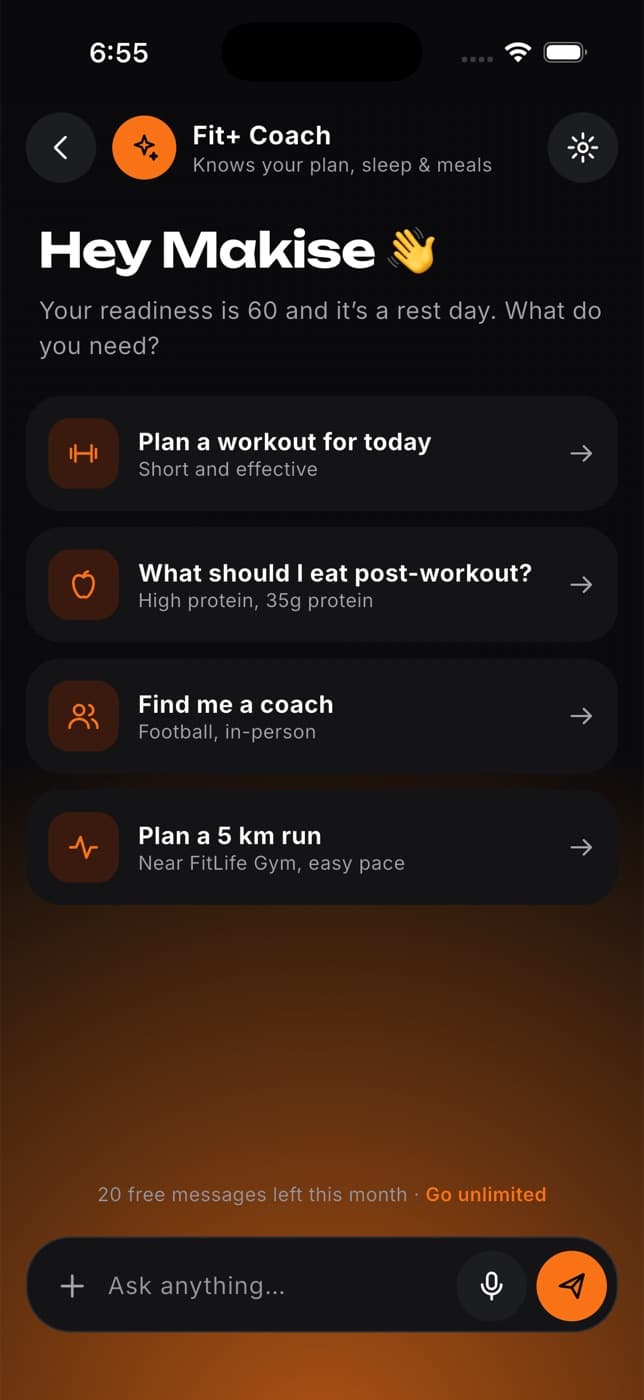
Tap send.
The first time, Fit+ asks whether you want to use AI processing. Tap Allow AI processing to continue, or Keep AI off to stop. Nothing is sent unless you allow it. See AI Coach privacy and limits.
Read the reply. If the coach suggests a change, it appears on a card below the answer.
You can also speak your question or add a photo.
Confirm or skip a suggestion
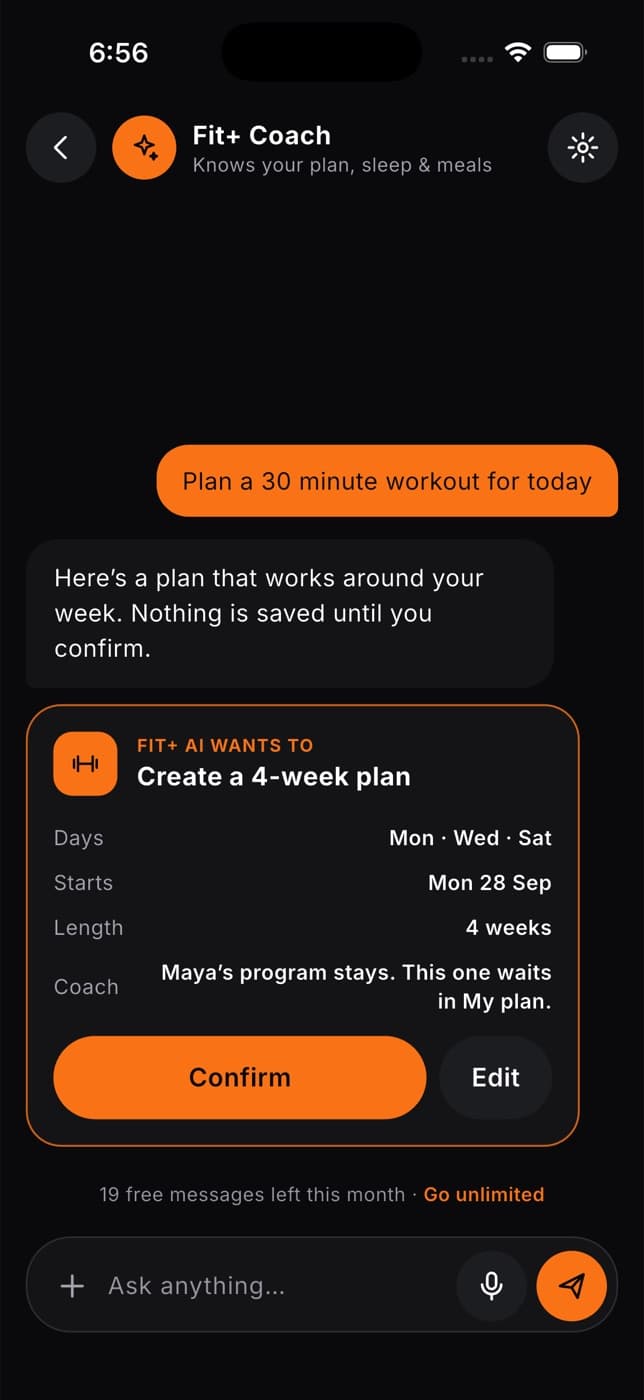
Cards start with Fit+ AI wants to and show exactly what would change.
| The coach suggests | What you can do |
|---|---|
| Changing today's workout, for example easier moves for sore knees | Apply the changes, or tap Not now. Tap See it to open the workout, or Undo to go back to your original plan. |
| A new multi-week plan | Tap Confirm, or Edit to choose the days and number of weeks first. Undo removes the new plan and brings back your old one. |
| Adding your week's workouts to your calendar | Tap Add to send them to your calendar app. |
| A meal that fits your goals | Tap Log meal to add it to today's diary. Undo removes it. |
| An easy run | Tap Start run to begin, or Save to keep it in your plans. |
| Finding a coach or nutritionist | Tap Browse coaches to open the directory with the right filters. |
If your plan comes from a coach, changes to today's workout are sent to your coach for review. You can use them today while they decide. A new plan from the AI Coach waits in My plan so your coach's program stays in place.
Do more with a reply
Press and hold a reply to see more options:
- Thumbs up or thumbs down, to mark whether it helped.
- Regenerate, to get a new answer to your last question.
- Share with my coach, to send part of the answer to your coach. See Share a reply with your coach.
- Save to notes, to keep the reply. Find it later in the coach settings.
- Copy text.
- Report a problem, if the answer was wrong or unhelpful.
What the AI Coach can and can't do
The AI Coach can:
- Answer questions about training, food, recovery and your plan.
- Suggest changes to your workouts and meals, and build a new plan.
- Help you find a coach or nutritionist.
The AI Coach can't:
- Change anything without your confirmation.
- Book sessions or message your coach for you.
- Diagnose injuries or health problems, or recommend treatment.
The AI Coach can make mistakes. Check important details, and don't use it instead of medical advice. If you have pain, an injury or symptoms that worry you, talk to a doctor or another qualified professional.
Common questions
Yes, on this phone. It uses your recent messages to follow the conversation. On a new phone, the conversation starts fresh.
Fit+ checks suggestions against the diets and allergies from your setup and leaves out meals that don't fit. If something slips through, tap Report a problem on the reply, and check your diet settings.
Yes. Each new answer counts toward your monthly free messages.
Some changes can't apply, for example if the exercise isn't in today's workout or was already swapped. The card greys those out and explains why.