

Run your gym from the phone app
Take a quick look at your gym, your memberships and today's visits in the Fit+ app when you're away from the desk.
The Fit+ app has a gym workspace too, so you can keep an eye on things from your phone. For everything else, such as scanning passes, join requests, payouts and your team's permissions, use Gym management on the Fit+ website.
Before you start
- Sign in to the Fit+ app with the same account you use for Gym management.
- Your gym must be approved. See Bring your gym to Fit+.
Open your gym in the app
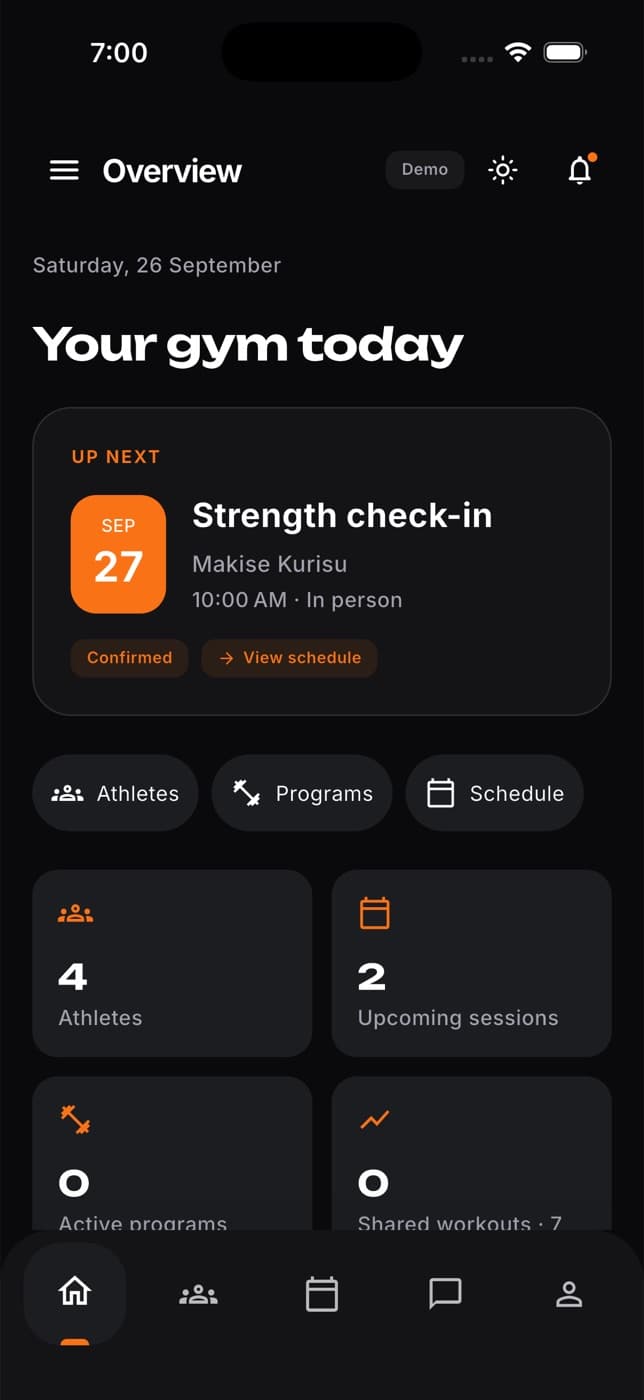
Find your way around
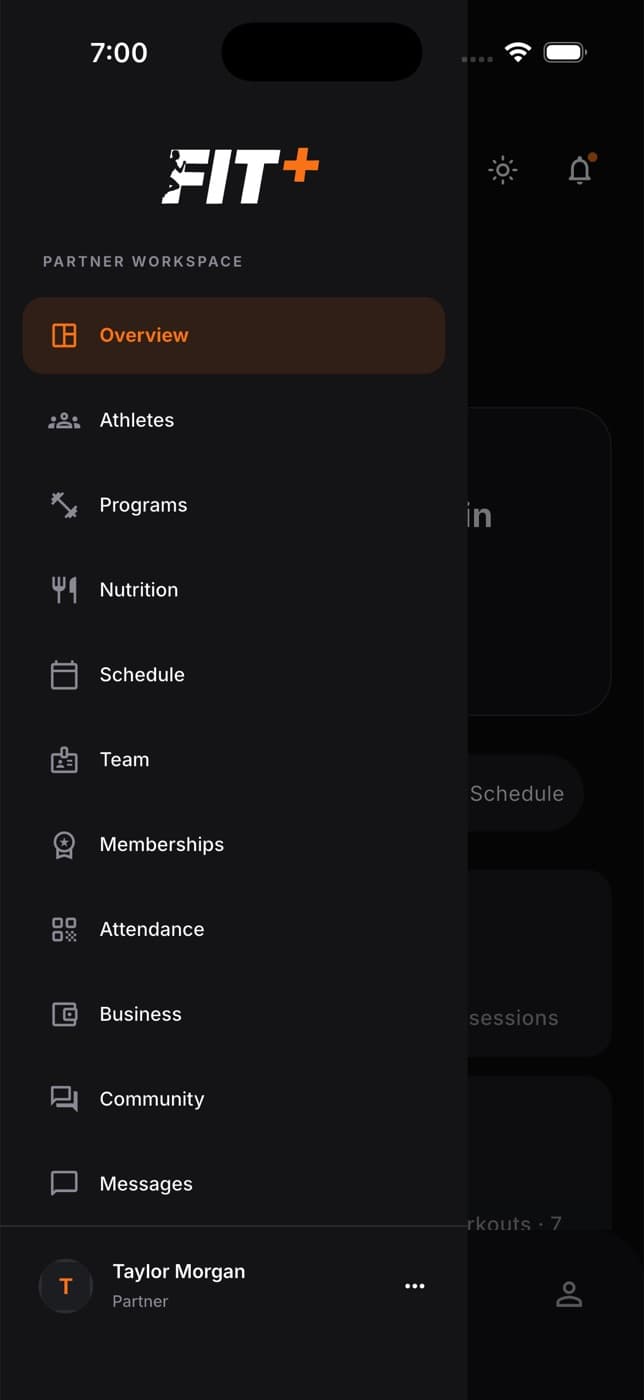
Tap the menu icon at the top left to open the menu. From there you can open:
- Overview: your gym today, what's up next and a few key numbers.
- Athletes: the people at your gym.
- Programs and Nutrition: training programs and nutrition plans.
- Schedule: upcoming sessions.
- Team: the coaches and specialists on your team.
- Memberships: your membership offers.
- Attendance: recent check-ins.
- Business: payment records.
- Community: your gym's community.
- Messages: your conversations.
To go back to your own training, tap the Partner label at the top of the screen and choose Member.
Check your memberships
Open Memberships from the menu to see the membership offers members can buy, with their price and length. Tap Create membership to add a new one.
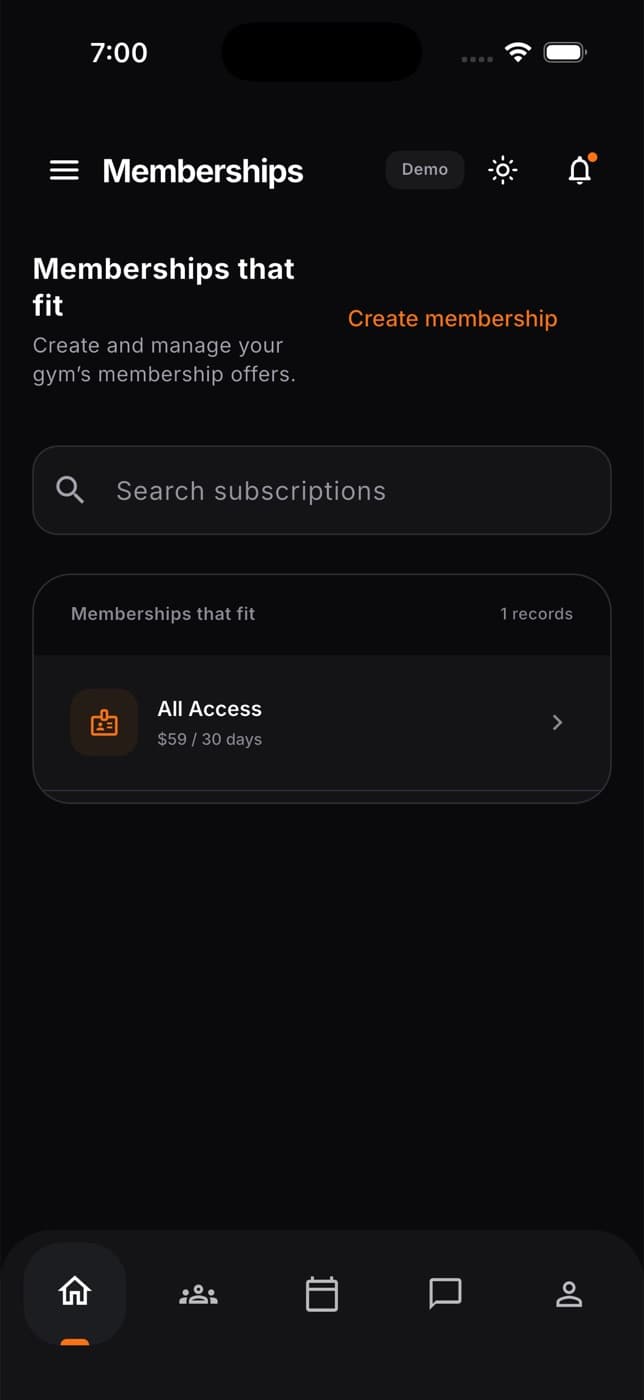
For the full plan editor, with included items, pause rules and guest passes, use Plans & pricing on the website. See Create and edit membership plans.
See today's visits
Open Attendance from the menu to see a record of your members' visits. To check someone in by hand, tap Check in member and choose them.
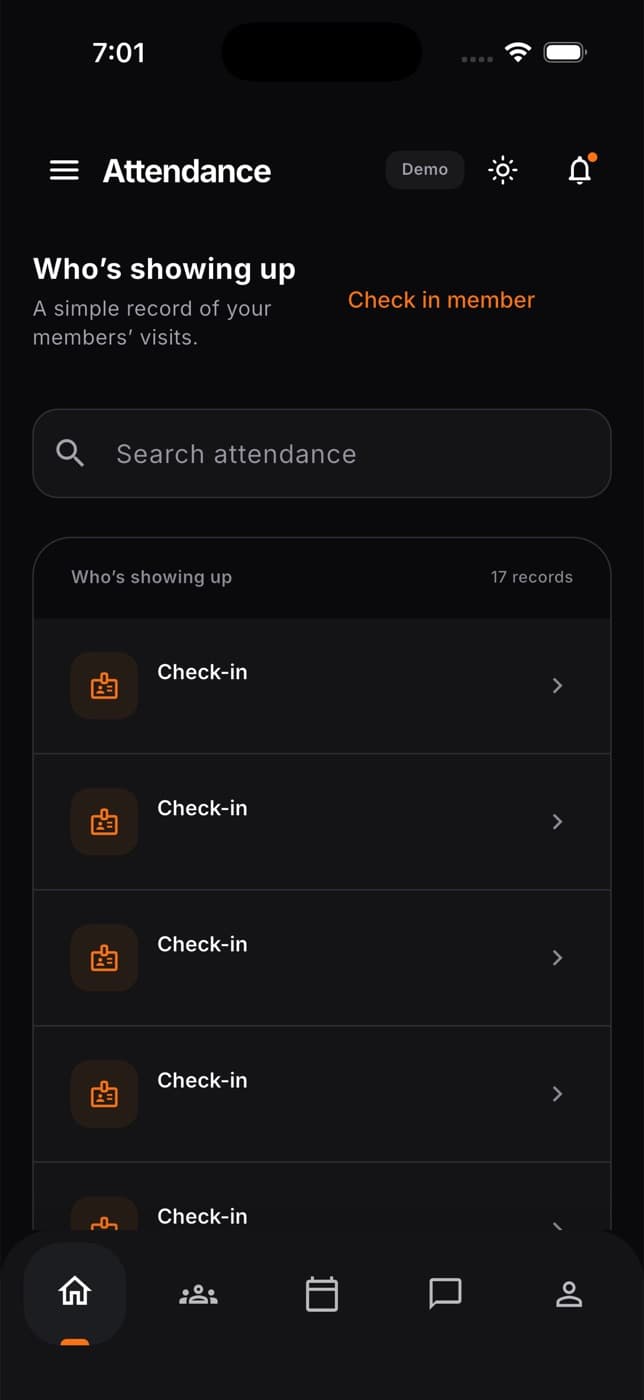
To scan members' passes at the desk, use Check-ins on the website. See Check members in.
Common questions
It only appears when your account has more than one workspace. Make sure your gym has been approved, then sign out and back in.
Use Members in Gym management on the Fit+ website. You can open the website in your phone's browser too. See Approve or decline join requests.