

Add your own foods
Keep a private food library, fill in a food's nutrition from the label, the Fit+ database, a barcode or an AI estimate, and build meals from it.
My foods is your personal food library for nutritionists. Add a food once with its serving and nutrition, and reuse it in any meal or plan. When you change the quantity in a meal, the calories and macros scale with it.
Open My foods
Select Nutrition in the sidebar, then My foods.
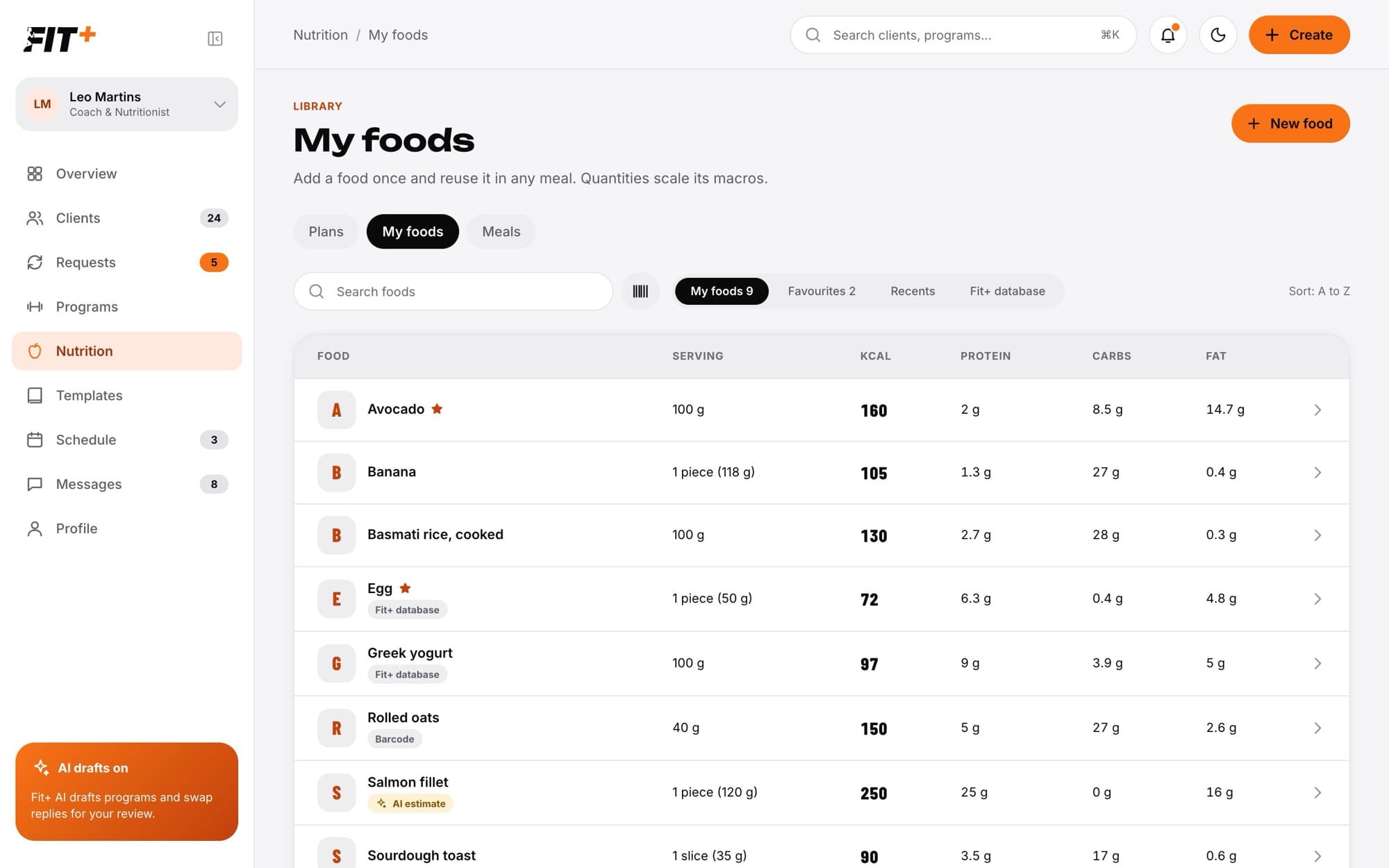
- Switch between My foods, Favourites, Recents (foods you used lately) and Fit+ database.
- Type in Search foods to find a food by name.
- Each food shows where its numbers came from, for example Fit+ database, Barcode or AI estimate.
Add a food
Select New food.
Enter the Name and, if you like, the Brand.
Set the Serving: an amount and a unit (piece, g, slice, ml, cup, tbsp or scoop). For units like piece or slice, add Grams per piece so the food can also be measured in grams, for example 1 egg = 50 g.
Fill in the calories, protein, carbs and fat per serving (see the options below). Open More nutrients to add fibre, sugar and sodium.
Select Save food.
Ways to fill in the numbers
- From the label: type the numbers yourself.
- From the Fit+ database: select the Fit+ database tab, search for the food and pick it.
- From a barcode: select the barcode button next to the search box and type the barcode number.
- Estimate with AI: see below.
Estimate a food with AI
When you don't have a label, Fit+ can estimate the nutrition for you.
Enter the food's name, brand if it has one, and the serving.
Select Fill with AI. Fit+ fills in the calories and macros.
Check each number. Fields filled by AI have a sparkle, and a field you change shows Edited by you.
Select Save food. The food is labelled AI estimate so you remember to double-check it.
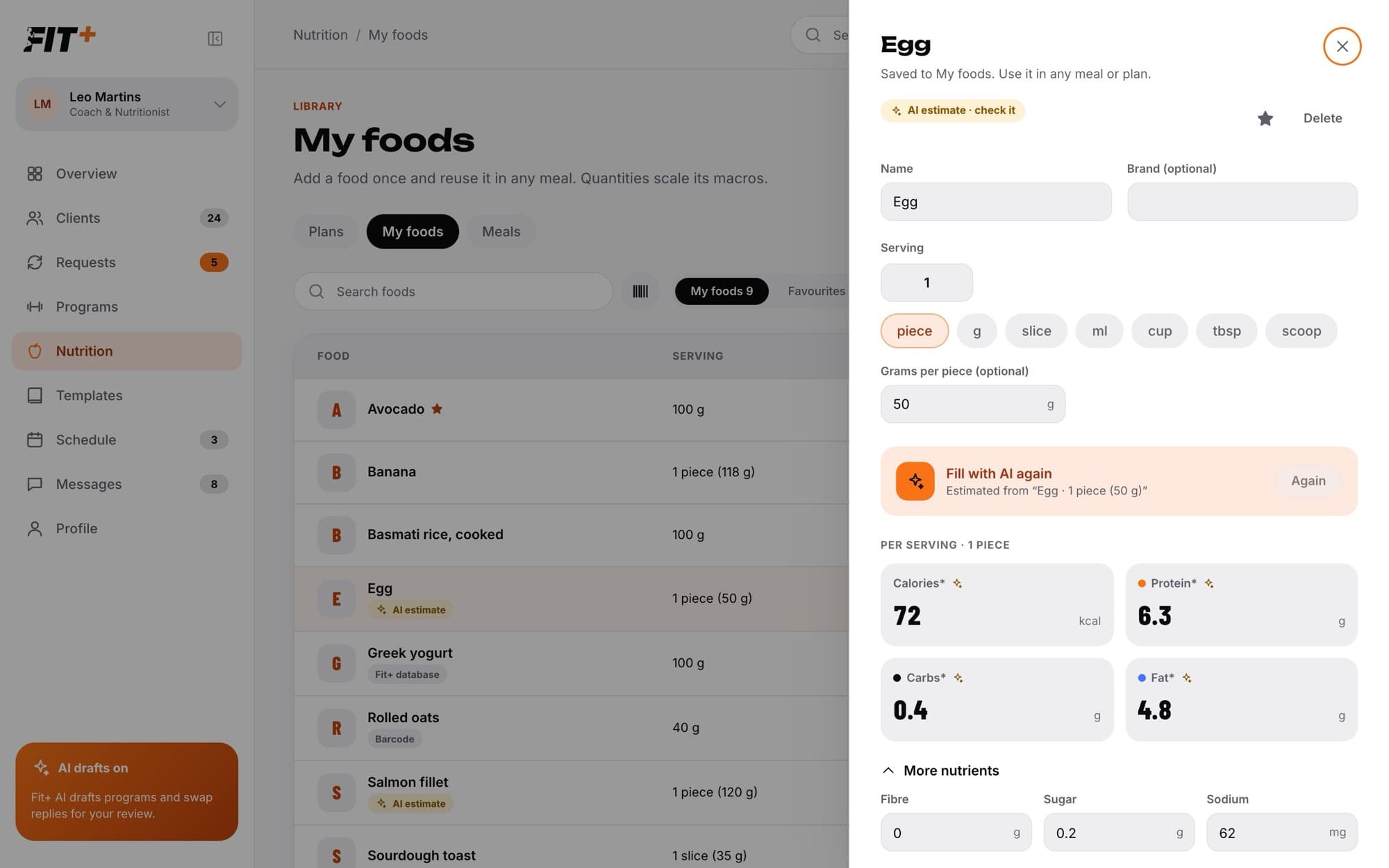
An AI estimate is a starting point, not a measurement. Check it against a label or a trusted source when you can. Only the food's name, brand and serving are used for the estimate.
If you change the serving, select Fill with AI again to update the estimate.
Favourite or delete a food
- Select the star on a food to add it to Favourites.
- Select Delete to remove it. Meals and plans that already use the food keep their copy.
Build meals from your foods
Your foods are the ingredients for your meals. You can:
- Build a meal template to reuse in many plans. See Build a meal template.
- Build a meal straight into a client's plan with Build from ingredients. See Write a nutrition plan.
No. A meal keeps a copy of each food's serving and nutrition from when you added it. Later changes only affect meals you build from then on.
AI processing is switched off for your account. Turn it on in your Fit+ settings, or enter the numbers yourself.
Wait a minute and try again.
No. Your food library is private to you. Clients only see the meals you put in their plan.