

Sign in
Sign in to Fit+ on the web with your password, or with a link sent to your email.
Use the same email address you use in the Fit+ app. You can sign in with your password, or ask for a sign-in link by email if you don't have a password or can't remember it.
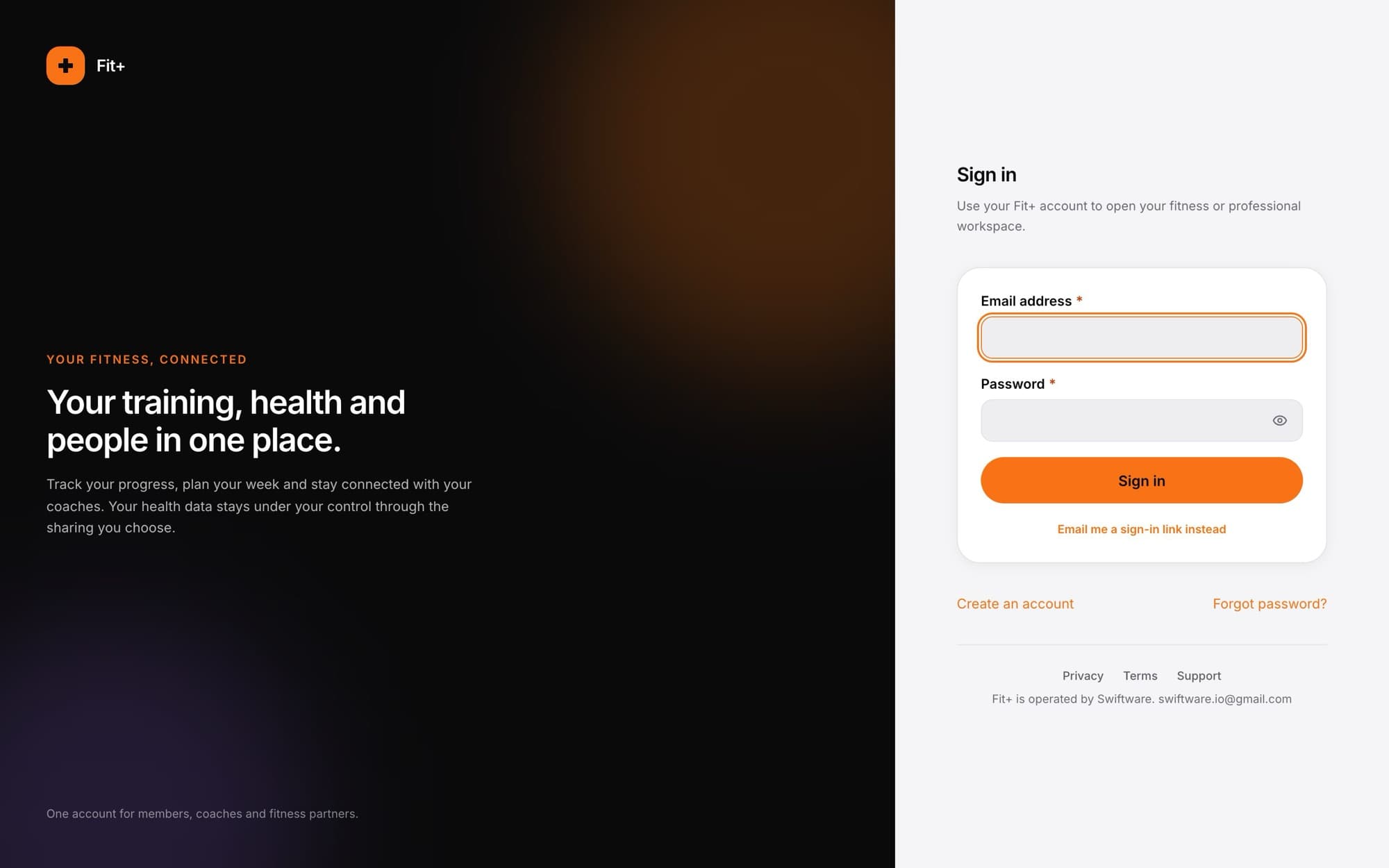
Sign in with your password
Open the sign-in page
Go to the Fit+ website. If you're not signed in, the sign-in page opens.
Enter your email address
Type the email address on your Fit+ account in Email address.
Enter your password
Type your password in Password. Select the eye button if you want to check what you typed.
Select Sign in
Your Fit+ space opens.
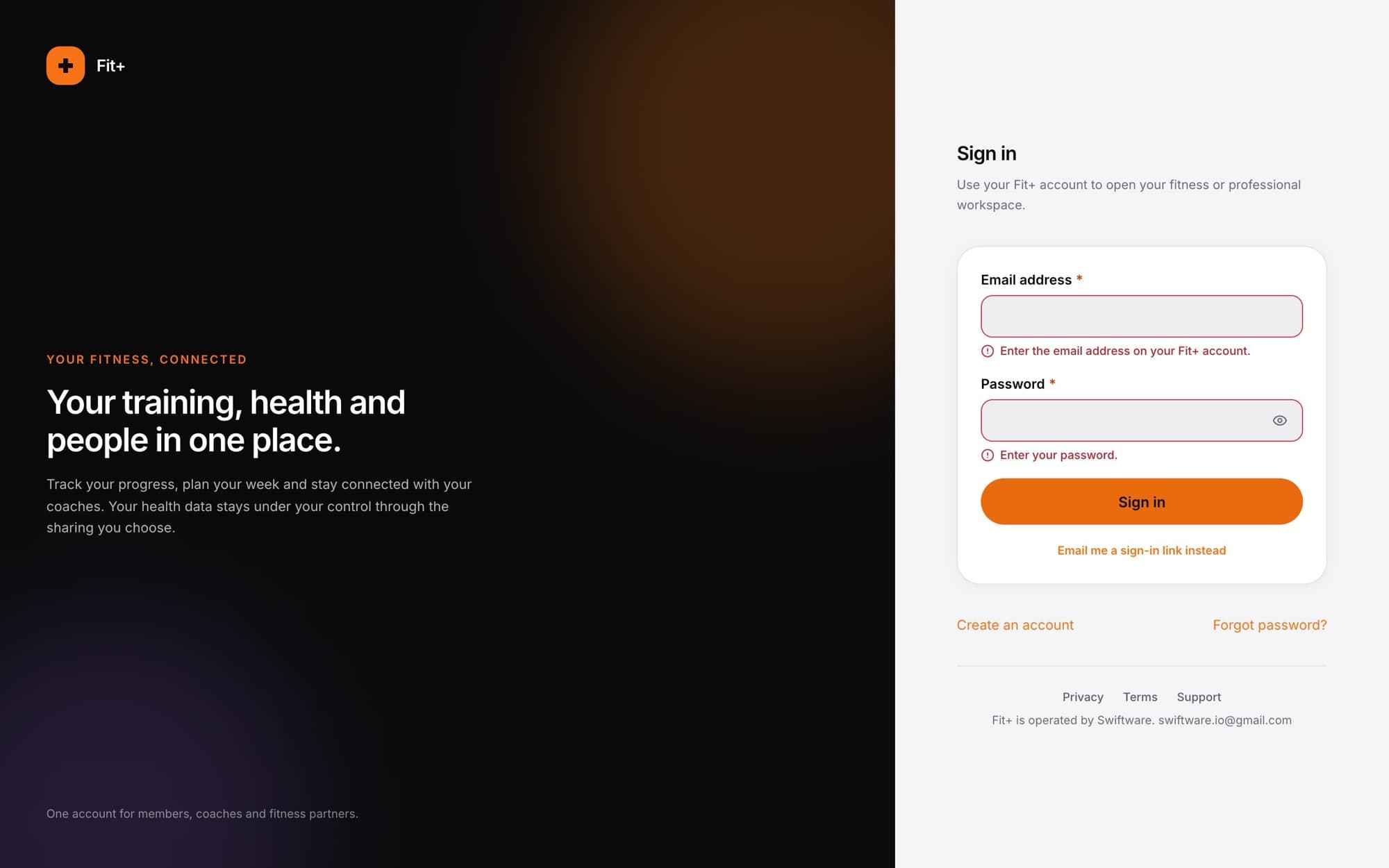
If a field is empty or doesn't look right, a short message appears under it. Fix it and try again.
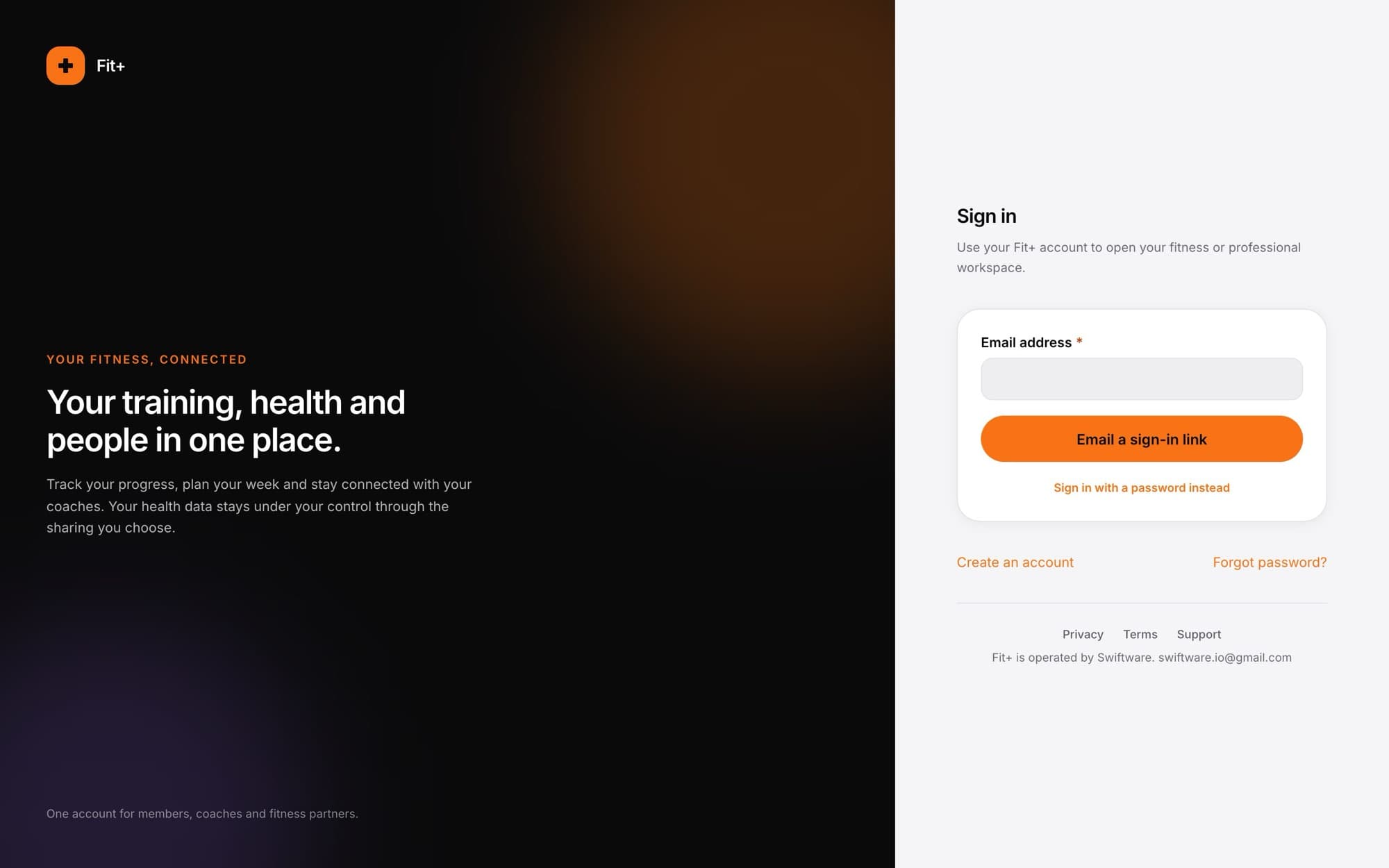
Sign in with an email link
Good if you signed up in the app with Google or Apple, or if you'd rather not type a password.
Select Email me a sign-in link instead
The password field disappears.
Enter your email address
Use the email address on your Fit+ account.
Select Email a sign-in link
You'll see Check your email with the address the link went to.
Open the email and select the link
Open it on the same computer and browser. You're signed in straight away.
A sign-in link only works for an existing account. If you're new, create an account first. To go back to your password, select Use a password instead.
What happens next
- Members land on Today, your home page. See Your dashboard.
- If you're also a coach, nutritionist, gym owner or staff member, you land in that workspace first. Choose My fitness in the workspace switcher at the top of the sidebar to get to your own training.
- If you opened a Fit+ page while signed out, you go straight back to that page after signing in.
If something goes wrong
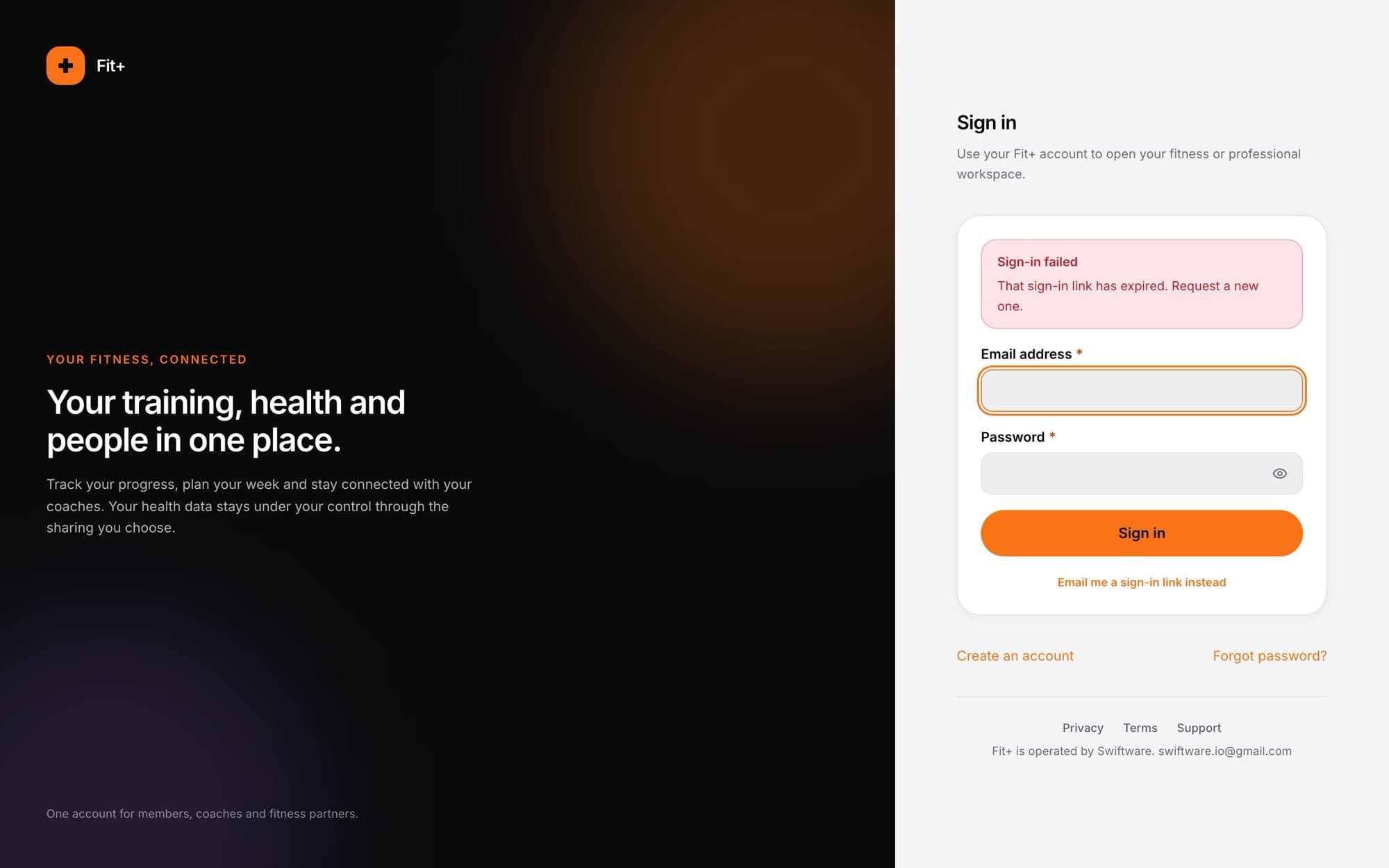
Messages appear above the form in plain words:
| You see | What to do |
|---|---|
| That email and password combination was not recognised. | Check for typos, or reset your password. |
| This account has not confirmed its email address yet. | Open the confirmation email Fit+ sent when you signed up. |
| Too many attempts. | Wait a moment, then try again. |
| No Fit+ account uses that email address. | Check the address, or create an account. |
| That sign-in link has expired. | Links work once and only for a short time. Ask for a new one. |
| Your session expired. | You were signed out after a while. Sign in again. |
Common questions
The website doesn't have Google or Apple buttons. Use Email me a sign-in link instead with the email address of your Google or Apple account. If you'd like a password too, use Forgot password to set one.
Yes. It's one account, so the same email and password work in both.
Check your spam or junk folder and make sure you typed the right address. Wait a minute, then ask for a new link.
At the bottom of the sidebar, select the sign-out button next to your name.