

Create an account
Sign up for Fit+ on the web with your name, email address and a password.
New to Fit+? You can create your account on the website in about a minute. It's the same account you'll use in the Fit+ app.
Before you start
- An email address you can open now, to confirm your account.
- A password of at least 8 characters.
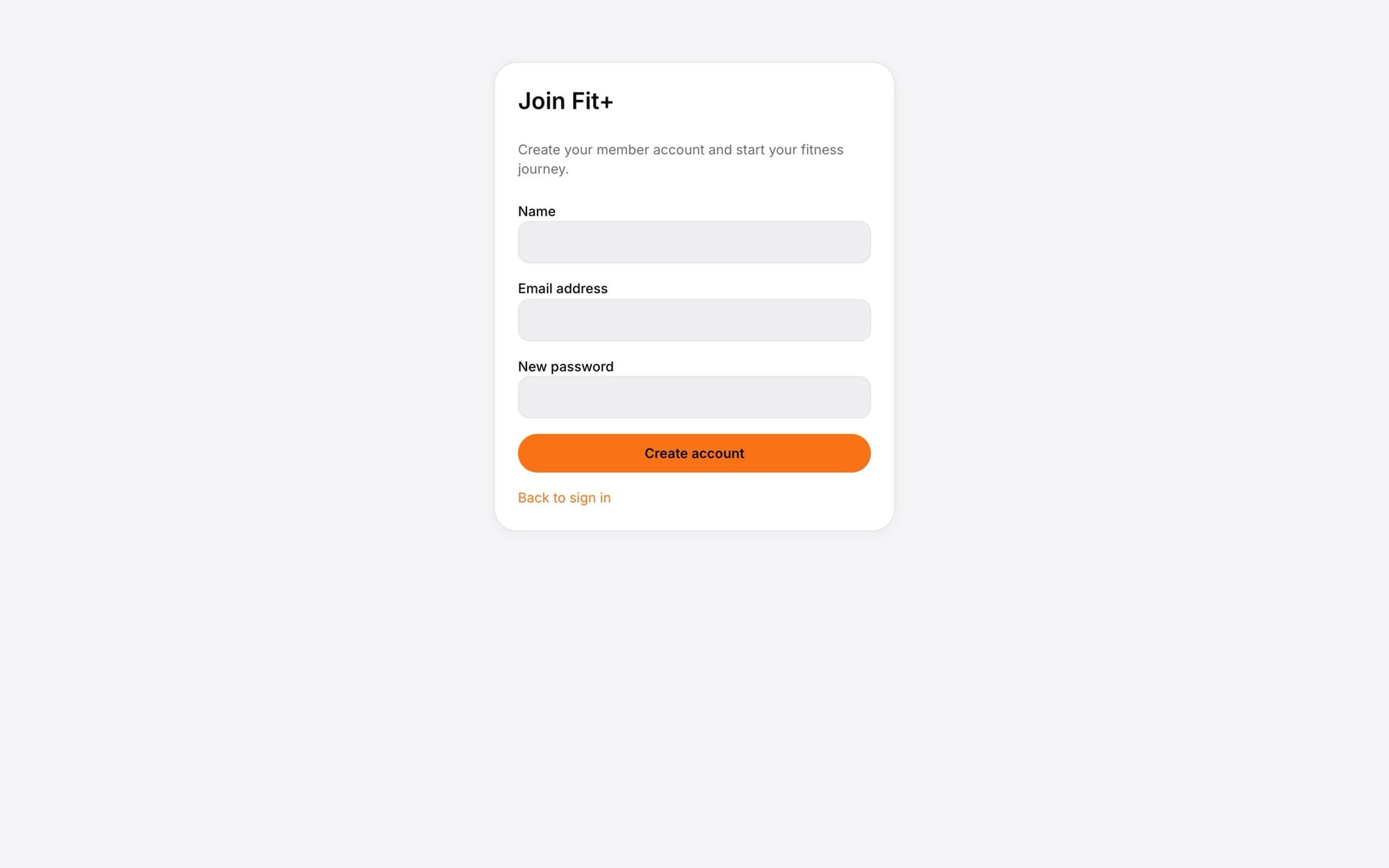
Open the sign-up form
On the sign-in page, select Create an account.
Enter your name
This is the name coaches, friends and the community will see. You can change it later on your profile.
Enter your email address
Use an address you check. It's how you'll sign in and reset your password.
Choose a password
Type it in New password. Use at least 8 characters.
Select Create account
You'll see a message asking you to check your email.
Confirm your email
Open the email from Fit+ and select the link. You're signed in and your Fit+ space opens on Today.
What happens next
Your account is ready to use on the web and in the app. A few good first steps:
- Download the Fit+ app and sign in with the same email and password. The app asks a few questions about your goals, and it's where you connect your health data.
- Find a coach or nutritionist and send a booking request.
- Record your first workout.
Web sign-up creates a member account. If you're a coach or nutritionist, you apply separately to work on Fit+. See Fit+ for professionals.
Common questions
You already have a Fit+ account, perhaps from the app. Sign in instead, or reset your password if you don't know it.
Check your spam or junk folder. Make sure you typed the address correctly. If it still hasn't come, try signing in with an email link from the sign-in page.
Not on the website. You can do that in the Fit+ app, and then use the website with an email sign-in link.