

Welcome to Fit+ Pro
A guide for coaches, trainers and nutritionists who work with clients on the Fit+ Pro website.
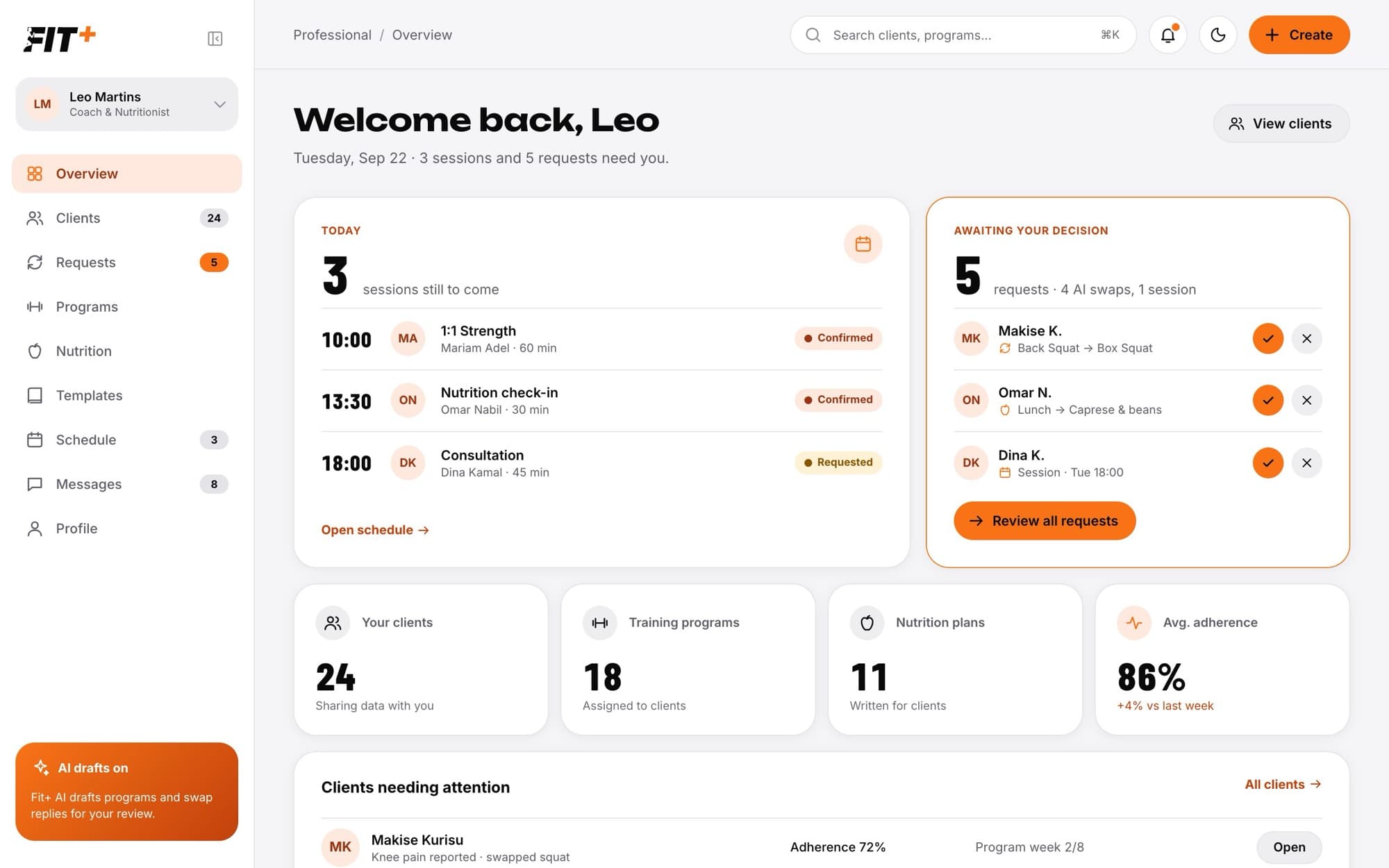
Fit+ Pro is where you run your coaching practice. You write training programs and nutrition plans, follow your clients' progress, answer their requests, manage your sessions and chat with the people you work with, all from your browser.
You sign in with the same Fit+ account you use in the app. There is no separate login for professionals.
Who Fit+ Pro is for
- Coaches and trainers write training programs, follow their clients' workouts, answer exercise swaps and run sessions.
- Nutritionists write nutrition plans, keep their own food library, answer meal swaps, approve weekly check-ins and read their clients' food diaries.
- Coach and nutritionist: if Fit+ verified you for both, you see both sets of tools side by side.
You only see the tools for what you were verified for. For example, a nutritionist has no Programs page, and a coach has no Nutrition page.
How it works
Your clients decide what you can see. A member becomes your client when they choose to share their training, nutrition or health with you from the Fit+ app. See What your clients share with you.
What you can do
Become a Fit+ professional
Apply, get verified and set your password.
Set up your workspace
Choose what you coach, introduce yourself and add your first offer.
Edit your public profile
Update what members see before they book you.
Find your way around
Your home page, the sidebar and quick search.
Work with your clients
See your client list, add a client, open a client's profile and add notes.
Follow a client's progress
Training history, progress charts, weekly reports and weight trend.
Answer client requests
Approve or decline exercise swaps, meal swaps and session requests.
Manage your schedule
Confirm or decline sessions and set your working hours.
Message your clients
Chat with clients and answer requests right in the thread.
Build a training program
Weeks, days, blocks, exercises, sets and loads.
Assign and follow a program
Send a program to a client and see how they are doing.
Browse the exercise library
Technique videos, steps, cues and safety notes for every published exercise.
Write a nutrition plan
Targets, training and rest days, and meals for each slot.
Add your own foods and meals
Keep a food library and build meals from it.
Approve nutrition check-ins
Review the new targets a client's weekly check-in proposes.
Build templates
Save workouts, blocks, meals and whole plans to reuse.
Use and assign a template
Assign a plan to several clients at once or drop a workout or meal into a plan.
Use Fit+ Pro on your phone
Answer requests and keep up with clients from the Fit+ app.
Tips for working with clients
Small habits that save you time.