

Check your readiness
Understand your daily readiness score, get advice on how hard to train and fine-tune it with a morning check-in.
Your readiness score tells you how ready your body is to train today, on a scale from 1 to 99. Fit+ compares your own data with your recent normal, never with other people, and gives you simple advice.
Open your readiness
Tap the readiness card on Home, or the Recovery card on My health. If you haven't checked in today, the Home card opens the morning check-in first when it's before noon or when there's no score for today yet.
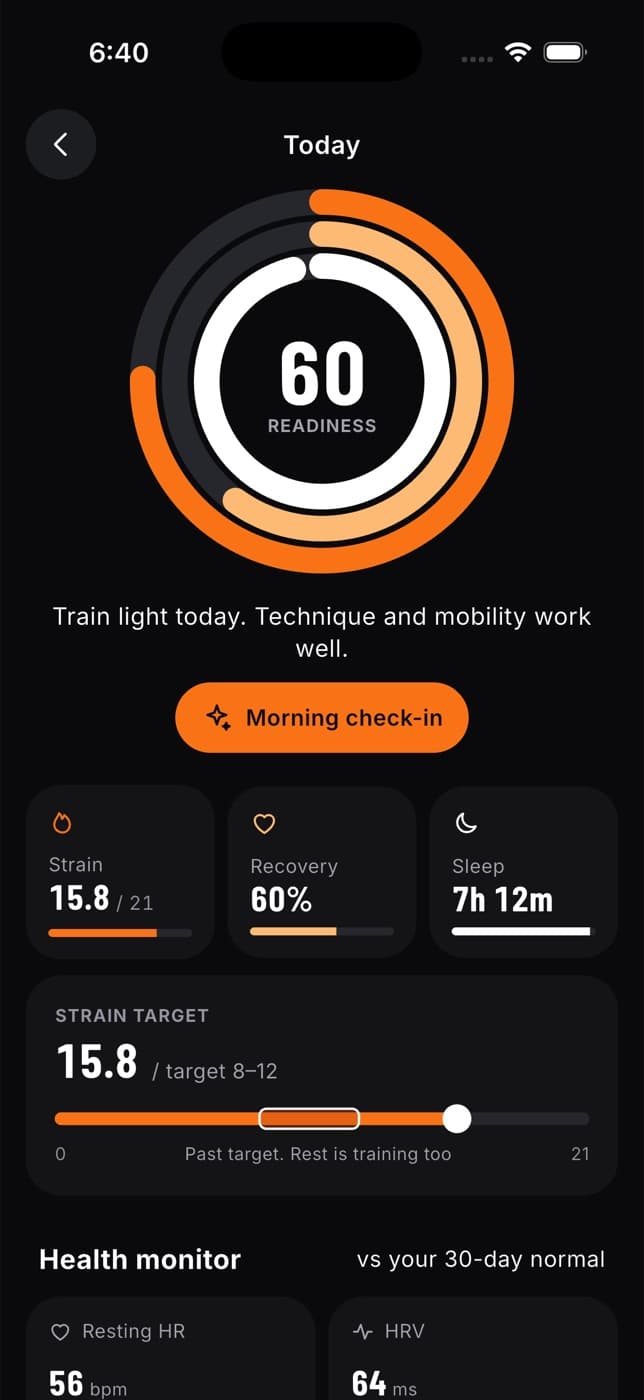
What your score means
| Score | Advice |
|---|---|
| 67 and above | Good to train. Keep intensity moderate. |
| 34 to 66 | Train light. Technique and mobility work well. |
| Below 34 | Take it easy. Rest or a gentle walk will help you recover. |
How Fit+ works out your score
- If a device gives you a recovery score, such as WHOOP, that score leads.
- Otherwise, Fit+ uses your HRV and resting heart rate compared with your 30-day average (a lower resting heart rate is better), and your sleep compared with your sleep goal.
- Your morning check-in, if you did one, nudges the result up or down.
The screen sums this up in the How Fit+ scores readiness note.
If there's no data at all for today, you'll see "Check in or connect a device to see your readiness." Connect Apple Health or Health Connect, or do a check-in.
What else is on the screen
- Strain, Recovery and Sleep for today. Strain is on a scale of 0 to 21. It comes from your device when it measures strain, or is estimated from how long and how hard you trained today. Without a device, Sleep shows the sleep quality from your check-in.
- Strain target: how much training suits you today, based on your readiness. A line tells you if you're on target or past it.
- Health monitor: resting heart rate, HRV, breathing rate, blood oxygen, skin temperature and sleep, each compared with your 30-day normal. After 5 days of data, a value outside your normal range is marked with an arrow.
- Stress & energy from your check-ins over the last 7 days.
- Activity status: tell Fit+ if you're Sick, Injured or On a break. Your targets are adjusted, and your coach sees your status. Switch back to Active when you're ready.
- Coach adjusted today (or Plan adjusted today): if a change to today's plan was approved, such as a swapped exercise, this card lists what changed.
- A 7-day trend of your score.
- Body insights: your resting heart rate and HRV over the last two weeks, last night's deep sleep and today's water against your goal.
Do a morning check-in
A check-in takes a few seconds and makes your score more accurate, especially on days without much device data.
Tap Morning check-in on your readiness screen, or on My health.
Drag the dial to set your energy, from Drained to Buzzing. Then rate your Sleep quality (from Poor to Great) and Muscle soreness (from None to Very sore) from 1 to 5.
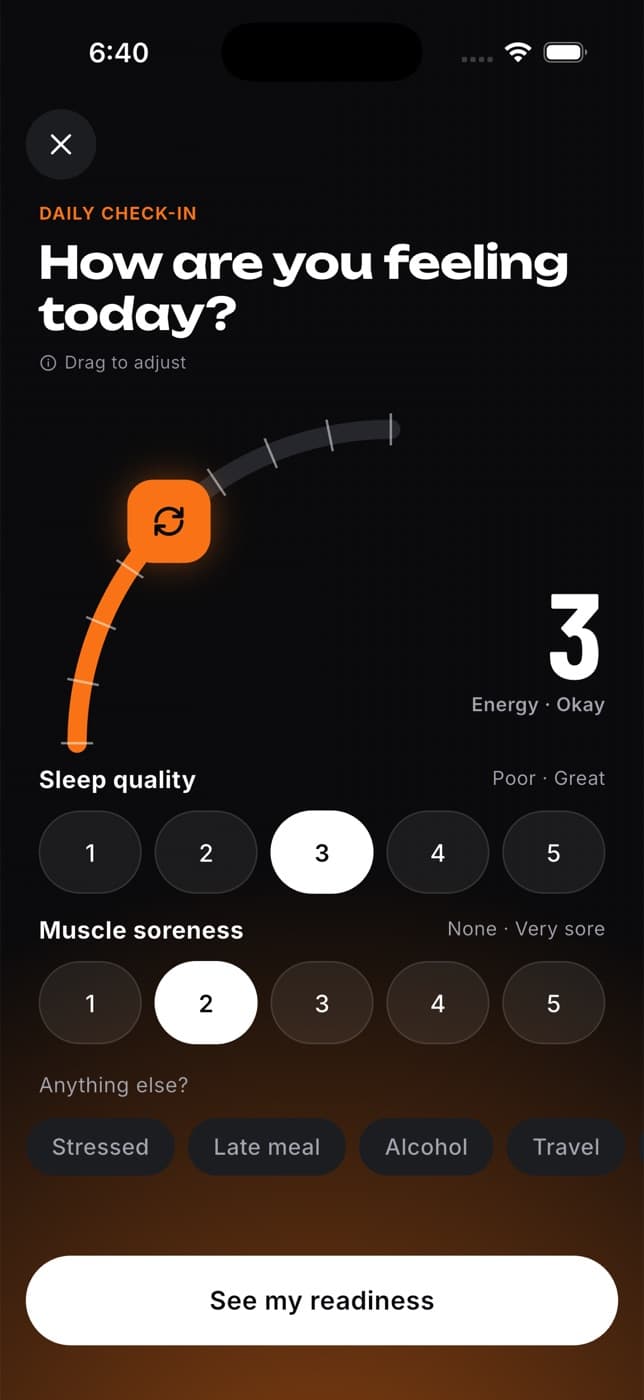
Under Anything else?, add any tags that apply: Stressed, Late meal, Alcohol, Travel or Sick.
Tap See my readiness.
High energy and good sleep raise your score. Soreness, stress, alcohol, travel and feeling sick lower it. You can do one check-in a day. If you open it again the same day, you update today's check-in.
Common questions
Unless your device gives Fit+ a recovery score (as WHOOP does), Fit+ works out its own score from your HRV, resting heart rate, sleep and check-in, compared with your own 30-day normal.
Only if you share your recovery data with them in Me, then Data sharing. Your activity status is shown to your coach so they can adjust your training.