

Your muscle status
See how ready each muscle is on a front and back body map, open a muscle's details and tell Fit+ how your body feels, from your browser.
Muscle status shows how hard each muscle has worked lately and when it should be ready again, on a front and back map of your body with 32 muscles on each side. It's the same map as in the Fit+ app, worked out from your workouts, sports, sleep and food, and from what you tell Fit+ about how you feel.
Muscle status is an estimate, not medical advice. It never changes your plan. If your coach or nutritionist gave you a plan, their plan always comes first.
Open it
On Home, the Muscle status card sits in the left column after Your body today. It shows your map beside a short summary, how many muscles need more time and how many are Ready, and when it was last updated. Select a muscle on the map to see its details, or select See all to open the full page.
Under the card's title, one line helps you plan the day:
- If today's plan from your coach works a muscle that is High load, Very sore or has Pain reported, the line names your coach and those muscles, and says your coach's plan comes first. Select Tell Sam how it feels (with your coach's name) to let them know. Fit+ never changes the plan.
- With no plan from your coach today, the line shows Most ready today with up to 3 muscle groups that are Ready.
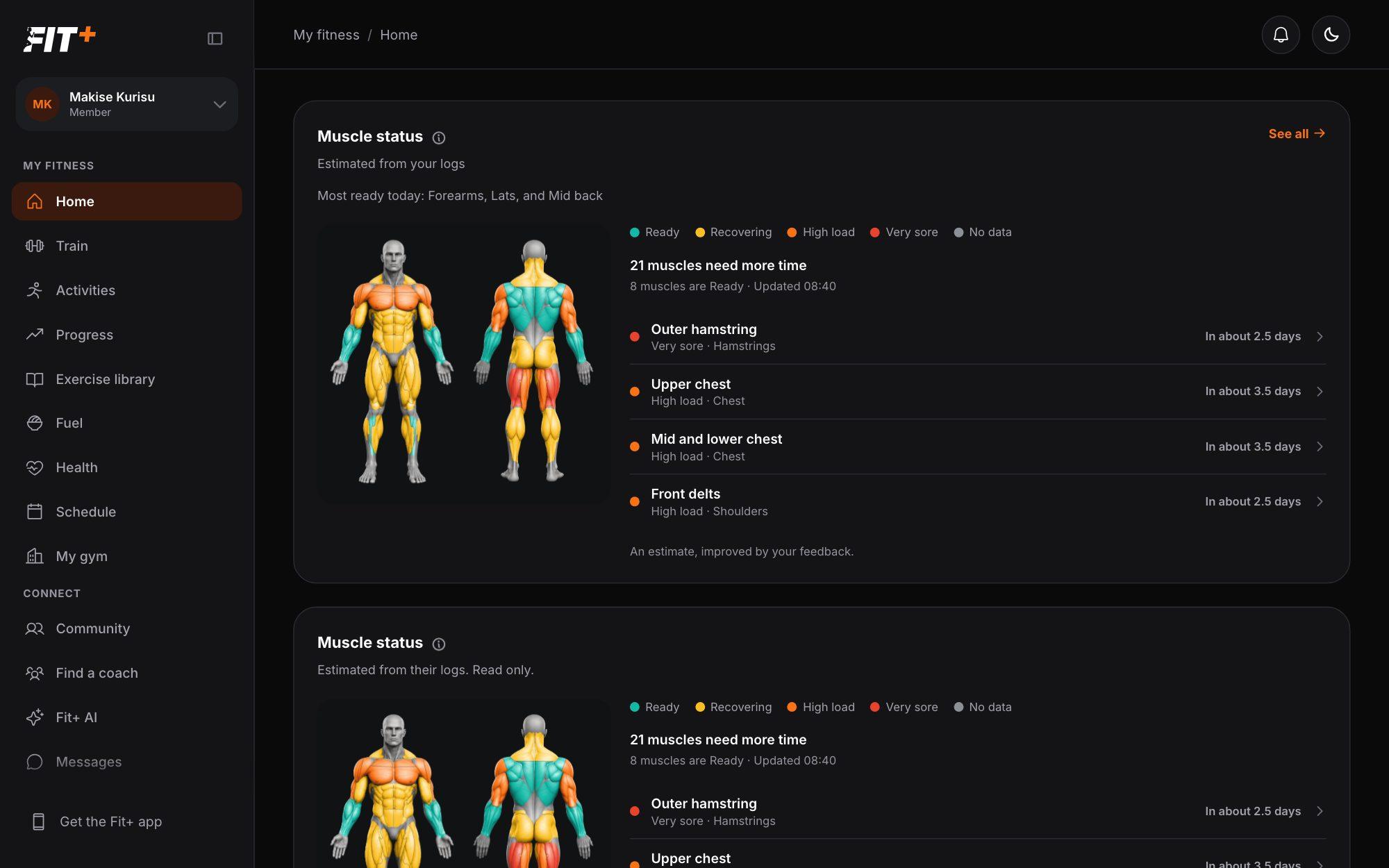
What the colors mean
| Color | State | What it means |
|---|---|---|
| Teal | Ready | Likely ready for normal training. |
| Yellow | Recovering | Still recovering. Lighter work may suit it today. |
| Orange | High load | It worked hard recently. Give it a lighter day and train muscles that are Ready. |
| Red | Very sore | You said it feels very sore in a body check-in. |
| Gray | No data | Nothing you logged in the last 4 weeks used this muscle. |
Use the full page
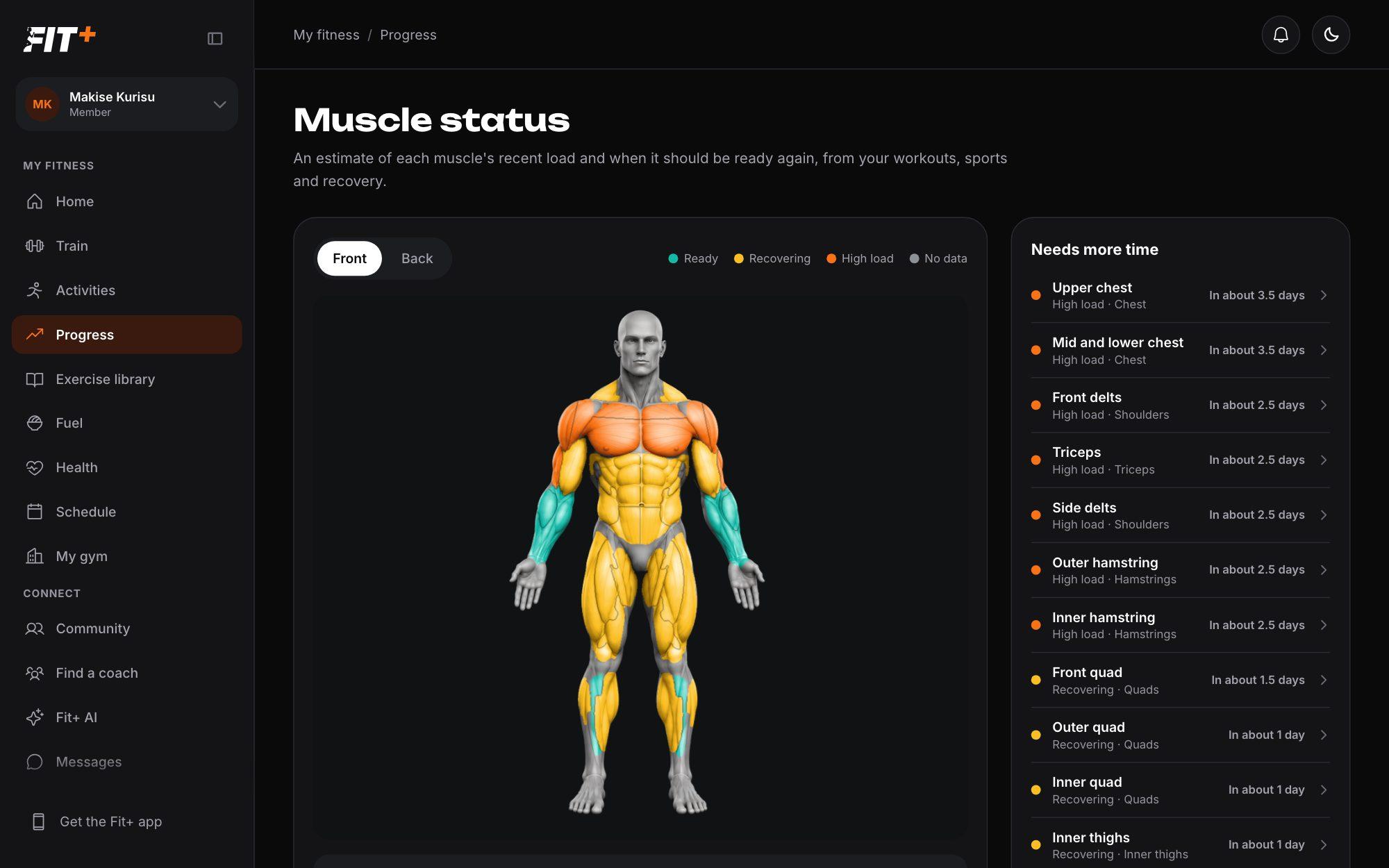
- Choose Front or Back above the map.
- Select a muscle on the map. If you just miss it, Fit+ picks the nearest one. The muscle's name, state and when it should be ready appear under the map. Select it to open the details.
- Needs more time lists the muscles that are Recovering, High load or Very sore. Ready lists the rest. Select any muscle to open it.
Read a muscle's details
- Load now: how much work the muscle is still carrying, compared with a hard session.
- Ready again: when it should be ready, for example "In about 2 days".
- Your check-in: your last score for this muscle, or Not checked yet.
- Last 7 days and the next 3: the solid line is the estimated load so far, the dashed line is the expected recovery and the dots are your workouts and sports. Under the Ready below line, the muscle counts as Ready. Over the High load above line, it counts as High load.
- What shaped this: the workouts, sports and active days from the last 2 weeks that loaded it, each with its share. A line under it tells you if the muscle is recovering a little slower today and why, for example after short nights. Eating well under your target for a few days can slow recovery too.
- Other parts of the muscle group, to switch to them.
- What this means today: a plain suggestion for today.
Select Open training to go to your training, or Update how I feel to do a body check-in for this muscle.
Do a body check-in
On the full page, under How does your body feel?, select Body check-in. Or open a muscle and select Update how I feel.
Under Muscle, choose the muscle. Muscles you trained recently are suggested at the top.
Under Soreness, select a number from 1 (None) to 5 (Very sore).
Under How it feels, choose Sore, Tight or Pain.
Under Which side, choose Both, Left or Right.
Select Save check-in. You see Check-in saved.
A 5 shows the muscle as Very sore for 2 days, a 3 or 4 shows it as at least High load, and a 1 moves a muscle at High load down to Recovering. Fit+ also learns from your answers, so your map gets more accurate over time.
Pain is not soreness
Stop and get medical advice for sharp pain, pain in a joint, swelling, loss of strength, soreness that gets worse after 3 days, or dark urine.
If you choose Pain, the button changes to Save as pain. Fit+ saves it as a note, never as soreness. For the next 7 days, the muscle keeps its color on the map, its details show Pain reported with this safety advice, and What this means today says Fit+ won't suggest training it until you clear the note.
- When it feels fine again, open the muscle and select Clear note. The note goes away, and so does Very sore if you reported it earlier.
- If you have a coach, select Tell Sam (with your coach's name). A message opens with the muscle, your score and how it feels already filled in. Nothing is sent until you send it.
Who can see it
Only you, until you share it. Your coach sees your muscle status only when you share both Workouts and Recovery with them, and then only to read. See Share your data.
Common questions
If it can't load for a moment, the card stays away. Reload the page. On the full page, you see "Muscle status did not load" with a hint to try again. Your logs are safe.
Nothing you logged in the last 4 weeks used it. Log a workout or a sport that works it. Sports from Apple Health or Health Connect come in through the Fit+ app on your phone.
Open the muscle and select Clear note. Notes also go away by themselves after 7 days.
No. It never changes a plan. Your coach's plan always comes first.