

Your health readings
See your steps, sleep, heart rate and recovery from your phone, watch and WHOOP, reach your measurements and progress photos, and check who can see them.
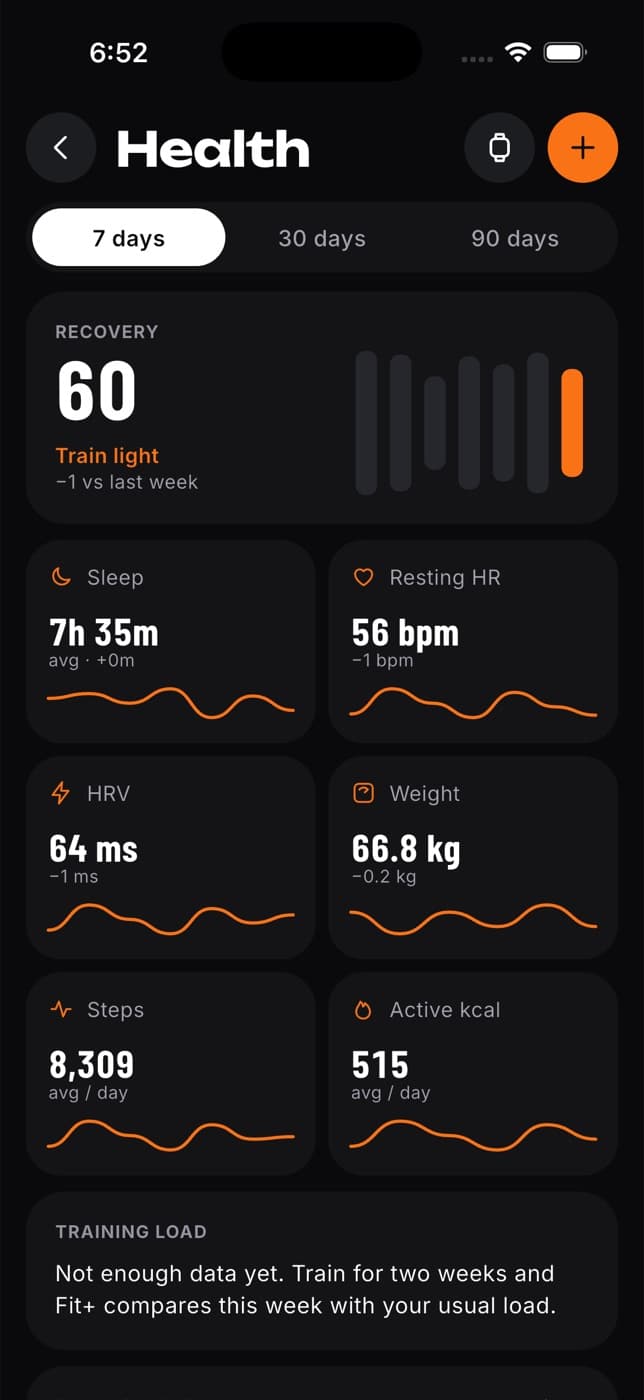
The Health page shows the readings the Fit+ app brings in from Apple Health, Health Connect or WHOOP: steps, sleep, resting heart rate, recovery and more. Every reading shows where it came from. Nothing is estimated or filled in.
Select Health in the sidebar to open it.
Before you start
Connect your health sources in the Fit+ app on your phone. The website shows your readings but can't connect a source. See Fit+ on your phone.
What you'll see
- Latest readings: your newest Steps, Sleep, Resting heart rate and Recovery, with the source and when it was measured. If nothing has arrived yet, each one says where it will come from. Recovery appears once WHOOP is connected in the app.
- Body progress: your tape Measurements and Progress photos. See Measurements and progress photos.
- This week: a bar chart for one reading at a time. Select a reading above the chart to switch, for example from steps to sleep. You'll also see your average for the week.
- Sources: Apple Health, Health Connect and WHOOP, each marked Connected, Disconnected or Not connected, with when it last synced.
- Who can see it: anyone you've shared your sleep, recovery or measurements with.
- Reading history: your recent readings, day by day, exactly as each source sent them.
Share your health data with a coach
Go to Who can see it
Select Share with a coach, or Manage sharing if you already share with someone.
Choose who and for how long
Data sharing opens with Recovery already selected. Pick the person and how long to share. See Share your data.
Only you can see your sleep, recovery and measurements until you share them. Joining a gym never shares them. Progress photos are never shared with anyone.
What each sharing choice covers
| Share | They can see |
|---|---|
| Sleep | Your sleep readings |
| Recovery | Recovery, heart rate, steps and daily check-ins |
| Measurements | Weight, height and body fat readings |
Common questions
Open the Fit+ app on your phone, connect Apple Health, Health Connect or WHOOP, and give it a moment.
If two sources recorded the same thing, for example steps from your phone and from your watch, Fit+ keeps them separate instead of adding them together, so the chart shows one of them. The note under the chart tells you which.
You can add your weight on the web from Nutrition (see Track your weight), and log tape measurements under Body progress. Other readings, like sleep or heart rate, come from your connected sources or can be added in the Fit+ app.
WHOOP measures heart rate variability in a different way from most watches, so the two numbers can't be compared directly.