

Finish and rate a workout
Rate how your workout felt, add notes, save it and read your summary, including what to do without a connection.
When you finish a workout, Fit+ asks how it felt, lets you add notes, saves it to your history and shows a summary of what you did.
Rate and save your workout
Tap Finish workout after your last set, or End workout on the pause screen to stop early.
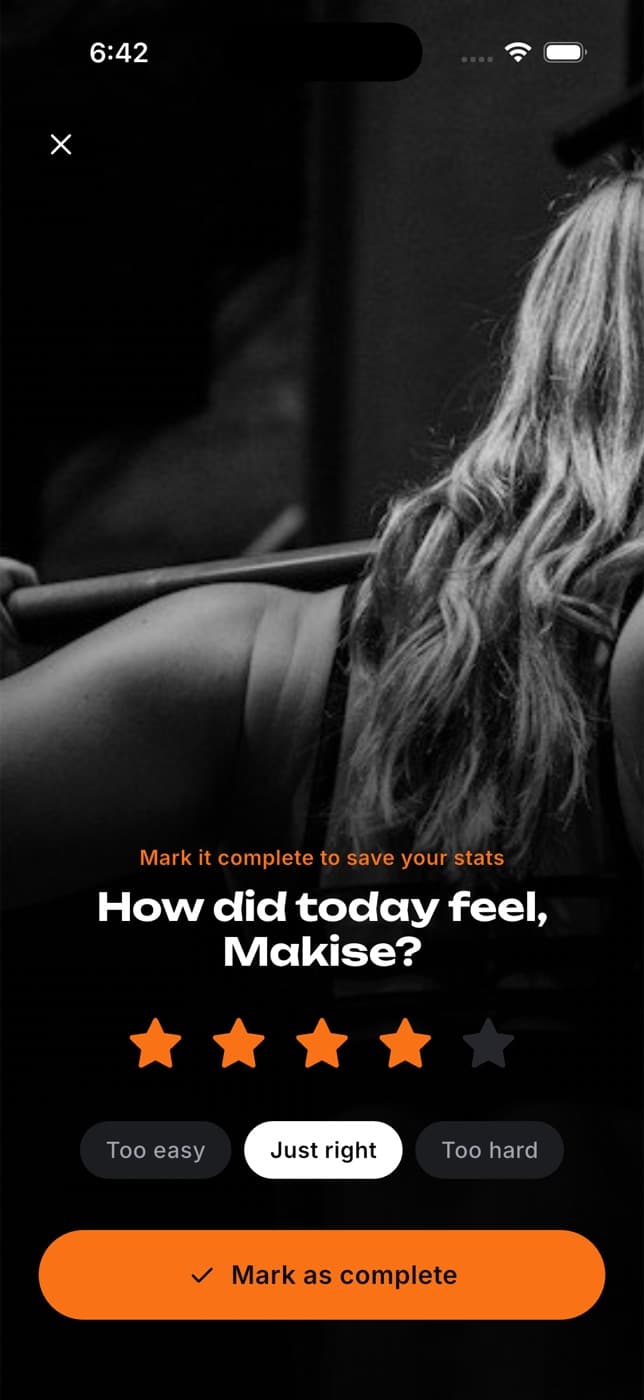
Pick 1 to 5 stars for how the workout went. You need a rating to save.
Choose how hard it felt: Too easy, Just right or Too hard. This is saved as your effort for the session.
Optionally, add your thoughts under Notes ("How did it go? Anything to remember?").
Under Note for next time, tap Add a note for an exercise to leave yourself a reminder, such as "Stop just above parallel". It's marked Next session.
Tap Mark as complete.
Only you, and people you share training with, can see your notes. The next time you do that exercise, the player shows "Your note from last time" under your set.
Changed your mind? Close the rating screen to go back to your workout.
Read your summary
After saving, you see your summary:
- your day streak: how many days in a row you've trained
- where and when you trained, and the workout name
- your total time, exercises done, sets, volume (weight lifted, in your unit, kg or lb) and reps
- a New PR tile when you lifted more on a move than ever before
- what your coach has planned for next week, if they set a progression
- a Recovery meal reminder, which opens Fuel so you can log your food
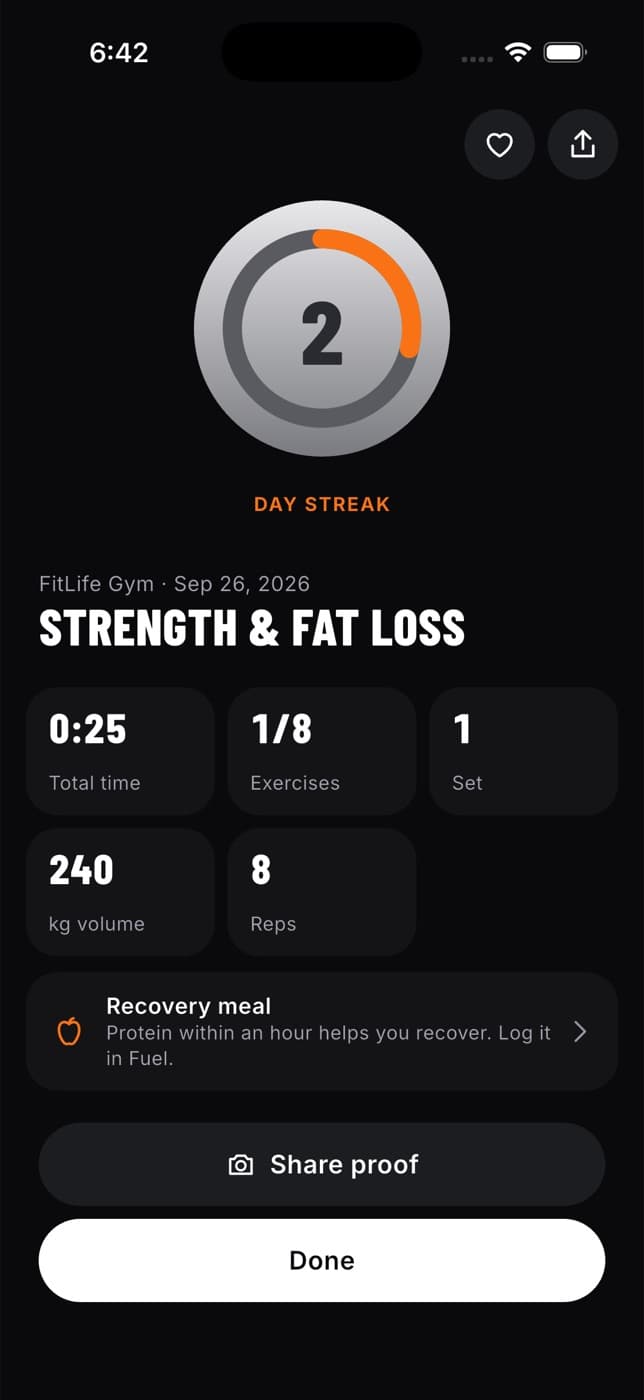
Tap Share proof to post your workout to the community, the heart to save the workout, or Done to go back to Home. If you earned a badge, it appears first.
You can open today's summary again later: tap View summary on the workout card on Home.
What happens next
- Your workout appears in your workout history, and the day gets a tick in This week.
- Anyone you share your workouts with, such as your coach, gets a notification that you finished, with the time and your effort. People you don't share workouts with aren't told.
If you have no connection
If you finish without a connection, tap No connection? Save on this device and sync later under Mark as complete. Your summary opens as usual, and Fit+ sends the workout the next time you open the app online.
A workout saved on your phone shows up in your history, streak and records once it has synced.
If saving fails for another reason, your workout stays open with the message "Your workout is still here". Try again, or save it on your phone.
Common questions
You haven't logged any sets, so there's nothing to save. Discard workout closes the empty workout and takes you back to Home.
No. Once you've logged a set, you can only finish and save the workout.
Yes. Use Notes on the rating screen, or add them later from the workout in your history. See See your workout history.
Yes. Open it from Workout history and tap Edit. See Edit or delete a past workout.
Do a workout
Use the workout player step by step, from the countdown to logging and fixing each set, using the lifting tools, resting between sets and pausing.
If the app closes mid-workout
How Fit+ keeps your workout safe when your phone locks, the app closes or you lose your connection, and how to pick up where you left off.