

Start and follow a program
Start a Fit+ plan, switch to another one, accept a program from your coach and keep track of everything in My plan.
A program is a plan you follow over several weeks, with set training days. You follow one program at a time, and Fit+ uses it to show your next workout on Home, on Train and on your Apple Watch.
Start a plan
Find a plan on Train or in search, and tap it to open its details. See Find a workout or program.
Check Why it fits you and Week 1 at a glance.
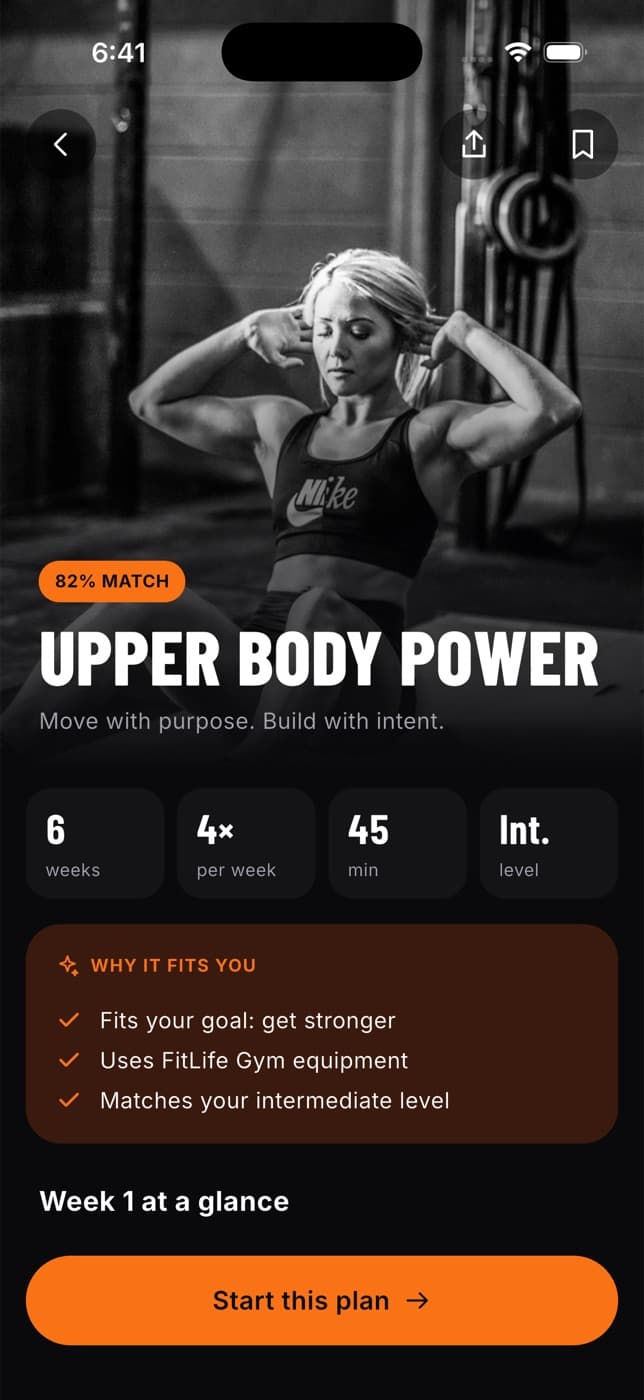
Tap Start this plan.
A 3, 2, 1 countdown runs and your first workout begins. See Do a workout.
Fit+ tailors library plans to you. If you told Fit+ a joint is sore, or you don't have a gym, some moves are swapped for suitable ones, and each change is listed under Why it fits you. A plan from your coach is always shown exactly as your coach wrote it.
Follow your program on Train
Once a program is running, the Train tab shows:
- Your next workout, with the week of the program (for example "Week 2/6"), the day, the workout name and its length. Tap Start to begin, or tap the card to preview it.
- This week (or This week from your coach): each training day, with a tick and the time taken once it's done ("Done · 42 min").
- My plan, which opens everything you follow in one place.
- My routines, the workouts you built yourself. See Build your own routine.
- Workout history, with the number of sessions you've logged.
- Find a coach or nutritionist, then Explore more workouts for extras.
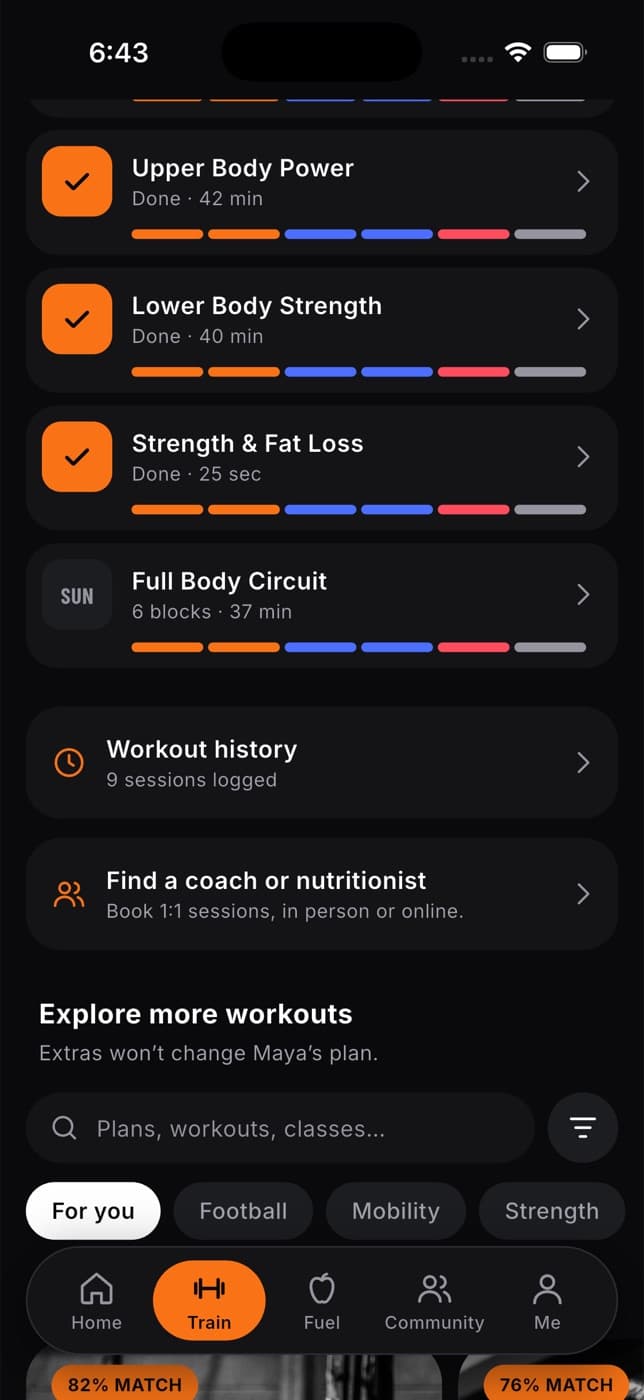
Your next workout is always the next planned training day that you haven't done yet. If you've already trained today, Train moves on to your next training day.
Switch to a different plan
If you start a new plan while a program is running, Fit+ asks first.
You see Switch your plan?
- Switch plan makes the new plan your program from today.
- Just do this workout today runs one workout from the new plan and keeps your current program.
- Keep my plan closes the message.
Your history is kept, and you can switch back any time from My plan.
Start a program from your coach
When a coach assigns you a program, you'll get a notification and it shows on Home and in My plan.
Open Train, then My plan. You'll see a card such as New from Leo with the program name, when it starts and how many days a week.
Tap Review.
Choose when to start:
- Start your coach's plan Monday to begin at the start of next week.
- Start today instead to begin now.
- Ask your coach a question first to open a chat with them.
Starting your coach's program replaces the program you were following. Your history is kept.
When your coach updates your program
If your coach changes a program you're already following, Home shows a message such as "Leo updated your plan". Tap it to see your coach's note and each change, day by day. Tap Got it when you've read it, or Reply to your coach to message them.
Use My plan
My plan (on Train, next to This week) gathers everything you follow:
| Section | What you see |
|---|---|
| New from your coach | A program waiting for you to start it |
| Training program | Your program, which week you're in, who set it and how many workouts you've done |
| Paused plan | Your coach's plan, if you replaced it, with Switch back |
| Meal plan | Your nutrition plan for today |
| Upcoming sessions | Your next booked sessions with a coach |
| Notes from your team | Recent notes from your coach or nutritionist |
| Change requests | Swaps you've asked for and their status. Tap See all for the full list |
| Saved for later | Plans you saved, for example one the AI Coach built. Tap Start to begin one |
| Past plans | Plans you finished or stopped. Tap Restart to go back to a stopped plan |
If you don't follow anything yet, My plan shows Build my plan, which walks you through a few questions and suggests a plan.
When a program ends
When the last week of your program has passed, Home shows Program complete. Open it to see your sessions done, total sets and how consistent you were. From there you can:
- Continue with your coach's next plan, if they've already assigned one
- Find my next plan on Train
- Share my results with the community
Common questions
No. You follow one program at a time. You can still do extra workouts from Explore more workouts, start one of your own routines, or choose Just do this workout today, without changing your program.
Nothing is lost. Your finished workouts stay in your history, and the old plan appears under Past plans in My plan, where you can restart it.
Not directly. Your training days come from the plan, your setup answers or your coach. To change them, redo your setup from the Me tab (tap Adjust on your goal), or ask your coach.
No, Fit+ picks up your earlier copy of that plan.