

How it all fits together
The main journeys in Fit+, from finding a coach and training with them to joining a gym.
Most of what happens in Fit+ involves more than one person: you and your coach, or you and your gym. This page shows how those journeys work from start to finish, who does what and where to read more.
Train with a coach
This is the most common journey. You find a coach, book a session, share what they need and train with the program they send you.
Find a coach or nutritionist
In the app, browse coaches and nutritionists and filter by sport, coaching or nutrition, and how you'd like to meet. Open a profile to read about them and see their packages.
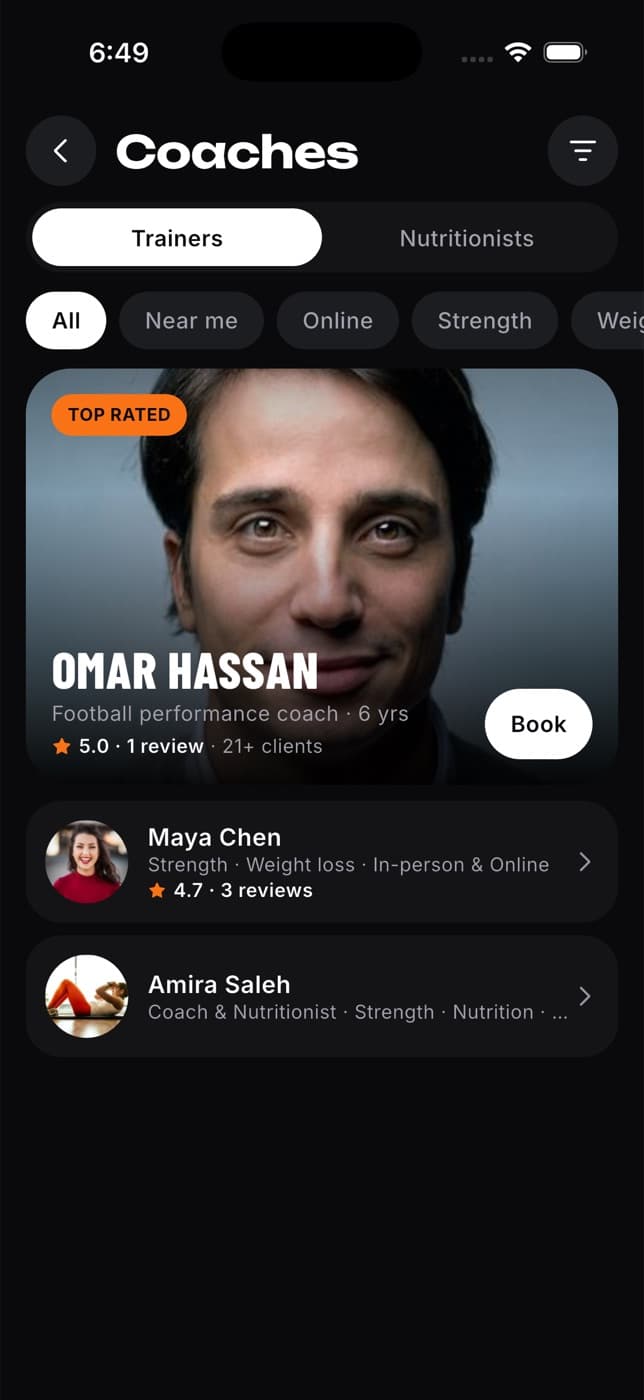
Book a session
Choose a package and a time, then send your request. The coach confirms it, suggests another time or declines. You get a notification either way. Payment is arranged with them directly, not in Fit+.
Share what they need
Booking doesn't share any of your data. If you'd like your coach to follow your training, share Workouts & training with them. A nutritionist needs Nutrition. You choose how long, and you can stop at any time.
Get your program
Your coach builds a program for you and sends it. You get a notification with the day it starts. Open it in the app and accept it to make it your active plan. Nutritionists send meal plans the same way.
Your coach's plan always comes first. It shows exactly as they wrote it, and your own settings and Fit+ suggestions don't change it.
Train
Follow each workout in the app, with rest timers and set logging, or on your Apple Watch. After each set you can say how it felt: Easy, Good, Hard or Max. Weights and distances show in your own units. If an exercise doesn't suit you, ask your coach to swap it.
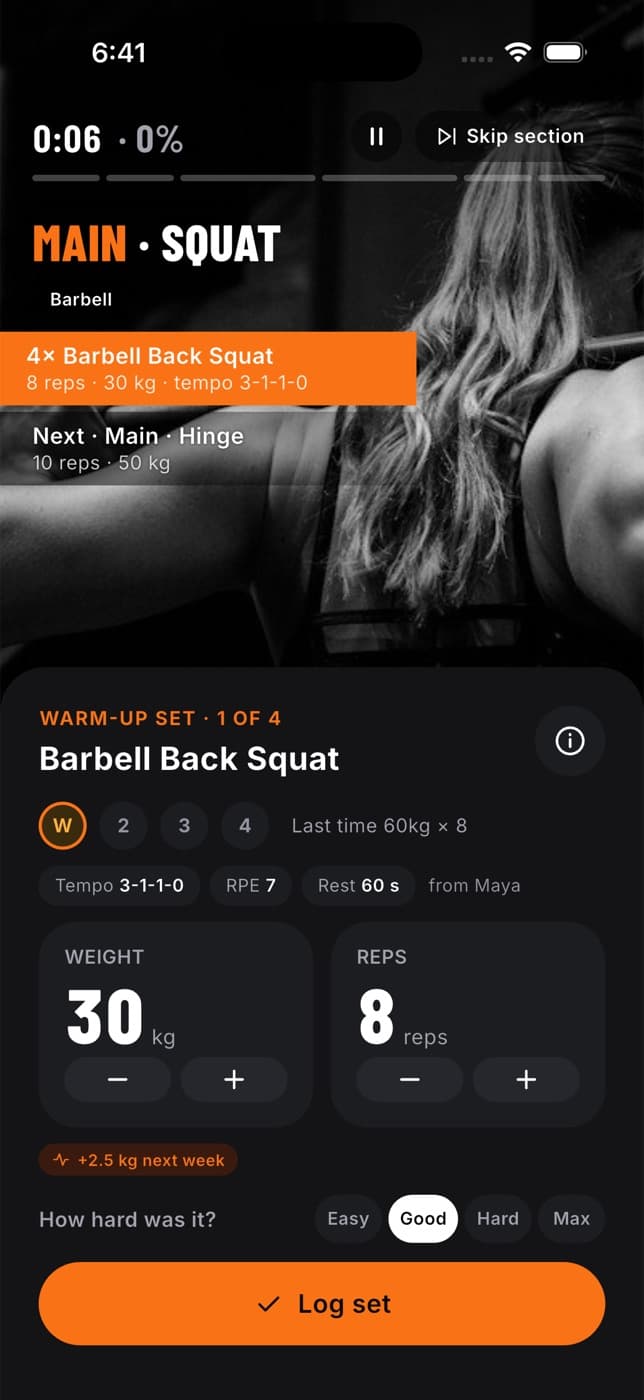
Your coach follows your progress
When you finish a workout, your coach sees it (as long as you share your workouts). They can leave you feedback, and you can message each other any time.
Read more: Book a session with a coach and Your privacy and sharing.
Join a gym
Link your gym in the app to get your check-in pass, see its classes and join its community.
Get your gym's code. It's six letters and numbers, shown at reception or on the gym's Fit+ poster.
In the app, tap Me, then Membership & check-in. Scan the code with your camera or type it in.
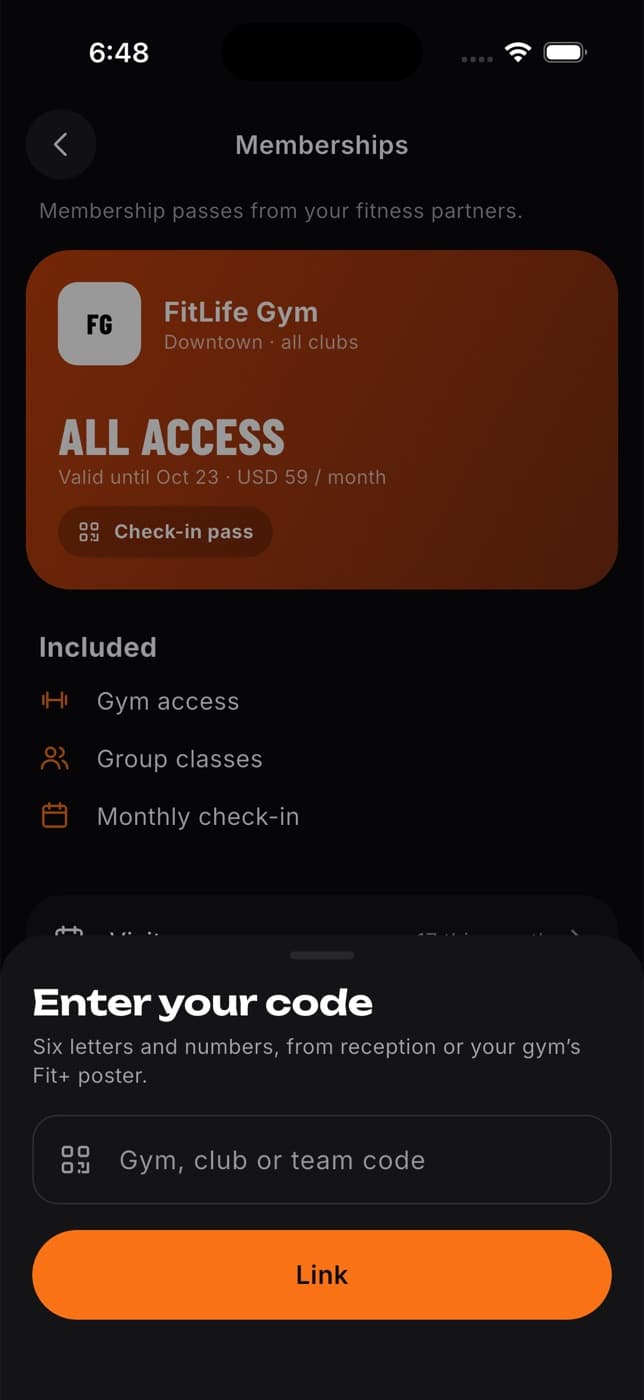
The gym owner or staff confirm you. You get a notification when you're in.
At the gym, open your Check-in pass and show the code at the front desk. The code refreshes every 30 seconds, so a screenshot won't work.
Joining a gym doesn't share any of your health data. Read more: Gyms, clubs and teams.
Become a coach or nutritionist on Fit+
In the app, tap Coach or nutritionist? Join Fit+ for Professionals on the welcome screen, or Fit+ for Professionals in Me. Fill in your application.
The Fit+ team checks your details and qualifications.
Once you're approved, you get an email to set up your professional account.
Set up your profile and packages. Members can then find you and book you.
Read more: For coaches and nutritionists.
Bring your gym to Fit+
The Fit+ team sets up your gym and invites you as its owner.
The Fit+ team reviews your gym and approves it.
Sign in on the Fit+ website. A setup checklist walks you through your listing, payouts, plans and team.
Members can now link your gym with its code and check in at your front desk.
Read more: For gyms.
Common questions
No. Fit+ builds you a starting plan from your setup answers, and you can train, log meals and track your health on your own. You can also build your own routines on the Train tab and start them in one tap, or import your history from another app.
Yes. Share Workouts & training with your coach and Nutrition with your nutritionist. Each one only sees what you shared with them.
Yes. Open Schedule in the sidebar to find a coach and send a booking request. Some things, such as answering a suggested new time, are easier in the app.