

Run your gym on Fit+
A guide for gym, club and studio owners and their staff who use the Fit+ website to run their business.
Welcome! This part of the guide is for owners and staff of gyms, clubs, academies, teams and studios on Fit+. It shows you how to set up your gym, check members in, sell memberships, run your class schedule and manage your team, all from the Fit+ website.
What you can do
- Bring your gym to Fit+ and get it approved by the Fit+ team.
- Welcome members: approve join requests, invite people by email and import a list.
- Check people in by scanning their Fit+ pass or picking their name.
- Sell memberships that members buy in the Fit+ app, and follow your payments and payouts.
- Run your class schedule with rooms, coaches, places and waitlists.
- Build your team: invite coaches, nutritionists and front desk staff (or create an account for a coach who isn't on Fit+ yet), and choose what each person can do.
- Show your gym off with photos, opening hours and a public listing in the Fit+ app.
Your members' health data stays private
Joining your gym never lets you, your staff or your gym see a member's workouts, sleep, food, measurements or other health data. Members decide who sees that, one person at a time. See What you can see about your members.
How to open your gym
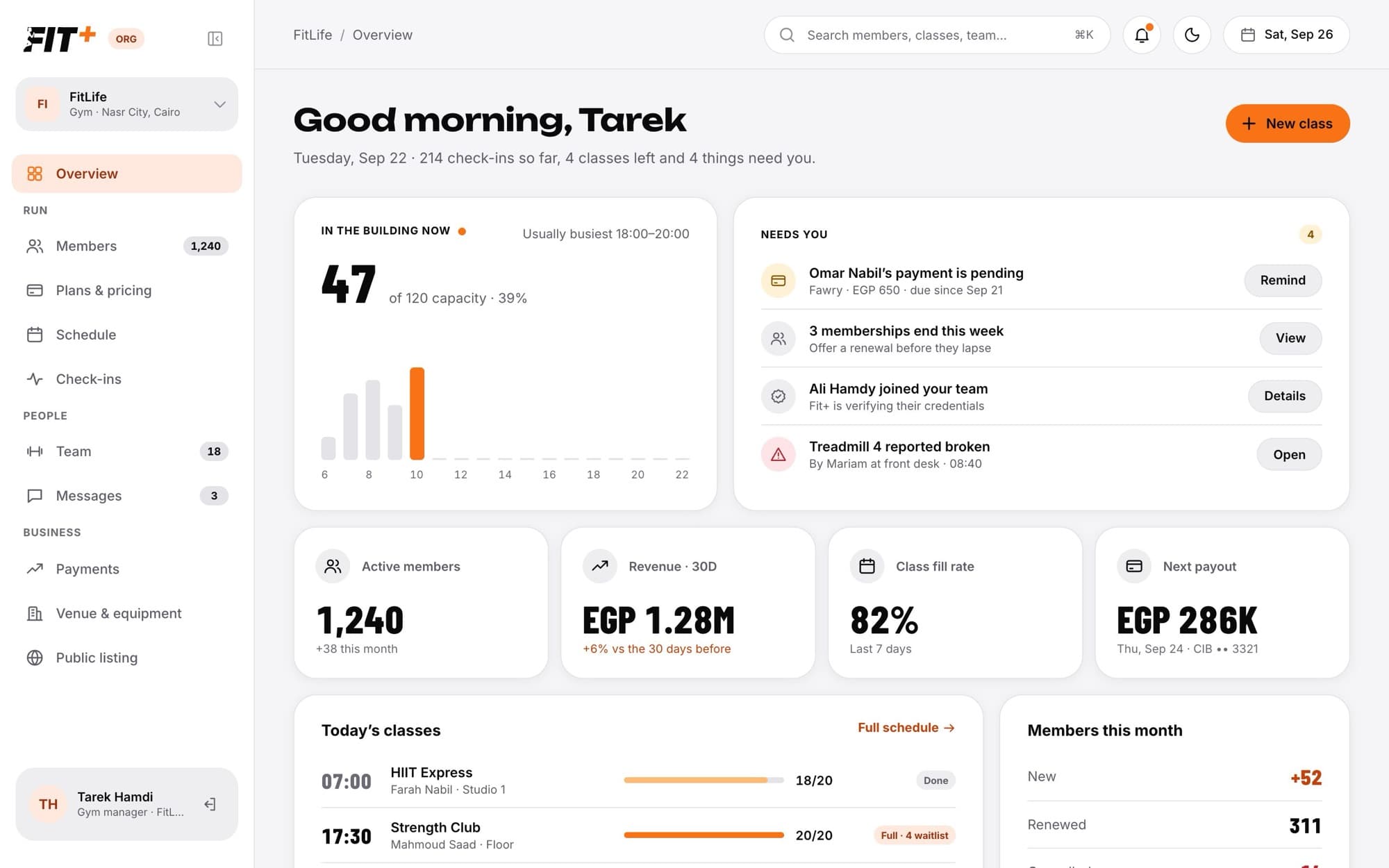
The sidebar is grouped into Run (Members, Plans & pricing, Schedule, Check-ins), People (Team, Messages) and Business (Payments, Venue & equipment, Public listing). The search box at the top finds members quickly.
Start here
Bring your gym to Fit+
How your gym is invited, reviewed and approved.
Set up your gym
The first-time checklist: photos, plans and your bank account.
Staff roles and permissions
What owners, managers and front desk staff can each do.
Check your gym at a glance
Who is in, what needs you and today's classes.
Everyday tasks
Approve or decline join requests
Say yes to new members.
Invite and import members
Invite one person or a whole list by email.
Check members in
Scan a pass or check someone in by name.
Pause, resume or cancel a membership
Handle holidays, injuries and cancellations.
Create membership plans
Set up what members can buy and at what price.
Run your class schedule
Add classes, move them, cancel them and message attendees.
Invite and manage your team
Add coaches, nutritionists and staff.
Run your gym from the phone app
A quick look at your gym when you are away from the desk.