

Find and view your members
Browse your member list, filter it, and open a member's profile to see their plan, visits and payments.
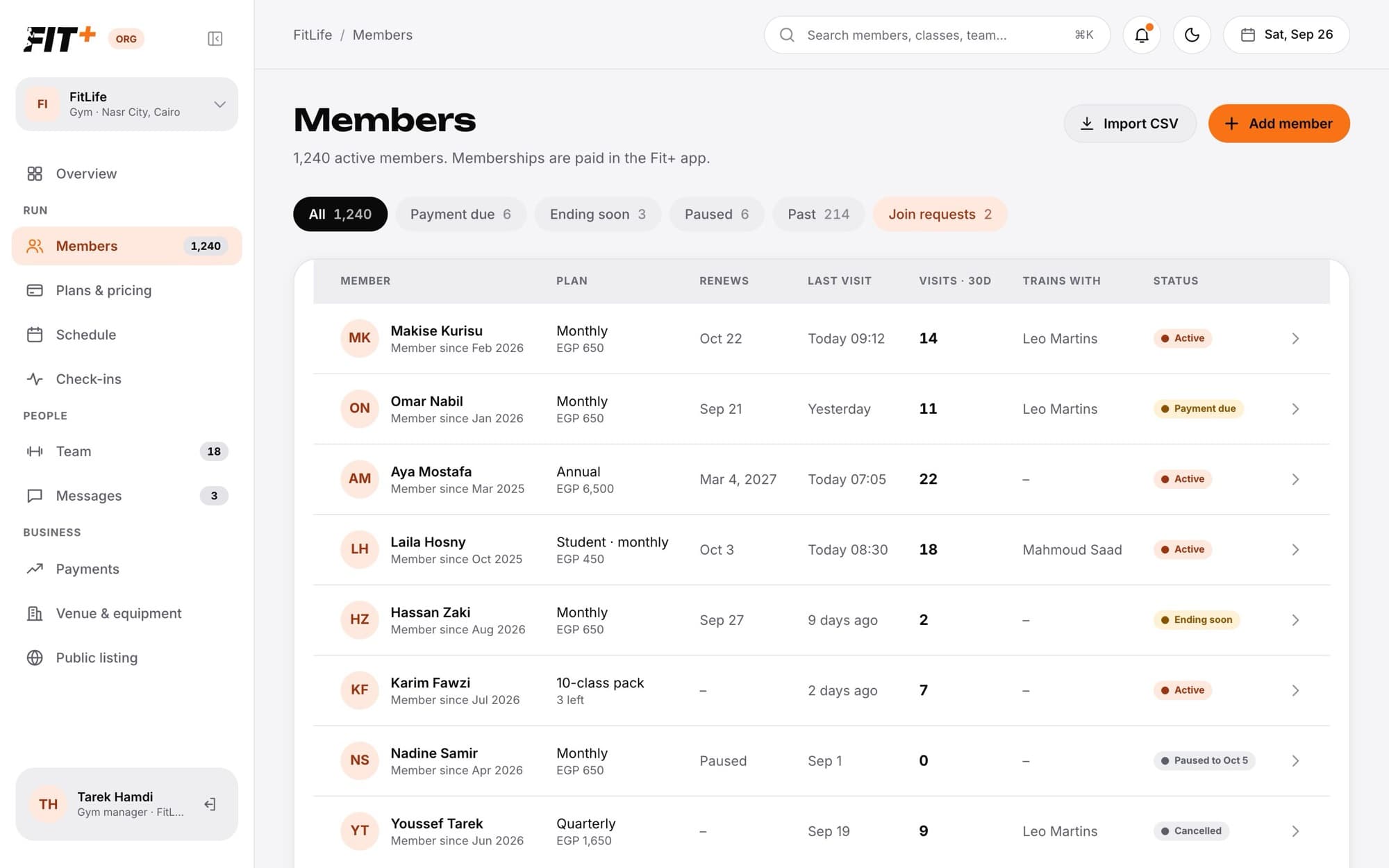
Members lists everyone who trains at your gym, with their plan, renewal date, last visit and status. Click anyone to open their profile.
Before you start
You need to be the owner, or staff with See and add members. See Staff roles and permissions.
Browse the list
Use the chips along the top to narrow the list:
- All: everyone at your gym.
- Payment due: members with a pending or failed payment.
- Ending soon: memberships that end within 7 days.
- Paused: members on a pause today.
- Past: memberships that have ended or were cancelled.
- Join requests: people waiting for you to let them in. This chip only shows when someone is waiting.
Each row shows the member's plan and price (or classes left on a class pack), when it renews, their last visit, visits in the last 30 days, the coach on your team they train with, and a status such as Active, Payment due, Ending soon, Paused to Oct 5 or Cancelled.
Open a member's profile
Click a member's row. Their profile opens on the right.
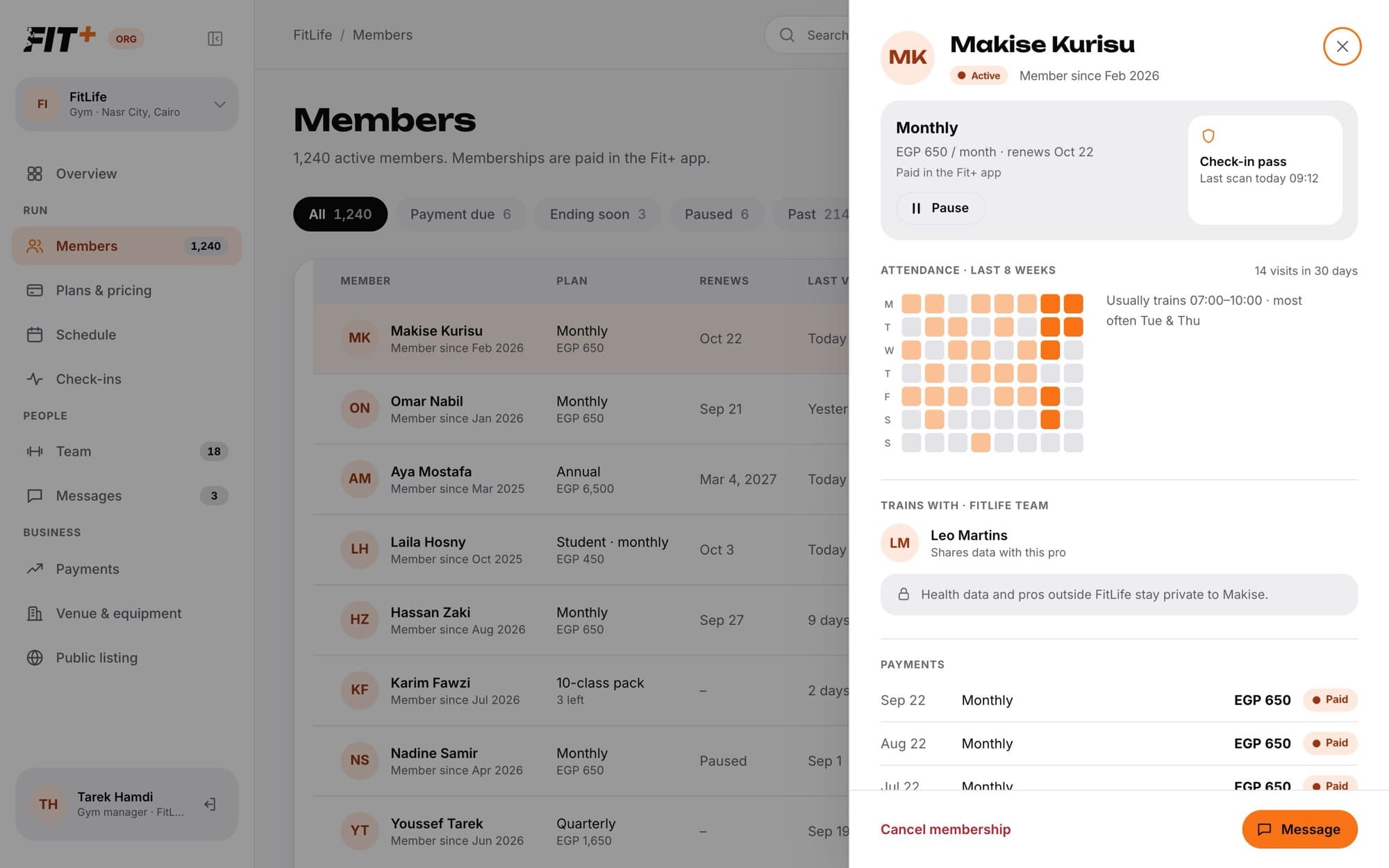
You can see:
- Plan: the plan, price and renewal date, with Pause or Resume.
- Check-in pass: when they last scanned in.
- Attendance: a grid of their visits over the last 8 weeks, their visits in the last 30 days and when they usually train.
- Trains with: the coach or nutritionist on your team they share their data with, if any.
- Payments: their recent payments, if you have See payments.
At the bottom, Message starts a chat with them and Cancel membership ends their membership at the end of the paid period.
Every profile carries a reminder such as "Health data and pros outside FitLife stay private to Makise." You see what you need to run the membership, never their health data. See What you can see about your members.
Related tasks
Common questions
Members buy their plan in the Fit+ app. You don't take payments in Gym management. See Payments and payouts.
Members can find your gym in the Fit+ app and ask to join, and you can invite people by email or import a list. See Invite and import members.
They leave your member list and their membership ends. Records of their past payments to your gym are kept, without their name or email, because the law requires it.
The person has joined your gym but hasn't bought a plan yet. They can still check in, and the front desk sees "No active plan" when they do.