

Training
Find a plan, follow your program, build your own routines, do your workouts and look back at your progress on the Train tab.
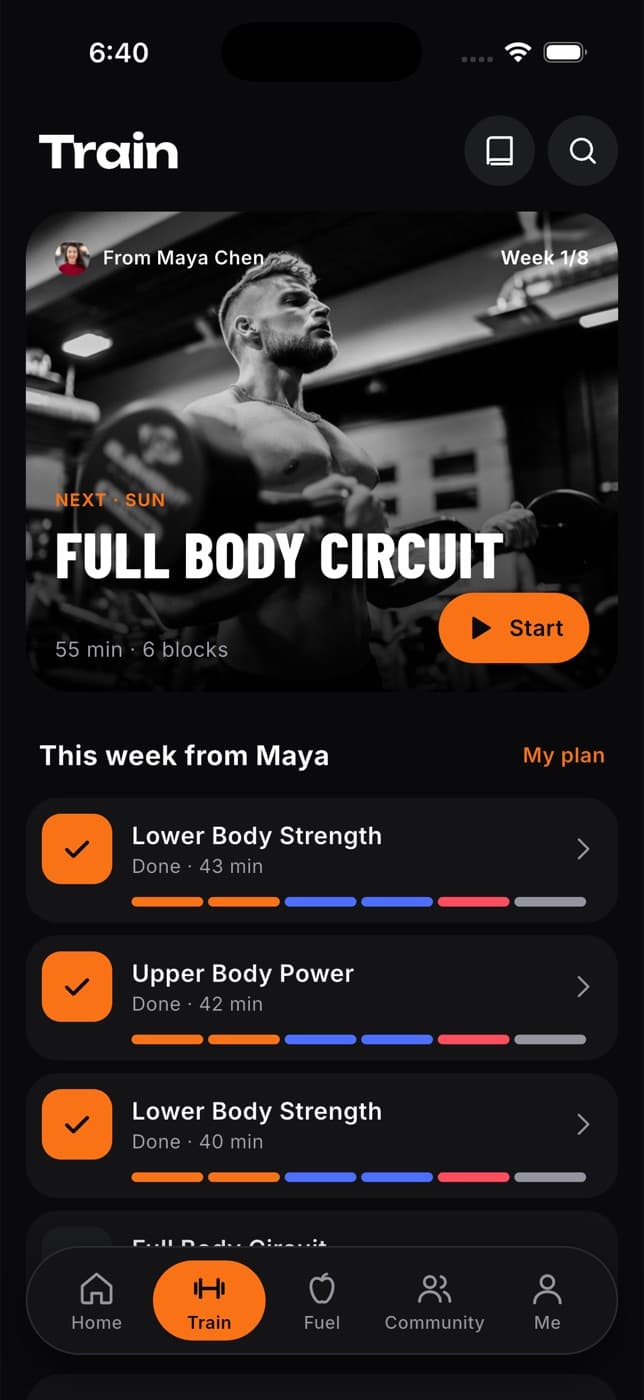
The Train tab is where you train. You can find a plan that suits you, follow the program your coach set, build routines of your own, run each workout set by set and look back at everything you've done.
What you can do
- Search plans and single workouts, and see how well each one matches your goal.
- Start a program, or follow the one your coach assigned to you.
- Build your own routines with your own sets, reps, rest and supersets, and start them in one tap.
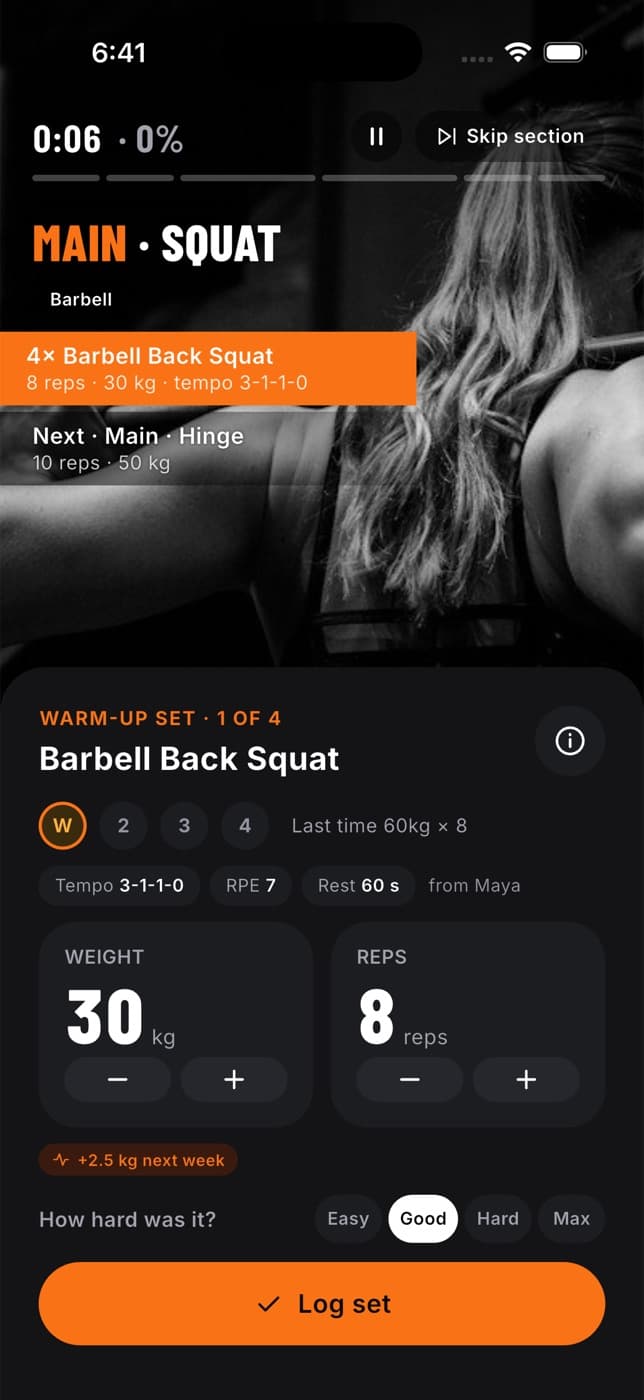
- Do a workout with the player: log your weight and reps, fix a set, rest between sets and pause when you need to.
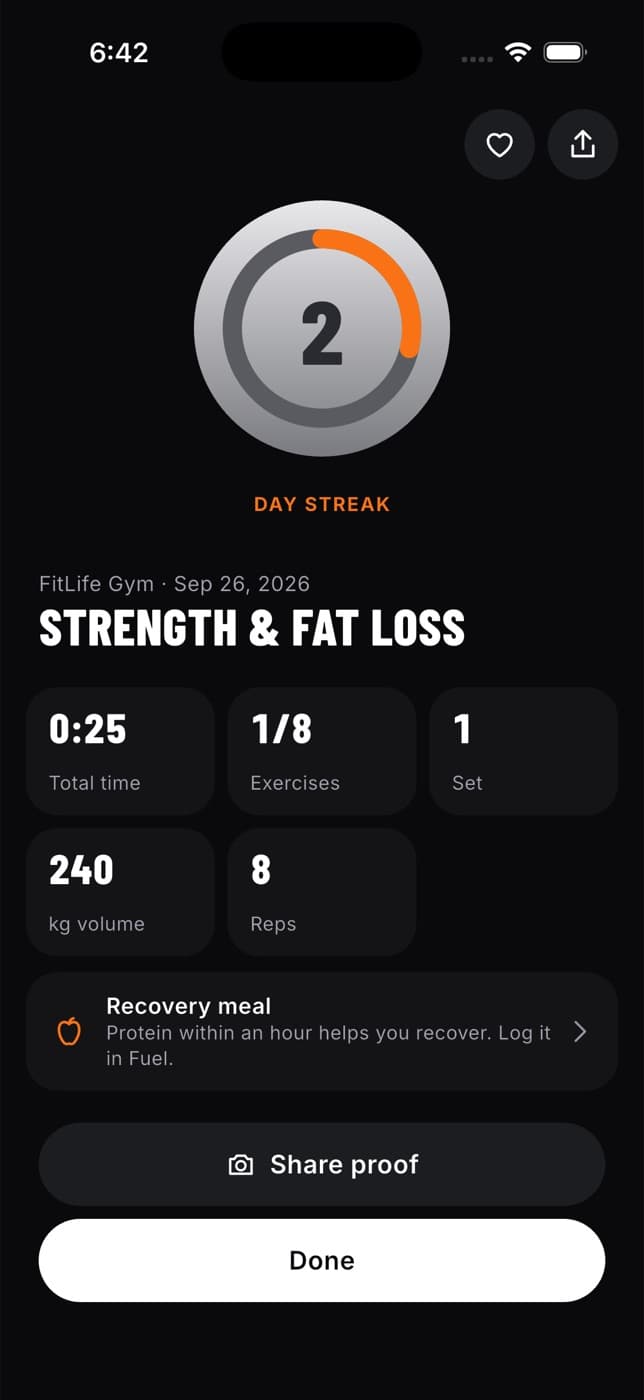
- Rate how the workout felt, add notes and save it.
- Look back at your workout history and your best lifts, and edit or delete a past workout.
- Look up any exercise in the exercise library, watch its technique video and add it to a routine.
How the Train tab changes with a program
- No program yet: Train opens on Discover, with plans matched to your goal, quick workouts and a search, then My routines, Workout history and Find a coach or nutritionist.
- Program running: Train opens on your next workout, then This week (or This week from your coach), My routines, Workout history, Find a coach or nutritionist and Explore more workouts for extras.
Your workouts only include a warm-up if you or your coach added one. Fit+ never adds a warm-up of its own. Units follow your settings, so weights and distances show in kg and km or lb and miles.
Start here
Find a workout or program
Search in plain words, filter by level, place and length, and save plans for later.
Start and follow a program
Start a plan, switch plans, accept a program from your coach and use My plan.
Preview a workout
See what's in a workout, schedule it, read exercise tips and swap a move.
Do a workout
The workout player step by step: sets, weights, lifting tools, rest and pause.
Build your own routine
My routines, the builder, sets, supersets, exercise defaults, your own exercises and folders.
Finish and rate a workout
Rate your effort, add notes, save the workout and read your summary.
If the app closes mid-workout
How Fit+ keeps your workout safe and how to pick up where you left off.
Set your rest timer and progression
Default rest, rest alerts and how Fit+ suggests your next weights.
See your workout history
Your past workouts week by week, every set, your notes and your coach's feedback.
Edit or delete a past workout
Fix the date, sets and weights of a saved workout, or delete it.
Browse the exercise library
Technique videos, the muscles each exercise works and your records.
Home screen widgets
Add Fit+ widgets for your next workout, today's food, your week and your health to your home screen or lock screen, and choose whether health numbers show on the lock screen.
Find a workout or program
Search Fit+ plans and single workouts in plain words, narrow them down with filters and keep the ones you like for later.