

Your Home screen
Start today's workout, see your week, do a morning check-in, understand your readiness score and reach your support team from Home.
Home is the first tab in Fit+. It answers one question: what should I do today? Your workout comes first, then how your body and your food look today, then the people who can help you.
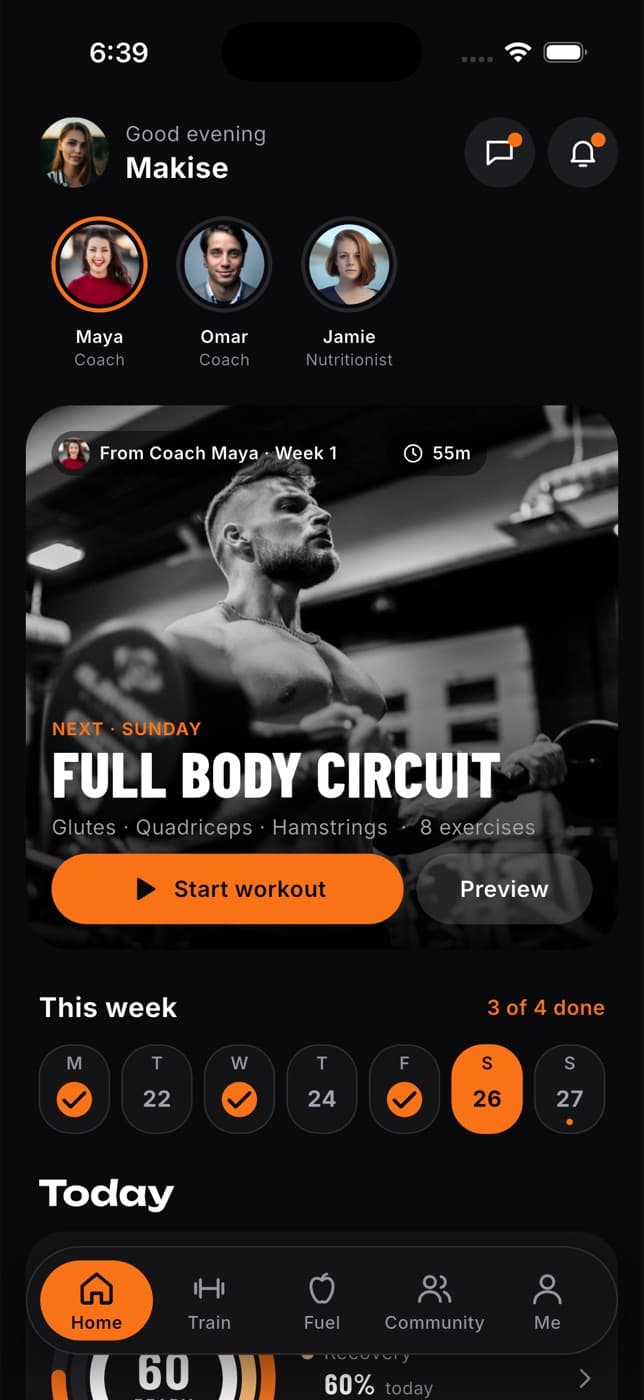
What's on Home
From top to bottom:
- Your greeting, with buttons for your messages (chat icon) and your notifications (bell). A dot on the bell means something is new. Tap your photo to open Me.
- Updates from your coach, such as a new program, a changed plan or feedback on a workout. These appear at the very top when there's something for you.
- Your team: round photos of the coaches and nutritionists you work with. An orange ring means they sent you something new. Tap a photo to chat.
- Today's workout, with Start workout.
- This week, with your training days.
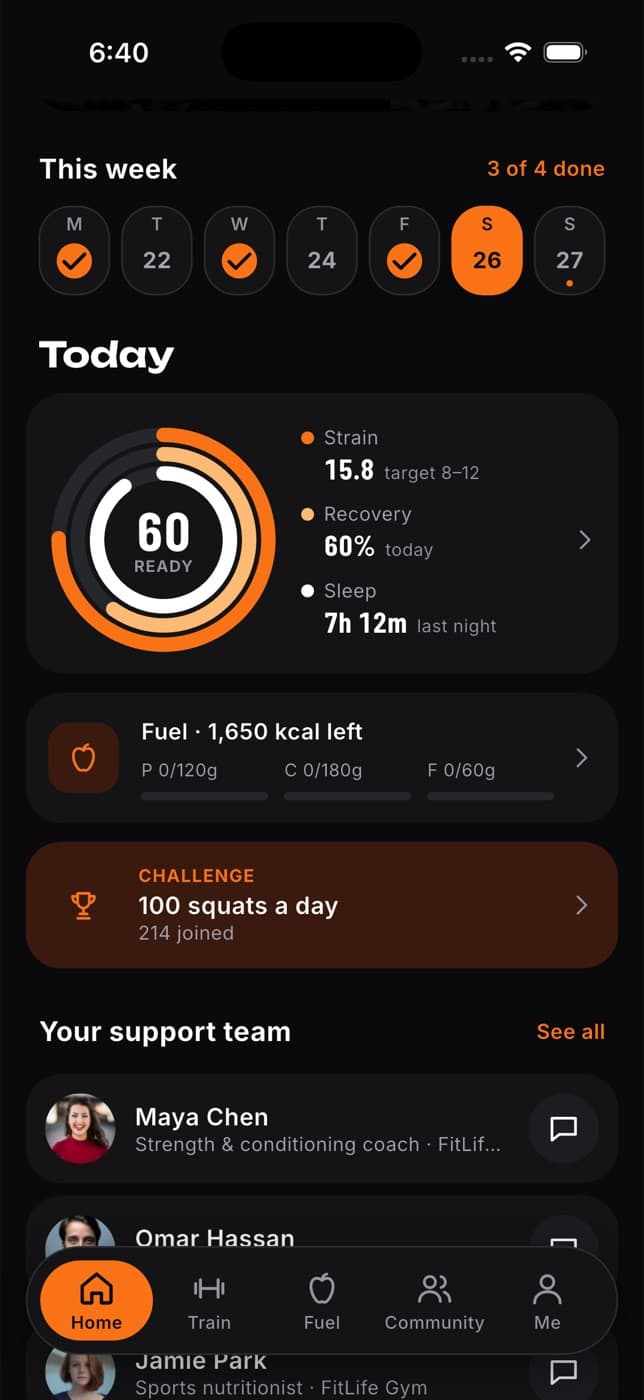
- Today: your readiness score, your food for the day, your next meal and any challenge you've joined.
- Your support team, your coaches, nutritionists and the Fit+ AI Coach.
- Near you today: classes, club runs and workshops at your gym later today.
- Coach tip: the latest note from your coach.
Start today's workout
On Home, find today's workout card. It shows the session name, the muscles it works, how many exercises it has and, if your coach set it, "From Coach" and their name.
Tap Preview to look through the session first, or tap Start workout to begin.
After a short countdown, the workout player opens. See Training for how to log your sets.
When you've finished, the card changes to "Done today" with View summary, and shows your next training day.
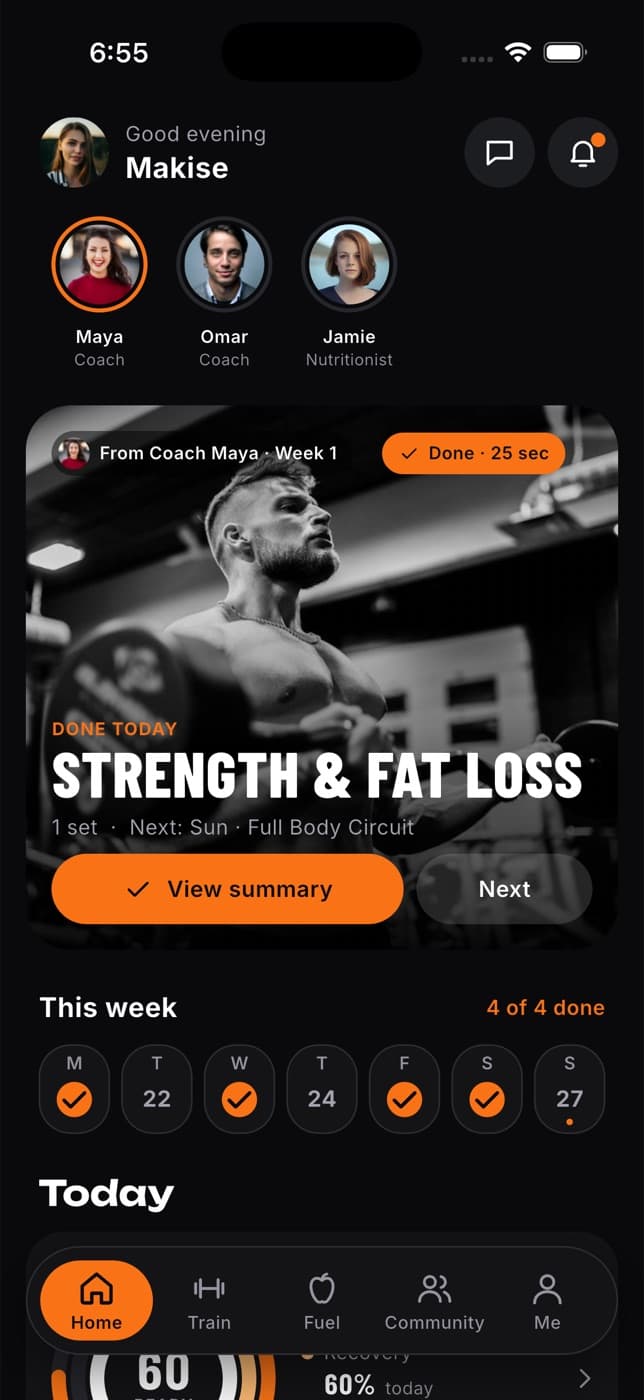
If you left a workout part way through, the button says Resume workout instead. Tap it to carry on where you stopped.
See your week
Under your workout, This week shows seven days starting on Monday. Planned days are marked, finished days get a tick and today is highlighted. The label on the right tells you how many you've done, for example "3 of 4 done". Tap a day to see that day's workout.
Do your morning check-in
A quick check-in each morning helps Fit+ tell you how hard to train today. It takes about 20 seconds.
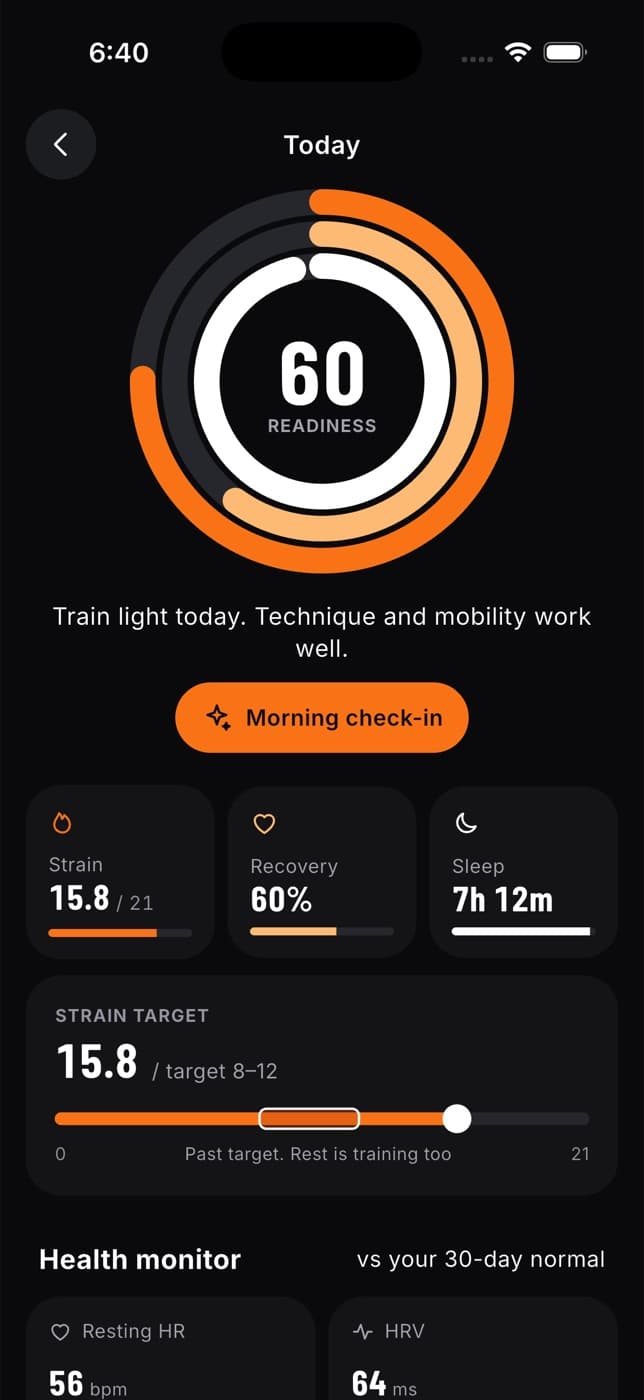
On Home, under Today, tap the rings. Before you've checked in, the middle says CHECK IN.
Drag to show how you're feeling today, from Drained to Buzzing.
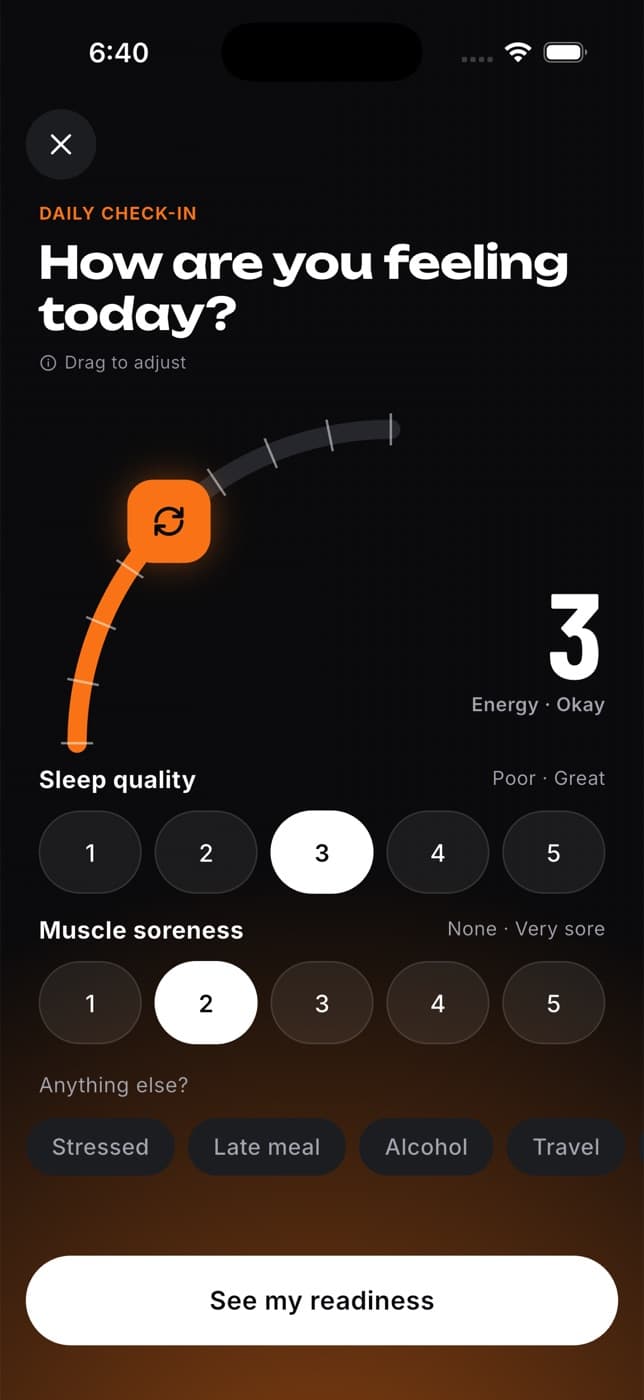
Set your Sleep quality (Poor to Great) and Muscle soreness (None to Very sore).
Optionally, tap anything else that applies: Stressed, Late meal, Alcohol, Travel or Sick.
Tap See my readiness.
Understand your readiness score
Your readiness is a score from 1 to 99. It's based on how you slept and recovered (from your watch or health app, if you've connected one) and on your check-in. It compares you only with your own last 30 days, never with anyone else.
| Score | What Fit+ suggests |
|---|---|
| 67 or more | Good to train. Keep intensity moderate. |
| 34 to 66 | Train light today. Technique and mobility work well. |
| Under 34 | Take it easy. Rest or a gentle walk will help you recover. |
The rings around the score show three things:
- Strain: how hard you've worked today, with a target for the day. If you don't wear a device, Fit+ estimates it from your workouts.
- Recovery: how well your body has recovered.
- Sleep: how long you slept last night, with your sleep score when your watch or health app recorded your sleep. Without a device, it shows the sleep quality from your check-in. See Understand your sleep.
Everything under Today starts fresh at midnight. Learn more in Health and devices.
If you've set your status to Sick, Injured or On a break, Home shows advice for that instead, and your targets are lowered until you're back.
Check your food for the day
The Fuel card shows how many calories you have left (or have eaten) and your protein, carbs and fat so far. Energy shows in kcal or kJ, depending on your units. Below it, Next meal shows the next meal in your plan with a button to log it. Tap either to open the Fuel tab. See Nutrition.
Reach your support team
Your support team lists the coaches and nutritionists you work with, plus the Fit+ AI Coach, which is always available. Tap Message next to anyone to start a chat. Tap See all to see your whole team or to Find an expert.
If you're just getting started
If you don't have a plan yet, Home shows the plan that best matches you, and a Get started list:
- Finish your assessment: answer seven questions to get a plan that fits.
- Connect a watch: add your heart rate and recovery. See Health and devices.
- Meet your coach: find a coach or nutritionist. See Coaching.
See your day without opening Fit+
Add Fit+ widgets to your phone's home screen for your next workout, today's food, your week and your readiness, strain and sleep. See Home screen widgets.
Common questions
Fit+ needs either a morning check-in or sleep and recovery data from a connected device. Do a check-in, or connect a watch or health app from Me, Devices & apps.
It shows classes and events at your gym, club or team that start later today. If nothing is on, or you haven't joined a gym yet, it stays empty. See Join a gym, club or team.
No. Joining a gym never shares your health data. You decide who sees what in Data sharing.
You can still start and finish workouts. They're saved on your phone and sync when you're back online. See Using Fit+ without a connection.
Set up your plan
Tell Fit+ where you train and answer seven quick questions so it can suggest a plan that fits your goal, schedule and body.
Home screen widgets
Add Fit+ widgets for your next workout, today's food, your week and your health to your home screen or lock screen, and choose whether health numbers show on the lock screen.